

Upon visiting Attio, I was greeted with a clean, modern dashboard that immediately signals a shift away from clunky legacy CRMs. The home screen presents a customizable feed: upcoming meetings, recent notifications, tasks, and a prominent search bar labeled “Ask anything…”—this is the heart of the AI assistant, Ask Attio. The onboarding flow lets you import contacts quickly or start from scratch, and within minutes I had a workspace populated with sample data, including people, companies, and deals. The overall feel is fast and responsive, with a left-hand navigation bar giving access to Records, Reports, Automations, and a handy command palette (⌘K) for power users.
First Impressions and AI-Powered Search
The first thing I tested was Ask Attio. It sits permanently in the top bar, ready to answer natural language queries. I typed “Show me all deals with stage ‘Negotiation’ and estimated ARR above $50K.” The tool returned a filtered list instantly, using its underlying data model to parse intent. What impressed me was the context awareness: it suggested pre-built quick actions like “Prep for next meeting” and “Recap last call,” which pull relevant records and notes without manual searching. Unlike generic CRMs where you hunt through filters, Attio feels conversational. However, I noticed that complex queries with multiple joins sometimes returned no results, and the AI seems to rely heavily on well-structured data—so messy imports can limit its usefulness.
Workflow Automation and AI Agents
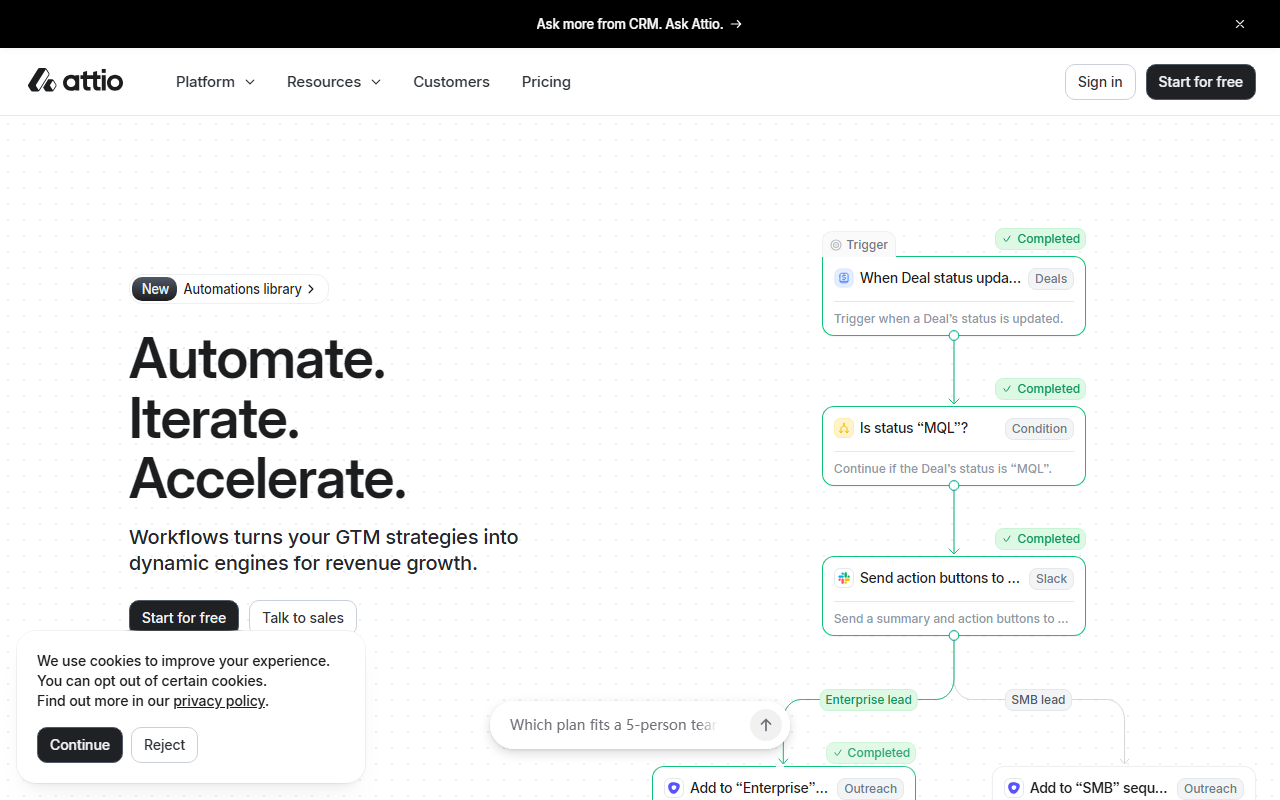
Attio’s automation engine is where the tool truly shines. I explored the Workflows section and found a visual builder that feels like a mix of Zapier and a BPM tool. You set triggers (e.g., “When Deal updated”), add conditions (e.g., “if Status changed to Closed Won”), then choose actions like enrolling a person in a sequence or sending a Slack message. The example shown on the website—routing deals to upsell or nurture based on deal stage—is exactly how I set up a test workflow. The AI agent functionality goes further: it can evaluate lead fit (e.g., “Does the company sell software to other businesses?”) and even identify key stakeholders using public data. This is a powerful differentiator for GTM teams who want to scale prospecting. That said, the workflow builder has a learning curve; I had to experiment for a while before my first automation ran without errors.
Data Integration and the Developer Platform
Attio positions itself as a “single source of truth” by syncing product data, billing info, email, calendar, and support tickets. I connected a test data warehouse using their new MCP (Model Context Protocol) integration, and the sync was near real-time. The data model is flexible—you can create custom objects and relationships, which is rare in out-of-the-box CRMs. This makes Attio suitable for companies with non-standard sales processes, unlike Salesforce which relies on heavy customization. However, the platform currently lacks native integrations for some popular tools like Jira or Mailchimp (though Zapier and MCP can bridge gaps). The Developer Platform is clearly a focus, but documentation on API rate limits was thin during my testing.
Pricing is not publicly listed on the website; the only tier I saw mentioned was “Workspace — Standard” inside the demo workspace. The “Start for free” button suggests a freemium tier, but the call-to-action “Talk to sales” implies enterprise plans require a quote. Competitors like HubSpot offer transparent pricing, which may be a drawback for budget-conscious buyers. Attio is best suited for mid-market B2B teams with complex revenue workflows who value AI and automation over low cost. Solo operators or small teams might find the setup overhead too high.
Strengths, Limitations, and Verdict
Attio’s strengths are clear: intelligent AI assistant, powerful no-code workflow engine, and a developer-friendly platform that adapts to your data. The interface is refreshingly modern, and the ability to deploy autonomous agents for lead scoring sets it apart from legacy CRM systems like Salesforce or Pipedrive. However, limitations exist: pricing opacity, a moderate learning curve for advanced workflows, and occasional AI inconsistency on poorly structured data. If you are a GTM leader at a growth-stage company that values automation and AI-driven insights, Attio is worth a serious look. For those needing a simple, inexpensive contact manager, look elsewhere. Visit Attio at https://attio.com/ to explore it yourself.













Comments