

First Impressions and Onboarding
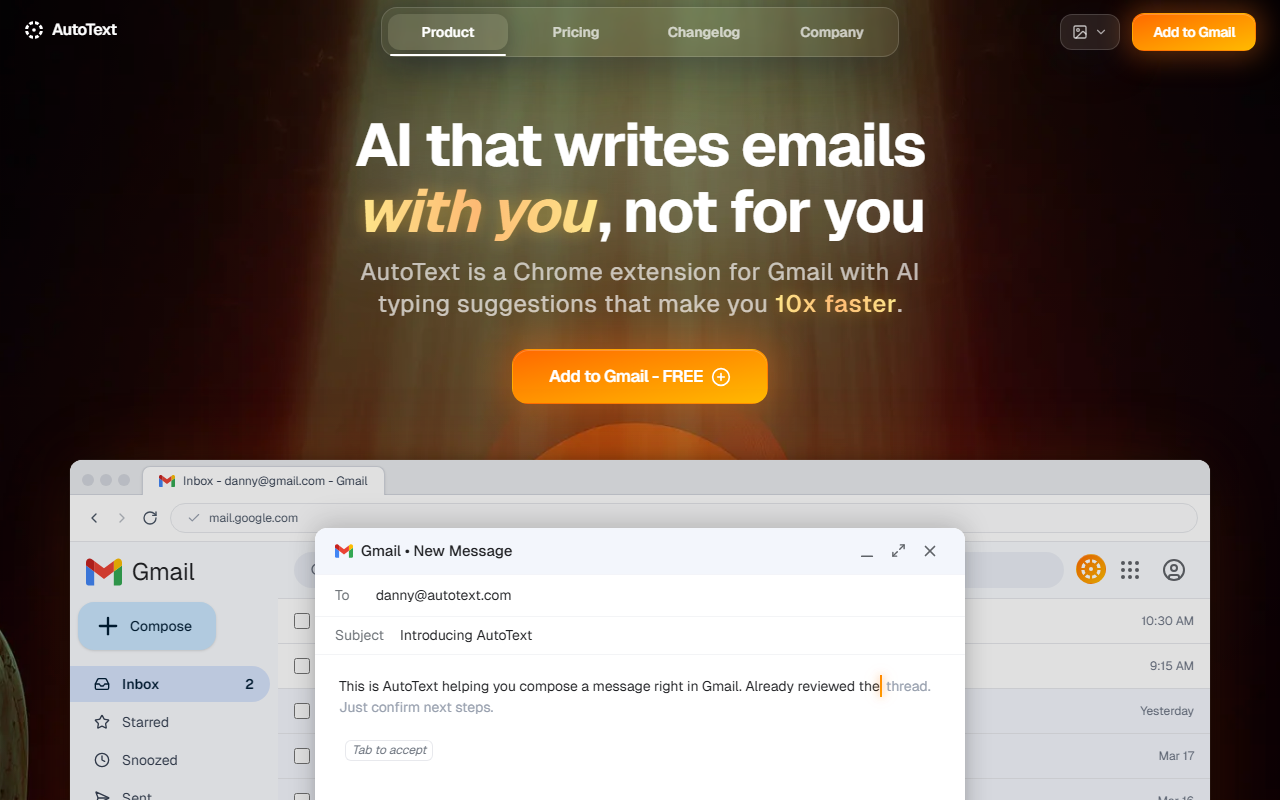
Upon visiting the AutoText site, I was struck by the clarity of the value proposition: "Gmail's autocomplete sucks, so we fixed it." The homepage immediately invites you to add the extension to Chrome. I installed it in seconds, and after a quick Google sign-in, the extension prompted me to open Gmail. The onboarding was seamless — no clunky tutorials, just a new settings panel appearing inside Gmail's interface. The dashboard is minimalist, living inside Gmail's sidebar with a clean "AutoText Settings" panel. It offers toggles for the different AI layers: Context, Refinement, Generation, and Formatting. I could immediately start typing a new email and see suggestions.
Core Features and Real-World Interaction
AutoText is far more than single-word autocomplete. Its four layers work together: the Context Layer reads the entire thread (including links and dates) before making suggestions. When I drafted a reply asking for confirmation on dates, it automatically pulled the correct travel window and venue from an earlier email — a trick most tools fumble. The Refinement Layer is where AutoText shines brightest. As I typed a messy update about metrics, the tool suggested a polished version with firm dates, assigned owners (Leo, Sarah), and clear actions. The diff highlighting (advanced, they call it) showed exactly which words changed. I pressed Tab to accept; it felt like dictating to a brilliant assistant. The Generation Layer predicts full paragraphs. I wrote "Hey team, recapping our thread about the Q4 launch" and it completed the rest with remarkable specificity, using real details from the thread. The Formatting Layer preserved bold, italics, and link formatting — no broken styling after accepting a suggestion.
Strengths and Honest Limitations
Strength: Accuracy is genuinely extraordinary. Unlike Gmail's native autocomplete (which only offers a few words), AutoText understands the conversation's history and tone. It also updates suggestions live as you type — no lag. The free tier includes all features with no obvious watermarks or caps. Meanwhile, competitors like Grammarly focus on grammar and style corrections, not on generating complete context-aware sentences. Cursor (which inspired AutoText) is for code, not email. Limitation: The extension only works in Chrome for Gmail. No Firefox, Safari, or Outlook support yet. Privacy-conscious users should note: AutoText reads your entire email thread context to make predictions. The website states it does not train on emails — but that claim relies on trust. Also, while the free tier is generous, I found no visible paid plans or pricing on the site (aside from the free "Add to Gmail" option). That may change, but for now it's a simple, no-strings-attached tool.
Who Should Use AutoText?
This tool is ideal for anyone who spends a significant part of their day in Gmail — sales reps, project managers, customer support agents, and executives. It's also great for non-native English speakers who want to sound more fluent and precise. If you're a privacy absolutist or forced to use Outlook, look elsewhere. For everyone else, I recommend installing AutoText immediately. The time saved on composing even five emails a day is substantial. And unlike many AI tools that charge per month, this one is currently free. The development team is also shipping updates weekly (the changelog is impressively active), which suggests ongoing improvements.
Visit AutoText at https://autotext.io/ to explore it yourself.













Comments