

First Impressions and Onboarding
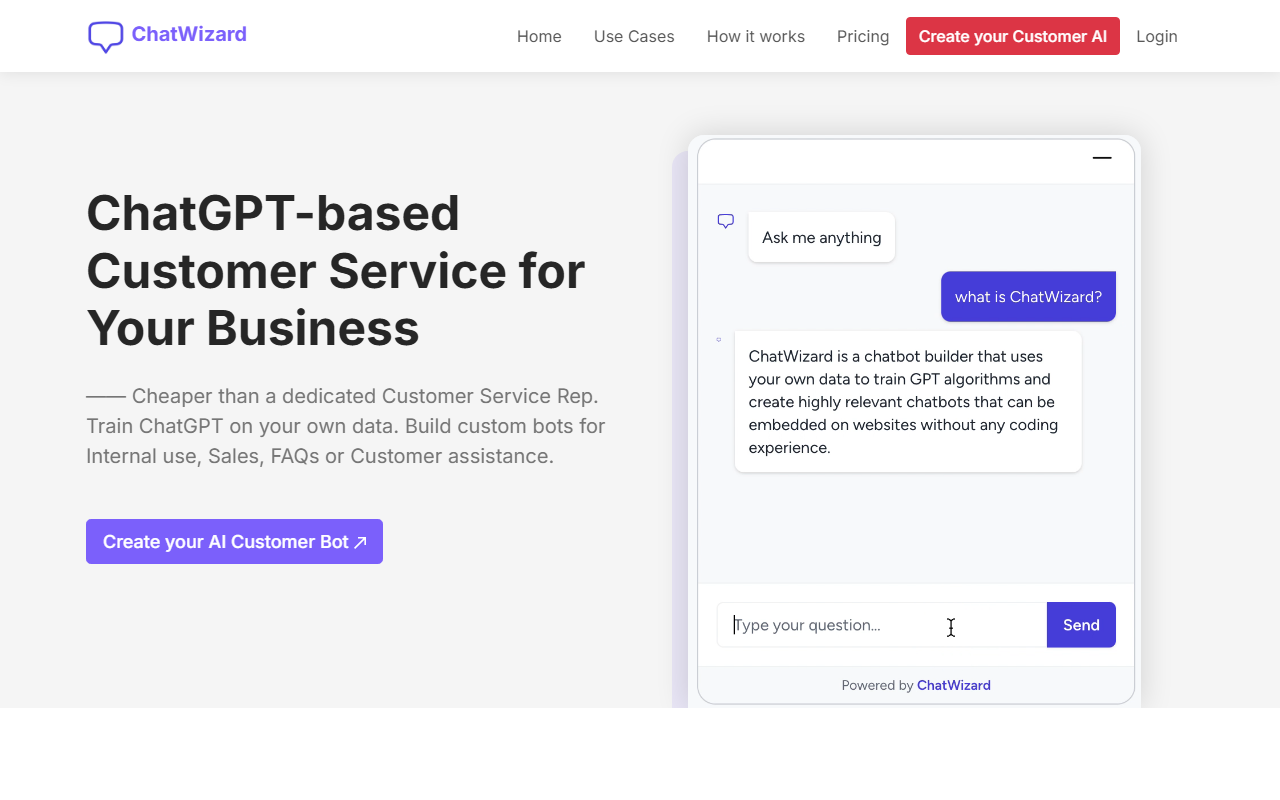
Upon visiting the ChatWizardAI website, I was greeted by a clean landing page with a video demo and a clear value proposition: train ChatGPT on your own business data to create a custom customer service bot. The onboarding flow is straightforward. After signing up for the free tier, I was taken to a dashboard where I could immediately create a new bot. The interface asks you to import data—either by adding a website URL or uploading documents (PDF, Word, or TXT). I tested with a sample URL and a small PDF. The training process took about a minute, and the system notified me when it was ready. The whole experience felt polished, with tooltips and a step-by-step wizard that guided me through customization of the bot's appearance and conversation starters. I especially appreciated the live demo widget that shows exactly what the embedded chatbot will look like on your site.
Core Features and Technical Depth
ChatWizardAI solves a specific problem: providing affordable, always-available customer support without hiring a human agent. It uses ChatGPT (likely GPT-3.5 or GPT-4, though the website does not specify the exact model) trained on your proprietary content. The key workflow is simple: import data, customize behavior and branding, then embed a smart widget using three lines of HTML code. I observed that the embed script is clean and works with any platform—WordPress, Webflow, Shopify, and custom sites alike. The bot supports over 30 languages, which is a significant advantage for international businesses. During testing, the bot answered questions based on my uploaded PDF accurately, though it occasionally hallucinated details not present in the source. The dashboard logs all conversations, allowing you to review interactions and export chats—a must for quality assurance. Unlike many competitors that require monthly subscriptions per bot, ChatWizardAI offers multiple bots on higher tiers, with message credits acting as the main usage limit. The free tier is extremely limited (10 message credits per month), which makes it more of a trial than a sustainable option.
Pricing and Value Proposition
ChatWizardAI offers four tiers: Free ($0/month for 1 bot, 10 credits), Starter ($9/month for 1 bot, 1,000 credits), Growth ($29/month for 3 bots, 5,000 credits), and Business ($99/month for 15 bots, 15,000 credits). Annual billing gets you 18–34% off. Message credits are the unit of interaction; each user message or bot reply consumes one credit. This model is common among AI chatbot providers. Compared to alternatives like Tidio or Intercom (which start around $30–$50/month with limited features), ChatWizardAI’s Growth plan is competitive for small businesses that need multiple bots. However, the free tier is essentially unusable for real traffic—10 credits won't even handle a single customer session. The Starter plan is more realistic for testing, but growth can be expensive as you scale message volume. The 30-day money-back guarantee reduces risk. I found the pricing transparent and clearly laid out on the website, which is a plus for budget-conscious buyers.
Strengths, Limitations, and Verdict
ChatWizardAI’s strongest asset is its dead-simple setup: no coding required, and you can have a working chatbot in under five minutes. Multi-language support is genuinely useful, and the unlimited characters for training mean you can upload large documents without extra fees. That said, the message credit system can be a limitation—heavy traffic will quickly consume credits, and there is no pay-as-you-go option. Additionally, the platform does not natively integrate with CRM or helpdesk software (like Zendesk or Salesforce), which might be a dealbreaker for larger teams. I also noticed that the bot’s knowledge freshness depends entirely on the data you upload; it cannot fetch real-time information from your website automatically after training. For a small law firm or e-commerce store with a fixed set of FAQs, ChatWizardAI is an excellent choice. For enterprises needing advanced routing or live agent handoff, look elsewhere. Overall, I recommend trying the free tier to see if the accuracy and customization meet your needs, then upgrading gradually.
Visit ChatWizardAI at https://chatwizardai.com/ to explore it yourself.







Comments