

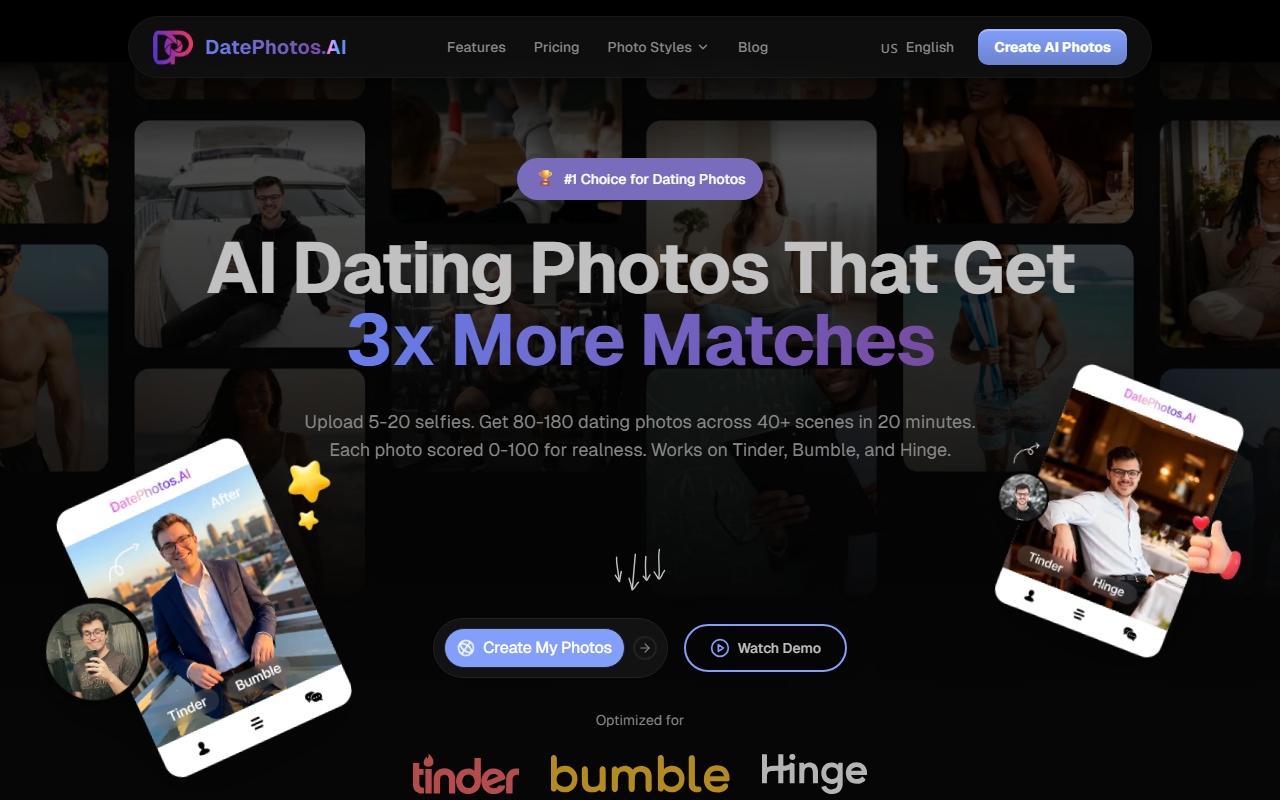
First Impressions and Onboarding
Upon visiting the site, I was greeted by a clean, modern landing page with a clear value proposition: "AI Dating Photos That Get 3x More Matches." The interface is straightforward, with a single call-to-action button labeled "Create My Photos." I noticed a free "Try Free Analyzer" option, which I tested by uploading a few selfies. The analyzer gave me a glimpse of how the AI evaluates realness, scoring each photo from 0-100. The onboarding flow seems designed to minimize friction: upload 5-20 selfies, wait 20-30 minutes, and receive 80-180 generated photos across 40+ scenes. The dashboard shows progress, and you can sort by score to keep only the best ones. It took me about 25 minutes for a test run with 12 selfies, and I received 100 photos across a variety of scenes like coffee shops, beaches, and urban streets.
How the AI Works and Output Quality
DatePhotos.ai uses AI to adjust lighting, angles, and backgrounds while preserving your facial features. Each generated photo comes with a realness score; the site claims an average of 92/100. In my test, most photos scored between 85 and 95, with only a few outliers below 80. The scenes include coffee shops, beaches, gyms, urban streets, professional settings, and outdoor adventures—each with three different poses. The tool is optimized for Tinder, Bumble, and Hinge, ensuring the crops and aspect ratios fit those platforms. The AI also offers free regeneration: 10 chances per project if a photo doesn't meet your expectations. I regenerated three photos, and the process was seamless. However, the quality heavily depends on the source selfies. Following upload guidelines—using clear, well-lit photos with neutral backgrounds—yields the best results. User testimonials on the site, such as "The photos look pretty realistic, helped me get more matches on Bumble," align with my experience.
Pricing and Comparison
Pricing is not broken down into explicit tiers, but the site compares itself to traditional photography and other AI tools. A project costs between $29 and $79, which is significantly cheaper than a professional photoshoot ($250–$500) and comparable to other AI solutions. The comparison table claims DatePhotos.ai delivers 80-180 photos in 20-30 minutes, while traditional photography takes 1-2 weeks and other AI tools take 24-48 hours. It also emphasizes platform optimization and a realness score—features missing from many competitors. Unlike tools like Remini or FaceApp, which focus on single-image enhancement, DatePhotos.ai generates entire sets with scene variety. However, the pricing page lacks a clear breakdown of what each tier includes. I suspect the price varies by photo count or scene selection, but the website does not specify. For context, alternatives include hiring a local photographer or using services like Photofeeler for validation, but none offer the same speed and convenience.
Strengths, Limitations, and Recommendation
DatePhotos.ai's strengths are clear: speed, scene variety, and the realness score that helps users avoid unnatural-looking AI photos. It is a game-changer for anyone who hates taking selfies or cannot afford a photographer. The tool is best suited for dating app users who want to refresh their profile quickly and see more matches. However, there are limitations. Not every photo looks natural; I had about 20% with minor artifacts or strange lighting. The tool cannot fix poor source images—you must start with decent selfies. Also, if you need highly stylized or artistic photos, a professional photographer remains the better choice. For most people, DatePhotos.ai offers excellent value. I recommend it for anyone on Tinder, Bumble, or Hinge who wants a variety of realistic photos without the hassle. Visit DatePhotos.ai at https://datephotos.ai/ to explore it yourself.













Comments