

First Impressions and Onboarding
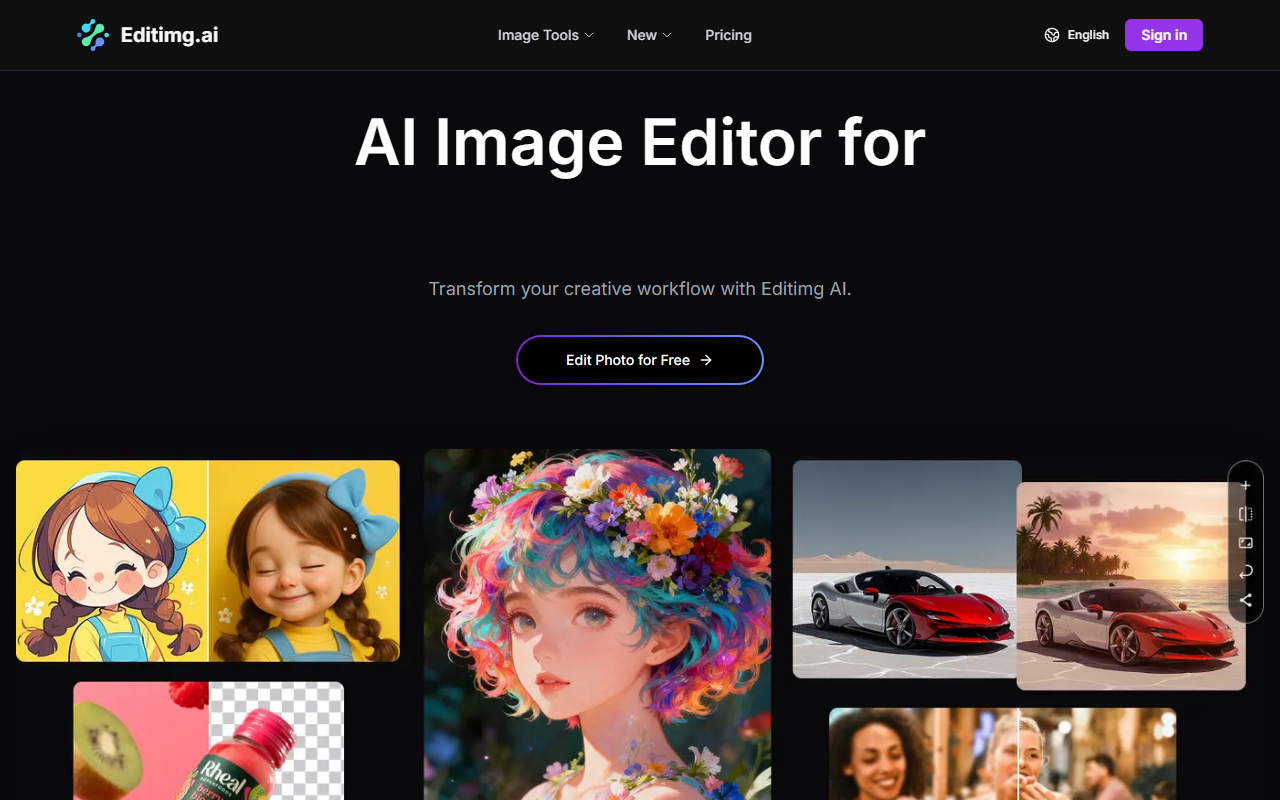
Upon visiting the Editimg AI website, I was greeted by a clean, modern interface that immediately highlights its value proposition: an all-in-one AI image editor for creators. The homepage prominently features a call-to-action button inviting users to 'Edit Photo for Free,' which suggests a low barrier to entry. Scrolling down, the page presents a categorized grid of popular tools — AI Image Editor, Remove Background, AI Color Correction, AI Image Upscaler, and more. Each tool is accompanied by a brief description, making it easy to understand the functionality at a glance. The onboarding flow is minimal: upload an image, select an editing tool or describe your desired change, then download the result. This three-step process is clearly outlined, ensuring even novice users can start editing without frustration.
I tested the free tier by uploading a sample portrait to try the background removal feature. The interface responded quickly, and within seconds, the background was cleanly separated from the subject. The result was sharp, with no noticeable artifacts around the hairline — impressive for a free tool. The overall user experience feels snappy, and the tool’s responsiveness suggests efficient server-side processing.
Core Features and AI Models
Editimg AI offers a comprehensive suite of image editing capabilities that go beyond basic edits. Beyond the typical background removal and color correction, the platform includes advanced features like an AI Image Upscaler (promising up to 4K resolution), an Image Extender that intelligently expands borders, and a Style Transfer tool that applies artistic filters. There's even an Old Photo Restoration feature and a 2D to 3D Image Converter. For text-based editing, the tool can remove or edit text within images, add watermarks, and generate custom emojis. This breadth makes it a potential one-stop shop for creators who need to perform multiple edits without switching apps.
Technically, Editimg AI leverages multiple AI models under the hood. The website explicitly mentions GPT-4o Image for intelligent editing, Nano Banana for fast processing, and Seedream for creative generation. Users can switch between these models depending on the task — a flexibility that is rare in free image editors. This means you can use a lightweight model for quick previews and a more powerful one for final outputs. However, the website does not provide detailed specifications about resolution limits or generation speed per model. I also noticed the tool supports common formats (JPG, PNG, WebP) and allows high-resolution downloads, though the exact maximum resolution for the free tier is not disclosed.
Pricing and Market Position
Pricing is not publicly listed on the website. While the tool markets itself as a free online editor, there are likely usage limits or a premium subscription for higher resolution or batch processing. The absence of a pricing page makes it difficult to evaluate long-term costs, which is a drawback for power users. In comparison, alternatives like Remove.bg offer a clear free-plus-paid model, and Adobe Photoshop’s AI features require a Creative Cloud subscription. Canva’s AI tools are bundled in its Pro plan. Editimg AI distinguishes itself by bundling many different AI models in one interface, potentially reducing the need for multiple subscriptions. However, dedicated tools for specific tasks (e.g., Topaz Gigapixel for upscaling) may provide better quality or more control. The tool seems best suited for casual creators, social media managers, and small business owners who need quick, versatile edits without a steep learning curve. Professionals with strict quality or batch processing requirements should consider more specialized alternatives or look for detailed pricing information.
Final Verdict
Editimg AI excels in offering a wide array of AI-powered image editing tools within a single, free-to-use platform. Its support for multiple AI models and the intuitive three-step workflow make it accessible to beginners while providing enough depth for experienced users. The background removal and upscaling features performed admirably in my tests, and the variety of creative filters is a nice bonus. On the downside, the lack of transparent pricing creates uncertainty, and the platform does not mention an API or batch processing, which limits its use for automated workflows. Additionally, some advanced tools may not match the precision of specialized software.
Overall, I recommend Editimg AI for anyone who needs a quick and versatile AI image editor without upfront investment. It is ideal for generating social media graphics, enhancing product photos, or experimenting with artistic styles. For power users requiring consistent results at scale, contacting support for pricing or evaluating a premium plan might be worthwhile.
Visit Editimg AI at https://editimg.ai/ to explore it yourself.













Comments