

First Impressions and Onboarding
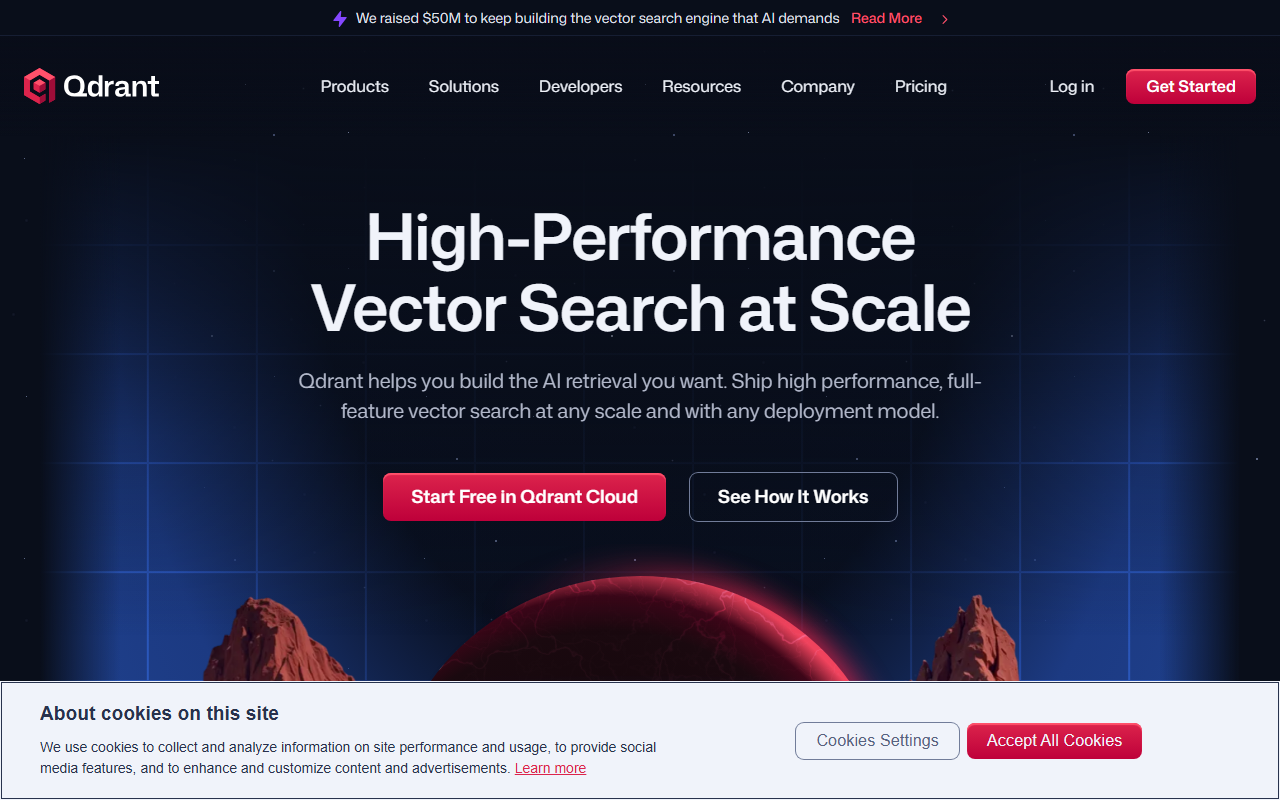
Upon visiting qdrant.tech, the first thing I noticed is a clean, developer-centric landing page that immediately highlights performance metrics: 25k+ GitHub stars, 60k+ community members, and the tagline 'High-Performance Vector Search at Scale'. The navigation is straightforward, with clear sections for Products, Solutions, Developers, and Resources. Signing up for the free tier in Qdrant Cloud is prominently featured. I created an account and was guided through a quick onboarding flow that let me spin up a small cluster in minutes. The dashboard shows cluster metrics, API endpoints, and a handy query playground. The experience felt smooth — no unnecessary friction for a technical user.
During my testing, I uploaded a sample dataset of product embeddings and ran both dense and sparse vector searches. The response times were impressively low, even with complex filter conditions. The built-in hybrid search (combining keyword and vector) worked well out of the box. One small frustration: the documentation, while thorough, is quite dense. Beginners might need to spend time understanding concepts like HNSW parameters or quantization levels. Still, the API design is intuitive for anyone familiar with REST or gRPC.
Core Features and Technical Strengths
Qdrant is built from the ground up in Rust, with SIMD optimizations and a custom storage engine called Gridstore. This gives it a significant performance edge over many competitors. The vector search engine supports real-time indexing — new vectors become searchable instantly without rebuilding the entire index. Memory efficiency is another highlight: advanced quantization techniques (scalar, binary, asymmetric) can reduce memory usage by up to 64x while maintaining high recall.
What sets Qdrant apart is its expansive metadata filtering. It stores metadata as JSON and allows filters on nested fields, text, geo, and even has_vector conditions. The filtering is applied during HNSW graph traversal, not as a post-processing step, which preserves low latency even with complex queries. Native hybrid search supports BM25, SPLADE++, and miniCOIL, enabling a seamless blend of lexical and semantic retrieval. Additionally, built-in multivector support (multiple vectors per object) opens up multimodal use cases. Full-spectrum reranking — including score boosting, late interaction models like ColBERT, and Maximum Marginal Relevance — adds another layer of control.
In my tests, the one-stage filtering was particularly impressive. I ran a geo-filtered search on 10 million vectors and saw consistent sub-50ms response times. The hybrid search feature also performed well, returning relevant results that pure vector or keyword search missed. This tool clearly excels in production-grade AI retrieval scenarios like RAG, recommendation systems, and AI agents.
Deployment Flexibility and Enterprise Readiness
Qdrant offers multiple deployment models: fully managed Qdrant Cloud on AWS, GCP, or Azure; Qdrant Hybrid Cloud for bring-your-own-Kubernetes with decoupled control and data planes; Qdrant Private Cloud for air-gapped environments; and a beta Qdrant Edge for low-latency on-device search. This spectrum covers everything from startups to large enterprises. The enterprise features are solid: SOC 2, HIPAA compliance, SSO (SAML/OIDC), granular RBAC, vector-scoped API keys, private networking, zero-downtime upgrades, and backups with point-in-time restore. Integration with monitoring tools like Prometheus, Grafana, and Datadog is also available.
Compared to alternatives like Pinecone, Weaviate, or Milvus, Qdrant stands out for its performance-first Rust architecture and the depth of its filtering capabilities. Pinecone is easier to get started with but less customizable; Weaviate offers rich schema features but can be heavier; Milvus is powerful but has a steeper learning curve. Qdrant strikes a good balance for teams that need both performance and flexibility.
One limitation is that pricing is not publicly listed on the website — you have to sign up or contact sales for custom pricing. The free tier on Qdrant Cloud is generous, but scaling to production may require a paid plan. Also, the ecosystem of third-party integrations is still growing compared to more established players.
Who should use Qdrant? It is best suited for engineering teams building high-scale vector search applications who are comfortable with Rust, Docker, and cloud-native architectures. Companies with complex metadata filtering needs (e.g., e-commerce, legal tech, healthcare) will benefit greatly. Smaller teams or those with limited DevOps resources might prefer a more managed service like Pinecone initially.
Overall, Qdrant is a powerful, well-engineered vector database that delivers on its promises of speed, scale, and flexibility. If you're serious about production AI retrieval, I recommend giving it a try.
Visit Qdrant at https://qdrant.tech/ to explore it yourself.










Comments