

First Impressions and Onboarding
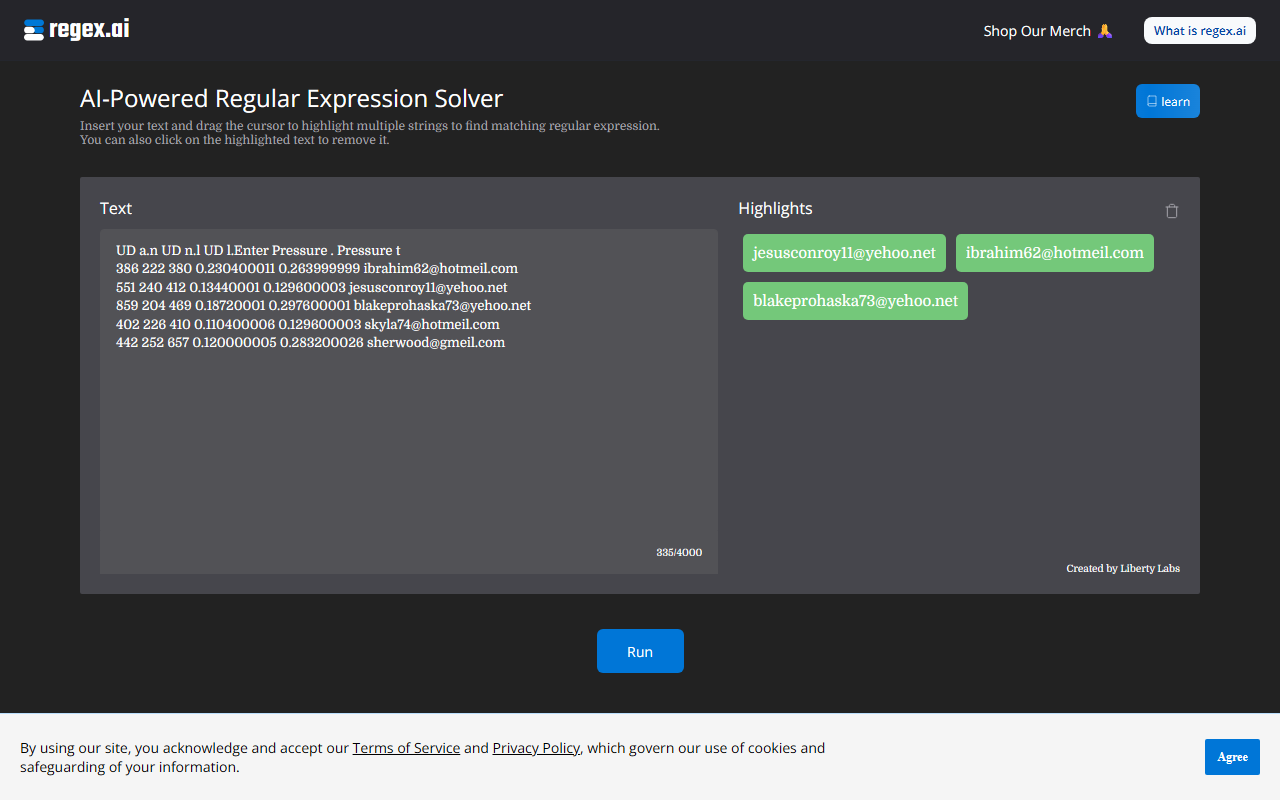
Upon visiting the site, I was greeted by a clean, minimalist interface. No sign-up wall or paywall — the tool is immediately ready for use. The dashboard shows a large text area where you can paste or type up to 4,000 characters, and below it a row of empty highlights. The workflow is intuitive: you drag your cursor over multiple strings in the input text to define examples of what you want the regex to match. Each highlight is color-coded and can be clicked to remove. This low-friction onboarding is a breath of fresh air compared to other regex builders that require a deep understanding of syntax upfront.
How Regex.ai Works
When testing the free tier, I pasted a block of email addresses and phone numbers. I then highlighted several email strings by clicking and dragging across them. After clicking the blue "Run" button, the tool presented me with four candidate regex patterns, each generated by a different "Agent" (Agent A, B, C, D). Each agent’s output included the regex pattern and a list of matches within the original text. For my test, Agent A produced \\w+@\\w+\\.com|\\w+@\\w+\\.net and correctly matched all email addresses I had highlighted. The other agents offered slight variations — some accounted for whitespace boundaries, others simplified the alternation. All were valid, but the diversity gave me a chance to pick the most robust pattern for my use case.
After clicking "view all" on any agent, the full set of matches appears, so you can verify accuracy. The site also includes a small documentation section (linked at the top) that explains the drag-to-highlight mechanic and shows examples of edge cases. The underlying AI appears to be a custom model trained on regex generation tasks — it consistently produced syntactically correct patterns, even for non-trivial selections like multiple delimiters.
Strengths and Limitations
The biggest strength is speed. Writing regex manually is error-prone and time-consuming; Regex.ai turns minutes of trial-and-error into a single drag-and-drop action. The tool excels at extracting patterns that repeat verbatim, such as emails, URLs, or date formats. For users who are not regex experts — data analysts, marketers, or junior developers — this drastically lowers the barrier to entry. I also appreciated that no API key or account is required; it works entirely client-side after the initial page load, which is good for privacy.
On the other hand, the tool has clear limitations. It struggles with patterns that rely on context beyond the highlighted strings. For example, I tried highlighting only some dates in a mixed text containing both dates and times; the agents generated patterns that inadvertently matched time strings too. The AI cannot infer "negative examples" — it only learns from what you highlight, so if you inadvertently include ambiguous characters, the regex may become overly broad. Additionally, the 4,000-character input limit may feel restrictive for large datasets. There is no bulk upload or batch processing feature.
Another limitation: the generated regex is not automatically escaped for different programming languages. You still need to adapt it (e.g., doubling backslashes for Python strings). The site does not offer copy-to-clipboard with syntax variants, which would be a nice addition.
Pricing and Market Position
Pricing is not publicly listed on the website. The tool appears to be free to use with no obvious upsells or throttling — I tested multiple large inputs without any prompts to pay. This makes it an excellent free alternative to dedicated regex builders like Regex101 (which offers a similar example-based visualizer but no AI generation) or services such as AutoRegex, which charge for API access. The project is from Liberty Labs, a small independent studio, and currently shows no enterprise tier or usage limits. Unlike ChatGPT or Copilot, Regex.ai is purpose-built for regex, so its output is more focused and often more accurate for pattern extraction tasks.
Who should use Regex.ai? Anyone who needs to quickly generate or troubleshoot regex patterns without wrestling with syntax — especially data cleaning, log mining, and web scraping. Who should look elsewhere? Advanced developers who need multi-language escaping, testing features, or regex with lookahead/lookbehind constraints may find the tool too basic for their workflow.
Visit Regex.ai at https://regex.ai/ to explore it yourself.













Comments