

First Impressions and Onboarding
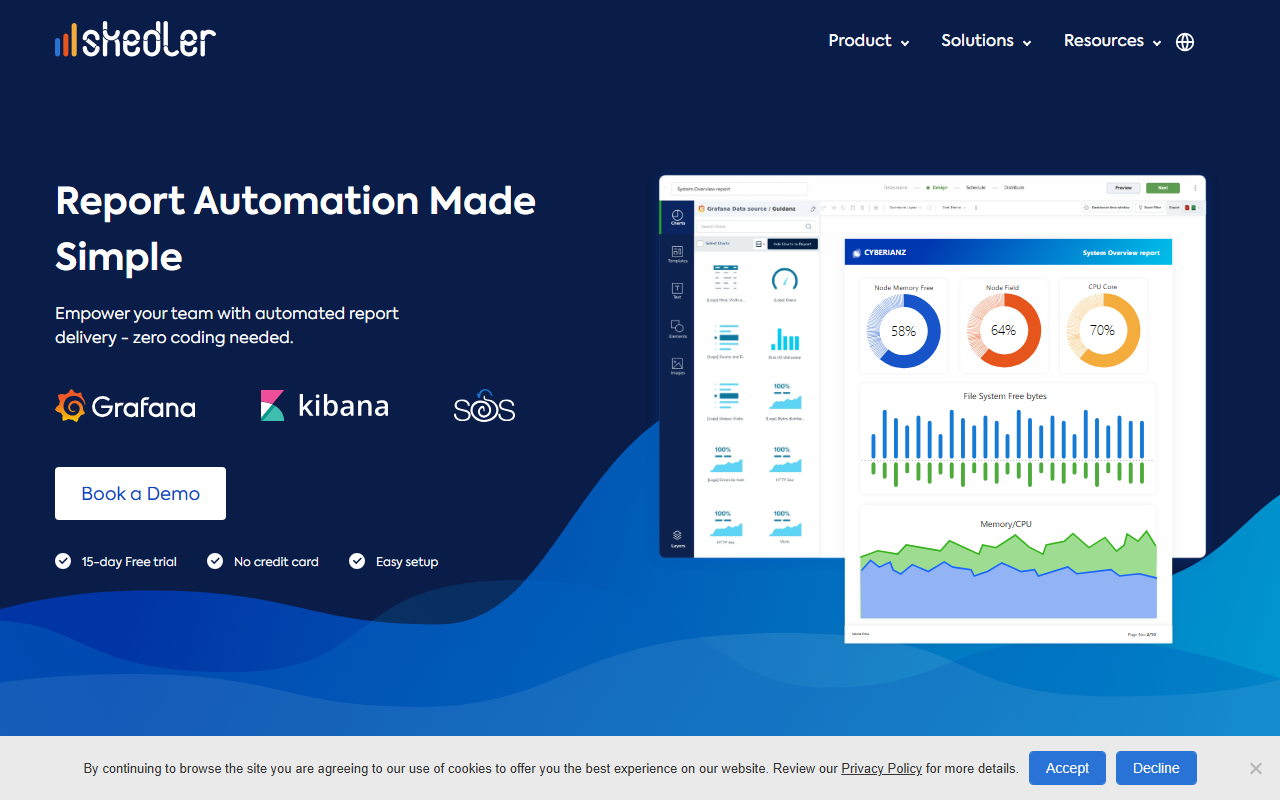
Upon visiting the Skedler website, I was greeted by a clean, product-focused homepage that immediately emphasises report automation. The top navigation menu clearly segments Product, Solutions, Resources, and Partners, making it easy to understand the tool's scope. I clicked the "Book a Demo" button, but there's also a "15-day Free trial" option prominently displayed with no credit card required. The website claims "easy setup," and the workflow is broken down into four steps: Install Skedler, Connect Datasource & Dashboards, Design Reports, and Automate Distribution. This sequence feels logical, and the emphasis on zero coding is a strong selling point for non-developer users.
When I explored the documentation section, I found training videos and a guide. The tool supports Linux, Docker, macOS, and Windows, which is flexible for different IT environments. The dashboard itself (from screenshots and descriptions) appears to be a web-based interface where you connect data sources, choose dashboards, then use a drag-n-drop designer to customise reports. I was impressed that Skedler offers pre-built templates for common reports like Daily Summary, Kubernetes Cluster Monitoring, and Executive summaries. This reduces the time to first report significantly.
Core Features and Technology
Skedler is not a general AI office tool; it's a specialised reporting automation platform for observability dashboards. It solves the problem of manually exporting and distributing reports from Grafana, Kibana, Security Onion, LogRhythm, and Wazuh. Instead of logging into multiple tools and taking screenshots, Skedler extracts data and visualisations to generate PDF, CSV, or image reports automatically. The tool uses templates and a drag-n-drop designer, so no coding is required to create branded reports.
One standout feature is the notification channels integration. Users can set up automated distribution to email, Slack, Microsoft Teams, PagerDuty, and AWS S3. The recent AWS S3 integration allows secure storage and sharing. The website mentions "Skedler Alerts" which can create alerts in minutes, reducing alert creation time from 2 hours to under 5 minutes according to a customer quote. The underlying technology likely uses APIs to connect to the data sources and render dashboards as reports. There is no mention of AI models, but the automation logic is rule-based and scheduled.
Skedler also offers an OEM/White-label option for enterprises wanting to embed reporting into their own products. This is a significant differentiator. Pricing is not publicly listed on the website; you must contact sales or start a trial. The impact metrics shown—2M+ reports generated, 10+ hours saved per user per week, $50K saved per user per year—are impressive but unsourced. I take them as marketing claims.
Comparison with Alternatives
Unlike Grafana's own built-in reporting (which is limited in free tier or requires Grafana Enterprise), Skedler provides a unified solution for both Grafana and Kibana. It also supports additional sources like LogRhythm and Wazuh, which many organisations use. Another competitor is Redash or Metabase for BI reporting, but those focus on SQL-based queries rather than live dashboard capture. Skedler's strength is its tight integration with operational dashboards used by IT and security teams. For users who already own Kibana or Grafana, Skedler fills a gap without needing a heavy ETL process.
A limitation is that Skedler is not a general-purpose reporting tool. If your data lives in spreadsheets or SQL databases, you'd be better served by tools like Tableau or Power BI. Also, the dependency on specific data sources means it's not for every business analyst. The website does not mention any API for custom integrations, though the white-label option suggests some flexibility.
Strengths and Limitations
Strengths: The biggest advantage is the no-code automation. I could see an IT manager getting this running within minutes after installation. The template library is a time-saver, and the drag-n-drop designer allows custom branding without CSS skills. The scheduling and distribution channels are robust, covering email, cloud storage, and collaboration tools. The ability to generate reports on-demand or on a schedule with real-time data is crucial for operational intelligence.
Limitations: The targeted audience is narrow—teams that already use Kibana, Grafana, or similar tools. If you are not in DevOps or security operations, Skedler may not be relevant. Pricing could be a barrier for smaller teams; without public pricing, you must engage sales. Also, while the tool integrates with multiple sources, it does not support generic REST APIs or SQL databases, limiting flexibility. Finally, the website lacks a clear explanation of the underlying technology (e.g., rendering engine, data privacy) which might concern some enterprise buyers.
Who Should Use Skedler?
Skedler is best suited for IT operations, DevOps, and security teams that rely on Grafana or Kibana dashboards and need to distribute regular reports to stakeholders without manual effort. It's ideal for managed service providers (MSPs) who need white-labeled reports for clients. Enterprises with large observability deployments will benefit from the automated alerts and report distribution. Smaller shops with simple reporting needs might find the cost and complexity not worth it—consider Grafana's built-in features first.
Overall, Skedler delivers exactly what it promises: automated report creation and delivery from live dashboards with zero coding. The 15-day free trial is a risk-free way to test the value. Visit Skedler at https://skedler.com/ to explore it yourself.













Comments