

First Impressions and Onboarding
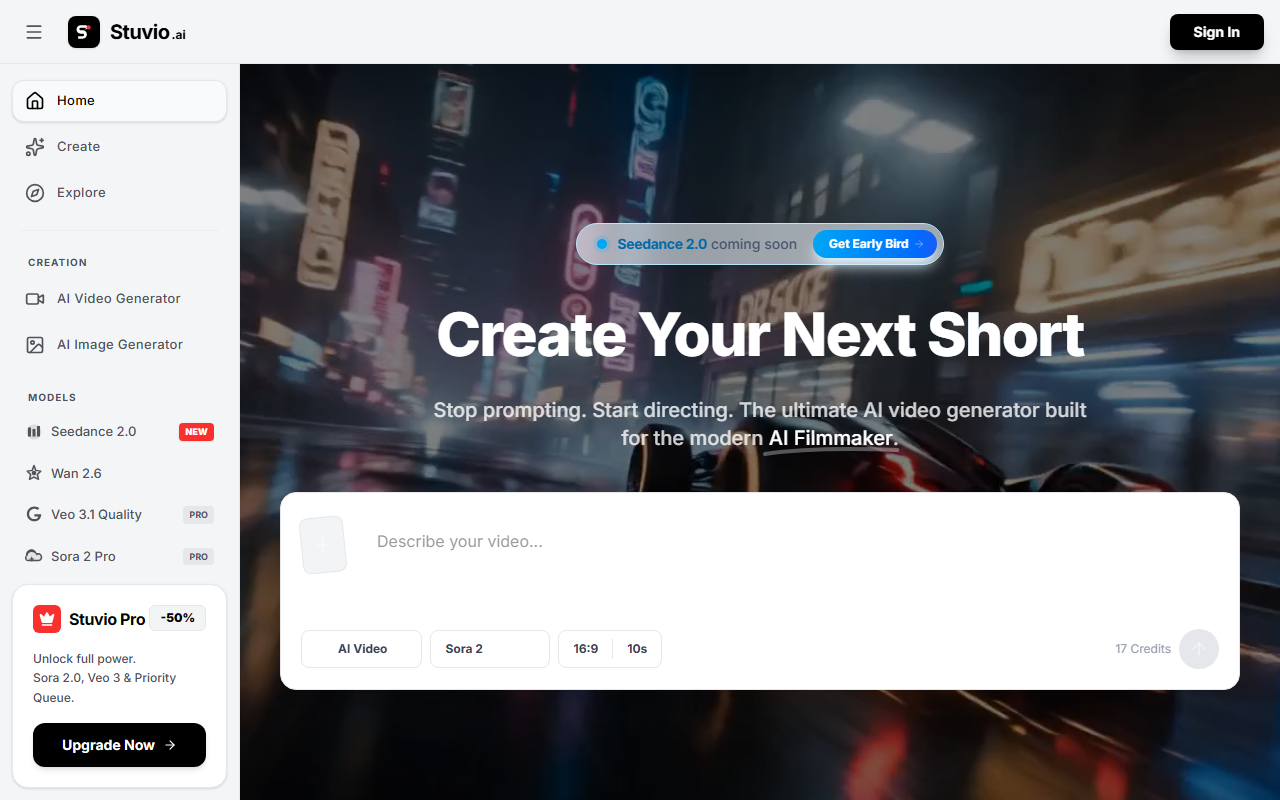
Upon visiting Stuvio.ai, the landing page presents a dark-themed dashboard with a sidebar listing Home, Create, Explore, and a Personal section for My Creations and Saved. The sign-in button is prominent, but I was able to browse the interface without an account—a nice touch for initial exploration. The creation flow is straightforward: choose between AI Video Generator and AI Image Generator, then pick a model from the dropdown. I clicked on the Video Generator and was greeted with a text prompt box, style options, and a resolution menu. The onboarding is minimal; there’s no tutorial or tooltip, so new users may need to experiment to understand model differences.
When testing the free tier, I selected Seedance 2.0 (marked as New). I entered a short prompt describing a cinematic sunrise over a cyberpunk city. The generation took about 30 seconds and produced a 4-second clip. The output was decent—smooth motion but slightly grainy at the edges. Wan 2.7, another free model, generated a more stylized result but with slower rendering. The interface displayed a progress bar and a preview before download, which felt polished.
Core Features and Model Options
Stuvio’s main draw is its aggregation of multiple video AI models under one roof. You can switch between Seedance 2.0 (free), Wan 2.7 (free), Veo 3.1 Quality (Pro badge), and Sora 2 Pro (Pro badge). Each model likely uses different underlying architectures—Seedance is a newer model from a Chinese lab, while Veo is Google’s offering and Sora is from OpenAI. The tool doesn’t reveal technical details, but the varying quality suggests distinct training data. The Pro models promise higher resolution and priority queue access. I also noticed a beta Audio Generation feature in the sidebar, but it was grayed out for my account.
Unlike dedicated tools like Runway ML or Pika Labs, Stuvio positions itself as a multi-model hub. This is a strength for users who want to experiment with different outputs without juggling multiple subscriptions. However, the tool lacks advanced controls like camera motion, keyframes, or negative prompts—features power users expect. Integration with other platforms or APIs wasn’t mentioned, and I didn’t find export options beyond MP4 download.
Pricing and Value Proposition
Pricing is not fully transparent on the website. The sidebar includes a banner for “Stuvio Pro -50% Unlock full power. Sora 2.0, Veo 3 & Priority Queue. Upgrade Now.” But no dollar amount is listed. Clicking the banner prompts you to sign in. From what I can gather, the free tier offers limited daily credits (I generated only three videos before hitting a paywall), while Pro likely unlocks unlimited generations and access to premium models. Compared to competitors, Sora and Veo subscriptions cost around $20–30/month each, so a discounted bundle could be compelling if priced right. Without clear pricing, however, it’s hard to evaluate true value.
I appreciate that Stuvio doesn’t require a credit card to test the free models. But the lack of a public pricing page hurts trust. For a tool targeting creators, transparency is key. I’d recommend Stuvio display its pricing tiers clearly on the site.
Strengths, Limitations, and Verdict
Strengths: Aggregates multiple leading video models (Seedance, Veo, Sora) in one interface. Clean, modern dashboard. Free tier lets you test model quality without commitment. Generation speed is reasonable for a browser tool.
Limitations: No advanced editing controls. Pro pricing is hidden behind a sign-in wall. Free tier has very low daily limits. Occasional graininess in outputs, especially with free models. No API or integration support visible.
Stuvio is best suited for curious creators who want to compare different video AI models without installing local software. It’s less ideal for professional editors who need precise controls or batch processing. If you’re already subscribed to Sora or Veo separately, Stuvio might not add much unless the bundle price is attractive. For now, I’d recommend trying the free tier to see if the quality meets your needs before committing to a paid plan.
Visit Stuvio at https://stuvio.ai/ to explore it yourself.









Comments