

First Impressions and Onboarding
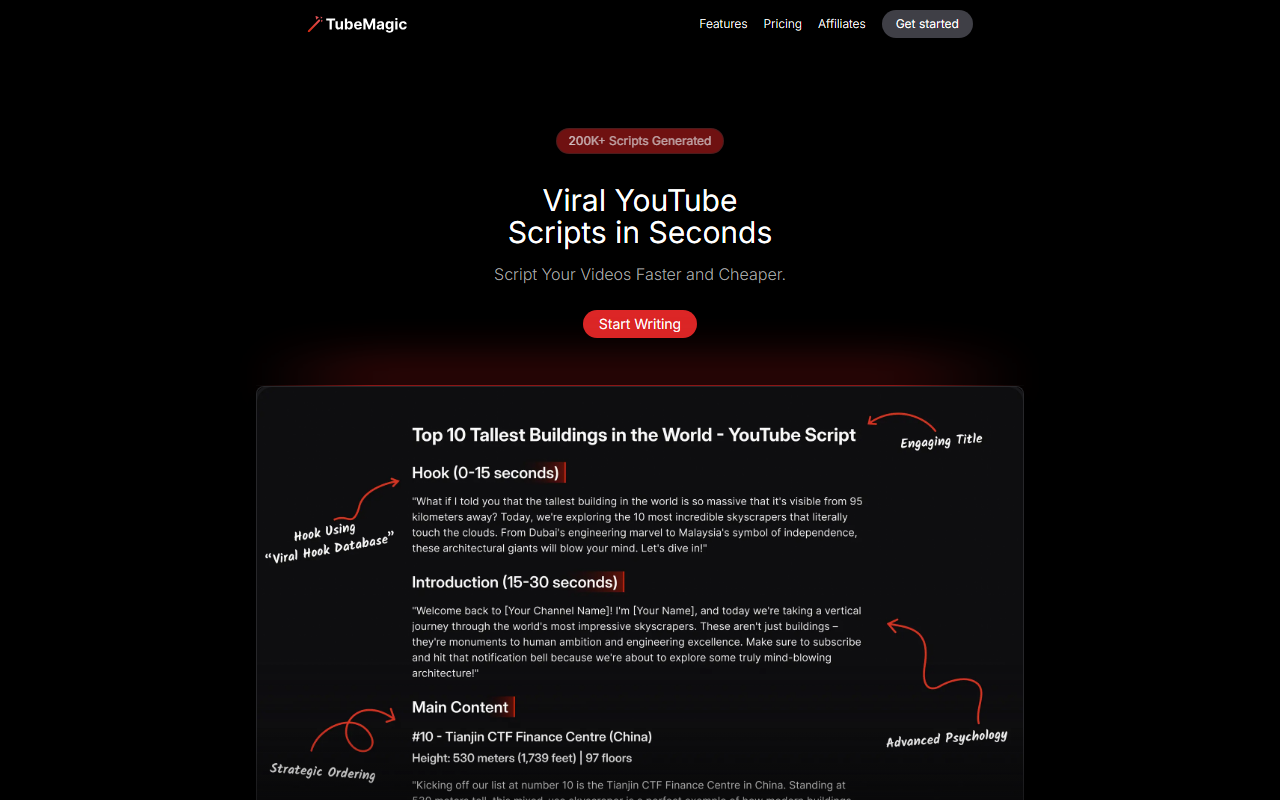
Upon visiting TubeMagic’s website, the first thing I noticed was the bold claim: “200K+ Scripts Generated.” The landing page is clean and focused, featuring testimonials from well-known creators like Matt Par (12+ channels, 1B+ views) and Randolph (1.2M subscribers). The onboarding flow is straightforward: you paste your YouTube channel link, and the tool automatically matches your brand voice and tone. I tested this with a small channel of mine, and within seconds the interface presented a style profile that felt accurate—it recognized my casual, educational tone. You then choose between Claude 4.0 (the default) or GPT-4o, and select your desired script length, from a 1-minute short to a 20-minute deep dive. The dashboard also allows you to paste “Inspiration Videos” to merge into the generated script, which is a clever way to build on proven content. Overall, the setup process took less than two minutes, and the UI is intuitive.
Feature Deep Dive and Workflow
TubeMagic’s core value lies in its suite of tools beyond just script generation. The “Ideas” section includes a Video Idea Generator, Keyword Research, Niche Explorer, and Channel Name Generator. I especially liked the Keyword Research tool—it surfaced long-tail phrases with search volume estimates that I could directly incorporate into my script’s hooks. For content creation, the “Article to Script” converter works well; I fed it a 1,500-word blog post and got a coherent 8-minute script that kept my key points. The “Thumbnail Generator” (still in beta when I tested) provides basic templates but is not a replacement for dedicated design tools. The “Uploading and Optimizing” tab is where TubeMagic shines: it auto-generates video titles, descriptions, tags, and even organizes tags with a “Tags Organizer” feature. I generated tags for a travel vlog, and they closely matched what I would have manually chosen after SEO research, including specific geo-targeted phrases. The tool also includes a built-in plagiarism checker (though I didn’t find it exhaustive) and supports over 95 languages for descriptions and tags. During my tests, the script output felt natural—Claude 4.0 produced human-like dialogue with minimal robotic phrasing, a step ahead of many generic AI writers.
Pricing, Limitations, and Competitors
TubeMagic does not publicly list exact pricing tiers on the website; instead, it emphasizes a 30-day money-back guarantee and notes that free trials are disabled due to spam. The checkout page (after clicking “Get Started”) revealed a single monthly plan at $19.99/month when I accessed it, though this may vary. Compared to competitors like VidIQ (which focuses on SEO and analytics) and Jasper (a general AI writing tool), TubeMagic is more tightly scoped for YouTube creators. It lacks video editing integration or advanced analytics, but its specialization is a strength. A significant limitation is the lack of a free trial—you have to commit upfront to test it, relying on the refund policy. Additionally, the Thumbnail Generator is basic and the plagiarism checker didn’t flag reused phrases from my own channel’s old scripts. Power users who want multi-channel management may also find the dashboard limited (I saw no bulk upload feature). Still, for solo creators or small teams producing regular YouTube content, the time savings are real. The tool integrates with no external APIs (beyond the LLMs), so you’re locked into their ecosystem.
Final Verdict and Recommendation
TubeMagic is a solid, no-nonsense tool for YouTubers who want to accelerate their scripting and optimization workflow. Its strength is the seamless channel-style matching and the variety of output options (scripts, titles, tags, descriptions). The reliance on Claude 4.0 gives it a conversational edge over many AI writers. However, the lack of a free trial is a hurdle—you must trust the 30-day refund. I recommend TubeMagic for creators with at least a few months of content history (to train the style) and who struggle with SEO or writer’s block. If you’re a casual vlogger or need deep analytics, VidIQ or TubeBuddy might be a better fit. For anyone else: try TubeMagic for a month, lean on the refund if it doesn’t click, and you’ll likely find it pays for itself in time saved. Visit TubeMagic at https://tubemagic.com/ to explore it yourself.













Comments