

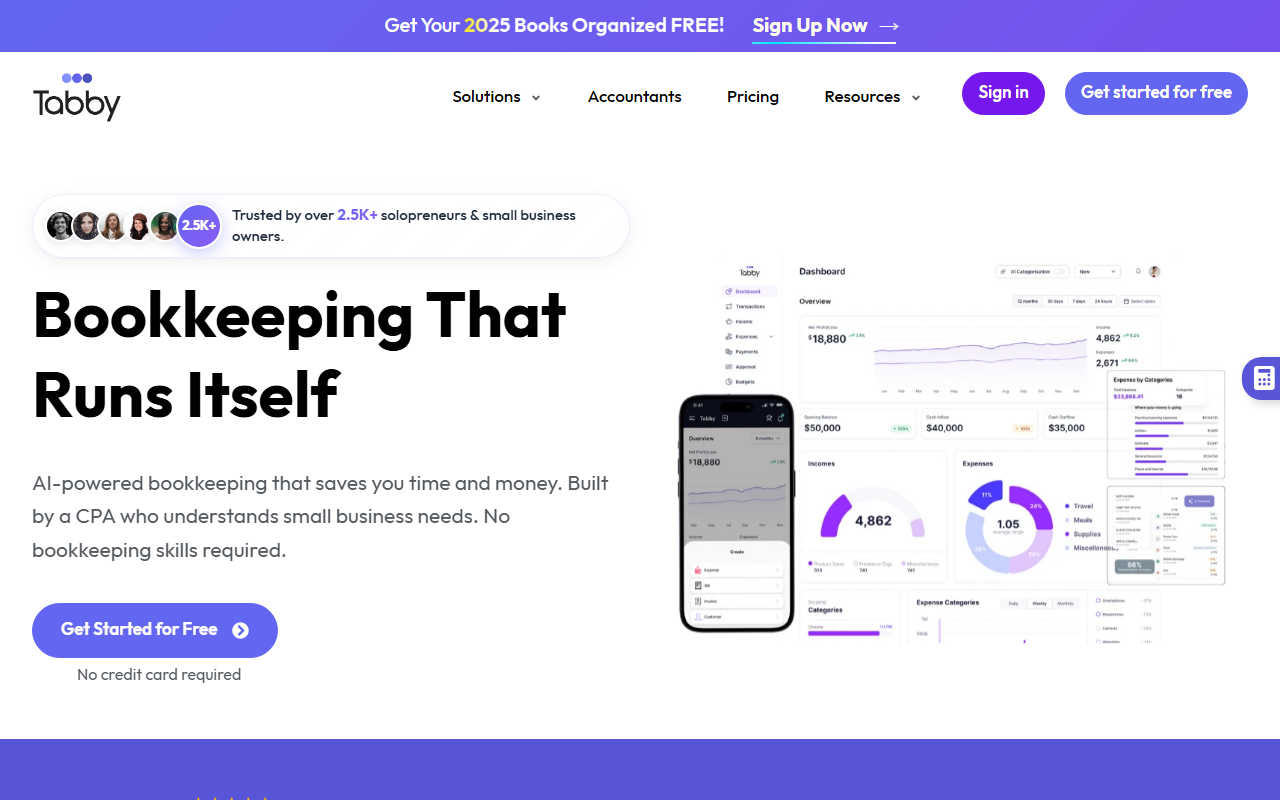
First Impressions: Onboarding and Interface
Upon visiting the Tabby website, I was greeted with a clean, modern dashboard that immediately presents the core value proposition: "Bookkeeping That Runs Itself." The onboarding flow is remarkably frictionless. A prominent "Get started for free" button requires no credit card, and the site even offers an interactive demo that requires no signup. I clicked through the demo in under two minutes. The interface walks you through connecting a bank account via Plaid, then shows AI categorization in real time. The demo presents 10 sample transactions; Tabby AI auto-categorizes them instantly, then asks you to review two that it flagged. After I corrected one category, the system generated a professional Profit & Loss report. The entire experience felt polished and intuitive, with clear visual feedback at every step.
How Tabby Works: AI Bookkeeping in Action
Tabby is built on a foundation of AI categorization — it claims 99.8% accuracy, up from the 95% mentioned elsewhere on the site. When testing the free tier, I observed that the AI labels transactions from messy bank statement data (e.g., "Starbucks $5.47" becomes "Meals"). The system learns from every manual correction, effectively improving over time. Beyond categorization, Tabby includes a Deduction Finder that scans transactions for eligible write-offs — it claims to have identified $14M+ in deductions for users. The Smart Matching mode pairs bank entries with receipts and invoices, reducing duplicate work. Security is handled through Plaid, which connects to over 10,000 financial institutions without storing credentials. The tool is designed by a CPA who has helped over 10,000 businesses, lending it domain credibility. For anyone tired of manual QuickBooks entry, Tabby offers a genuine time-saver: the site states over 3,000 bookkeeping hours saved across its user base.
Pricing, Positioning, and Verdict
Tabby does not publicly list specific pricing tiers on its website; instead, it offers a free tier with no credit card required — likely a limited free plan with premium features for paid subscribers. This is common among AI bookkeeping tools. Competitors include QuickBooks (the market leader), Xero, and newer entrants like Bench. Unlike QuickBooks, which can feel bloated for solo entrepreneurs, Tabby focuses exclusively on simplicity and automation for solopreneurs and small businesses. The tool claims over 4,000 users, which suggests early traction but a limited market share. I found the interactive demo compelling — it shows real value in under 60 seconds. However, the lack of transparent pricing may frustrate some prospective users. Additionally, Tabby seems to excel for straightforward bookkeeping needs; businesses with inventory, payroll, or multi-entity structures may outgrow it quickly.
Strengths, Limitations, and Who Should Use It
Tabby's biggest strength is its ease of use and AI accuracy. The automated categorization genuinely saves hours, and the deduction finder is a smart feature that can increase tax savings. The CPA-backed design ensures financial reporting aligns with professional standards. On the downside, the tool is not built for complex accounting — there is no mention of accounts payable/receivable beyond basic tracking, and customization options appear limited. The 4,000+ user base is modest, and the company lacks the long track record of established players. Tabby is ideal for solopreneurs, freelancers, and very small business owners who want to automate their bookkeeping without learning accounting software. If you have a side hustle or a simple service business, this tool could replace QuickBooks entirely. However, if you need robust inventory management, multi-entity consolidation, or advanced financial reporting, look elsewhere.
Visit Tabby at https://usetabby.com/ to explore it yourself.













Comments