

First Impressions and Onboarding
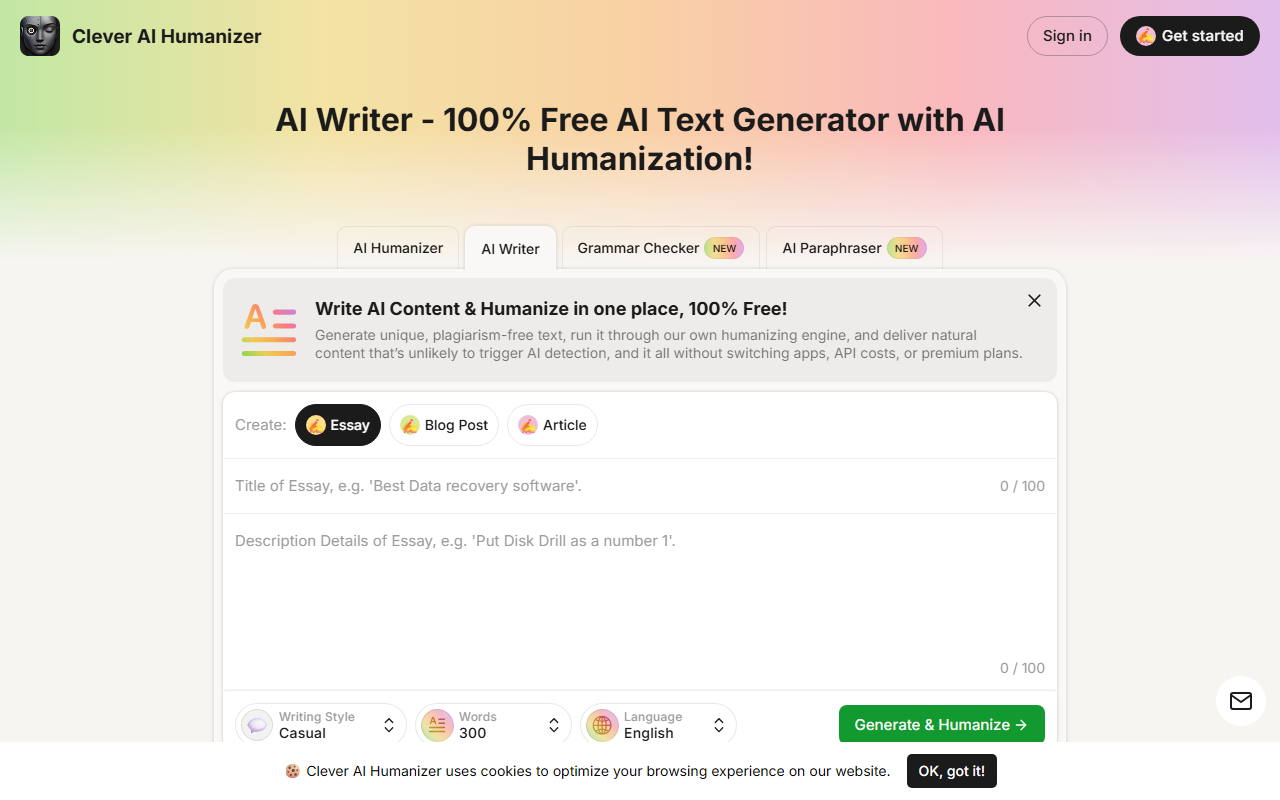
Upon visiting writewithlaika.com, the interface is clean and immediately presents the core value proposition: an AI writer that also humanizes output, all for free. The dashboard shows a simple form where you select content type (essay, blog post, or article), enter a title, choose writing style (Casual, Simple Academic, Simple Formal), set word count (100–1000), and pick a language. I tested the free tier by generating a 300-word blog post with a casual tone. The tool first generated text, then visibly applied a humanization pass – the output read naturally, with no obvious robotic phrasing. The whole process took under a minute. I also noticed the site includes a dedicated humanizer tab, a grammar checker (labeled new), and an AI paraphraser. The onboarding is frictionless: no sign-up required for basic usage, though registering a free account increases the daily word limit.
Core Features and Performance
Laika combines an AI text generator with an integrated humanization engine – meaning it writes and refines in one step. The tool uses a model that, according to the site, minimizes patterns that trigger detectors. In my test, the casual style produced fluid, nuanced text that would likely pass as human-written. The Simple Academic and Simple Formal styles aim for more structured output but may score slightly higher on AI detection tools. The AI Writer mode lets you generate from scratch based on a title; the AI Humanizer mode takes any pasted AI text (up to 1000 words) and rewrites it in a more natural tone. I also tested the paraphraser – it rephrases sentences while preserving meaning, useful for avoiding duplication. All these features are accessible without switching apps, which is a genuine time-saver. However, there are clear limits: free users get up to 4,000 words per day (or 7,000 with a free account – the site is inconsistent on this). Each request is capped at 1000 words, so longer projects need to be split. The grammar checker is a basic addition but still handy for final polish.
Pricing and Limitations
Laika is completely free to use with no hidden fees or premium tiers. Pricing is not publicly listed as a paid plan – the entire offering is free, supported by daily word caps. This makes it accessible but also limits heavy users. For example, a freelance writer drafting multiple articles would hit the daily cap quickly. Another limitation: the tool works best with general or informational topics; highly technical or niche prompts may produce less accurate output. The AI humanizer cannot guarantee bypassing all detectors (the site wisely avoids making absolute claims). Additionally, the word count per request is relatively low – 1000 words – which affects long-form content creation. There is no API or integration with other platforms (like Google Docs or WordPress) as of this review. The absence of a mobile app might also be a drawback for on-the-go writers.
Who Should Use Laika?
Laika is best suited for students, bloggers, and content creators who need quick, undetectable AI-written text without spending money. It excels for short pieces like social media posts, product descriptions, or blog intros. Users who value a unified workflow – generate, humanize, check grammar all in one place – will appreciate its simplicity. However, if you produce long-form content daily or require advanced features like custom prompts, multilingual output beyond seven languages, or team collaboration, look elsewhere. Alternatives like Grammarly offer more robust grammar and style suggestions, while QuillBot provides a powerful paraphraser with more customization. For a free tool, Laika delivers solid value with its unique all-in-one approach. I recommend you try it for occasional writing tasks where avoiding AI detection matters. Visit Laika at https://writewithlaika.com/ to explore it yourself.













Comments