

First Impressions and Onboarding
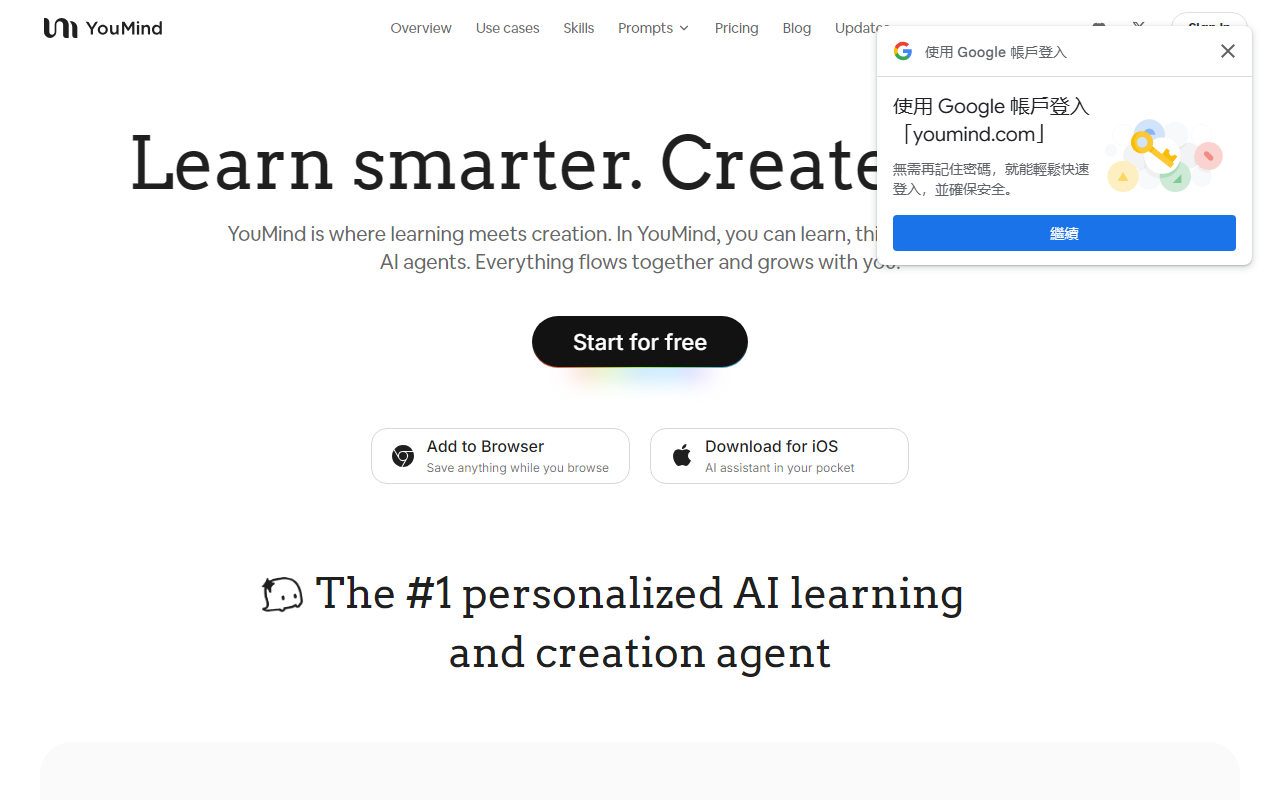
Upon visiting YouMind's website, the landing page immediately emphasizes its dual purpose: "Learn smarter. Create bolder." The dashboard—which I could explore via the free tier—presents a clean, project-based layout. Users can create new "boards" or projects, and there's a prominent option to install the browser extension (Chrome) or download the iOS app. I tested the browser extension by saving a lengthy blog post and a YouTube video. The interface for saving is intuitive: a sidebar pops up, letting you tag and annotate the content. The onboarding flow walks you through connecting sources, creating notes, and generating AI reports. It felt less overwhelming than jumping into a full-fledged knowledge management tool like Notion AI.
Core Features and Technical Details
YouMind is less about standard AI writing prompts and more about building a personalized knowledge base that fuels creation. Its standout feature is its ability to learn from your highlights, notes, and annotations as you consume content. When I highlighted key statistics in a saved PDF and watched a podcast video (where I timestamped interesting points), the AI later used those personal cues to shape a summary that felt genuinely tailored—not just generic AI fluff. The platform integrates multiple underlying models, including GPT-4 variants (listed as "GPT Image 2", "GPT Image 1.5"), as well as other generation engines like "Seedance 2.0" and "Seedream 4.5". You can choose which agent/skill to apply per task. Every AI-generated report opens as a fully editable document, which is rare—most tools treat outputs as final. This design encourages iterative refinement.
Pricing is not publicly listed on the website beyond a clear "Start for free" call-to-action. The navigation includes a "Pricing" link, but clicking it on the live page (as of my review) leads to a page that appears to be under construction or requires sign-in. This opacity is a limitation for potential buyers. For integrations, it supports PDFs, webpages, YouTube, podcasts, Office documents, and audio recordings. There is no mention of an API or direct integration with third-party apps like Notion or Obsidian, though the browser extension bridges some gaps.
Market Position and Alternatives
Compared to tools like Readwise and Notion AI, YouMind differentiates itself by being a self-contained creation environment. Readwise excels at surfacing highlights from books/articles, but it lacks an AI writing layer. Notion AI provides generative AI but doesn't specialize in learning from your personal annotations. YouMind merges both—it acts like a smarter Readwise where your highlights directly inform the AI's writing, and the output is a living document rather than a static block of text. It also competes with Memory and other AI knowledge assistants, but YouMind's project-based structure feels more suited for long-form content creation. The company appears to be early-stage (based on the changelog and rapid feature updates visible on their site), but user testimonials are glowing, particularly from YouTubers and writers.
Strengths and Limitations
The most compelling strength is the tight integration between consumption and creation. I never needed to copy-paste my notes into a separate writing tool. Everything I saved—videos, articles, audio—stayed in one board, and the AI could synthesize across mediums. The editable AI reports are a genuine innovation; I could rewrite, reorder, and expand the generated paragraph directly inline, preserving the AI's language as a starting point while injecting my own voice. However, the tool has clear limitations. The lack of transparent pricing beyond a free tier is frustrating for serious evaluation. The dependency on the browser extension and mobile app means offline functionality is limited. Also, the model selection options (like "Nano Banana Pro" or "Seedance 2.0") are not standard model names—this could confuse users who want to know exactly which GPT or Claude version they are using. For power users craving deep integrations with databases or existing note-taking apps, YouMind's walled garden may feel restrictive.
All considered, YouMind is best suited for individuals who consume diverse media for research or creative projects and want a single workspace to turn that material into polished writing. Students, content creators, and freelance researchers will find the most value. If you prefer completely separate tools or need an API to automate workflows, look elsewhere. I recommend giving the free tier a try—especially for YouTube-based research—because its personalized insight generation is genuinely useful. Visit YouMind at https://youmind.com/ to explore it yourself.













Comments