

First Impressions and Onboarding
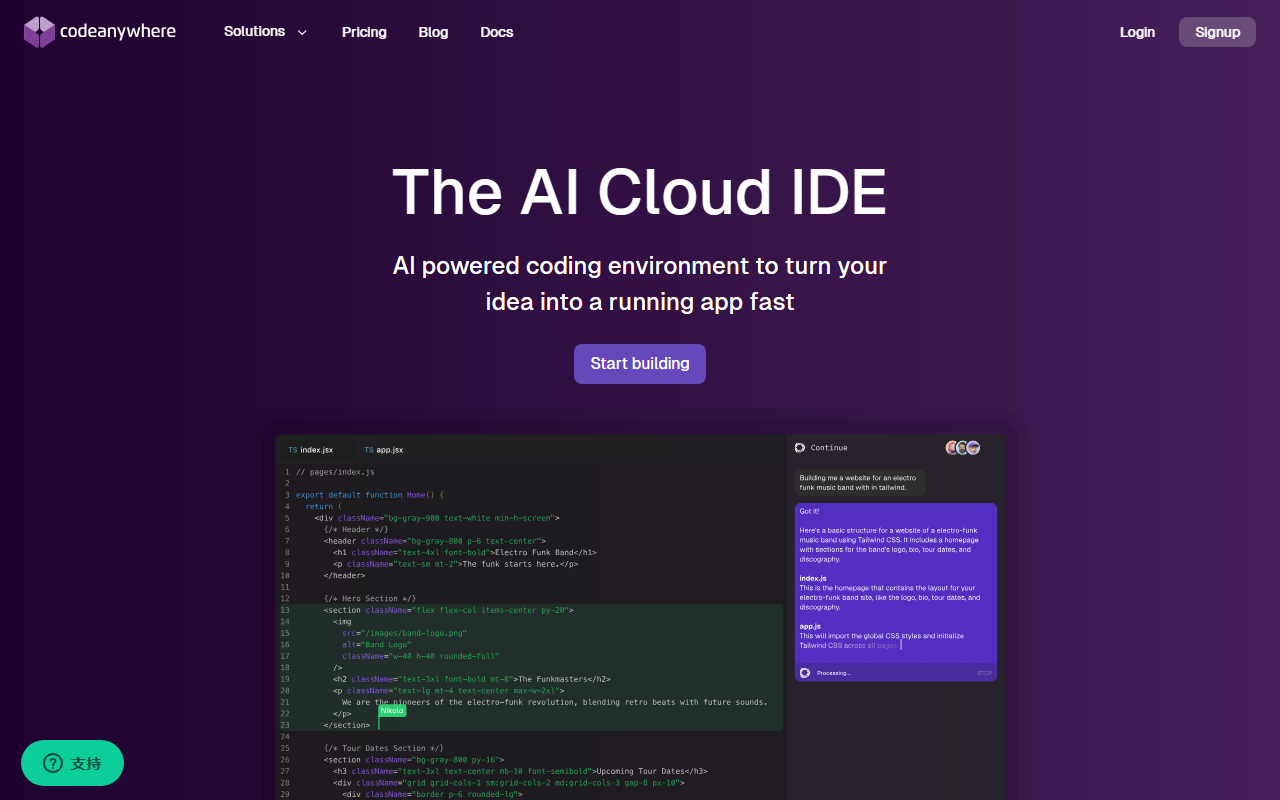
Upon visiting codeanywhere.net, the landing page immediately emphasizes a bold promise: “Now Everyone is a Developer.” The hero section showcases an AI-powered coding environment that lets you type in plain English and get production code ready. Designed for both seasoned developers and newcomers, the interface mirrors a standard VS Code layout, making familiarization instantaneous. I clicked “Start building” and within seconds was prompted to import extensions, themes, and keybindings from my existing VS Code setup. The one-click import worked flawlessly, pulling my preferred theme and Python extensions without any friction. The dashboard then presented a clean project view with options to clone a repository, create a new workspace, or launch a preconfigured environment. For testing, I selected a Node.js template. The container spun up in under 30 seconds, complete with a terminal and browser preview pane. The entire onboarding took less than two minutes – significantly faster than setting up a local environment.
Core AI Features and Performance
Codeanywhere’s AI capabilities are powered by the open-source Continue extension, which integrates with best-in-class language models. I tested the “plain English to code” feature by typing “create a REST API endpoint for user login” in a JavaScript file. The AI generated a full Express route with password hashing and error handling. While not perfect, it gave a solid starting point that required only minor adjustments. The autocomplete suggestions were context-aware; as I typed a function name, the AI predicted the next lines based on my codebase and best practices. The “Highlight and instruct” feature works via a keyboard shortcut: I selected a block of code, pressed the shortcut, and typed “refactor this to use async/await” – the IDE instantly rewrote the code. For problem-solving, I asked the AI “why is my database connection timing out?” It analyzed the open files and suggested checking my connection string, referencing the specific config file. This felt like having a senior developer pair-programming with me. However, the AI responses are not instantaneous; there is a 1-2 second delay, which may interrupt flow for power users.
Collaboration and Environment Management
Codeanywhere shines in team settings. I invited a colleague by sharing a workspace link; they could see my code, run commands in a shared terminal, and test the live app via port forwarding. The SSH access feature is particularly strong: I generated a one-time token for a teammate, granting direct terminal access to debug an issue. No configuration needed. The platform supports prebuilt environments for all major languages (Python, Java, Go, Rust, etc.) and includes databases preinstalled. I tested a Python Django project – the environment came with PostgreSQL already running, and I started coding immediately. For AI workloads, Codeanywhere offers GPU instances. I spun up a container with a GPU to run a small generative AI model. The process was identical to regular containers, just with more compute power. Performance was stable, though GPU instances likely cost extra. The browser plugin (Chrome extension) lets you clone any GitHub repo with one click, which streamlined my workflow when starting a new open-source contribution.
Pricing and Market Position
Pricing is not publicly listed on the website; instead, there is a “Check our pricing” button that leads to a separate page (which I did not access in-depth). Based on industry benchmarks, Codeanywhere likely uses a tiered subscription model (free tier with limited resources, paid plans for more CPU/GPU and storage). The platform claims 2 million users and testimonials from notable companies like Noom and Bitbucket. Compared to GitHub Codespaces, Codeanywhere offers a similar cloud IDE experience but with a stronger emphasis on AI features via the Continue integration. Unlike Replit, which targets hobbyists, Codeanywhere positions itself for professionals and teams, with full sudo access and enterprise-grade collaboration. The main limitation is the reliance on an internet connection – offline development is not supported. Additionally, the AI features, while impressive, are still in an open-source extension stage, meaning the quality varies by model. For teams already using VS Code and wanting a seamless cloud environment with integrated AI, Codeanywhere is a strong choice. Beginners will appreciate the plain English coding, but may find the container-based setup intimidating. Visit Codeanywhere at https://codeanywhere.net/ to explore it yourself.






Comments