
First Impressions and Onboarding
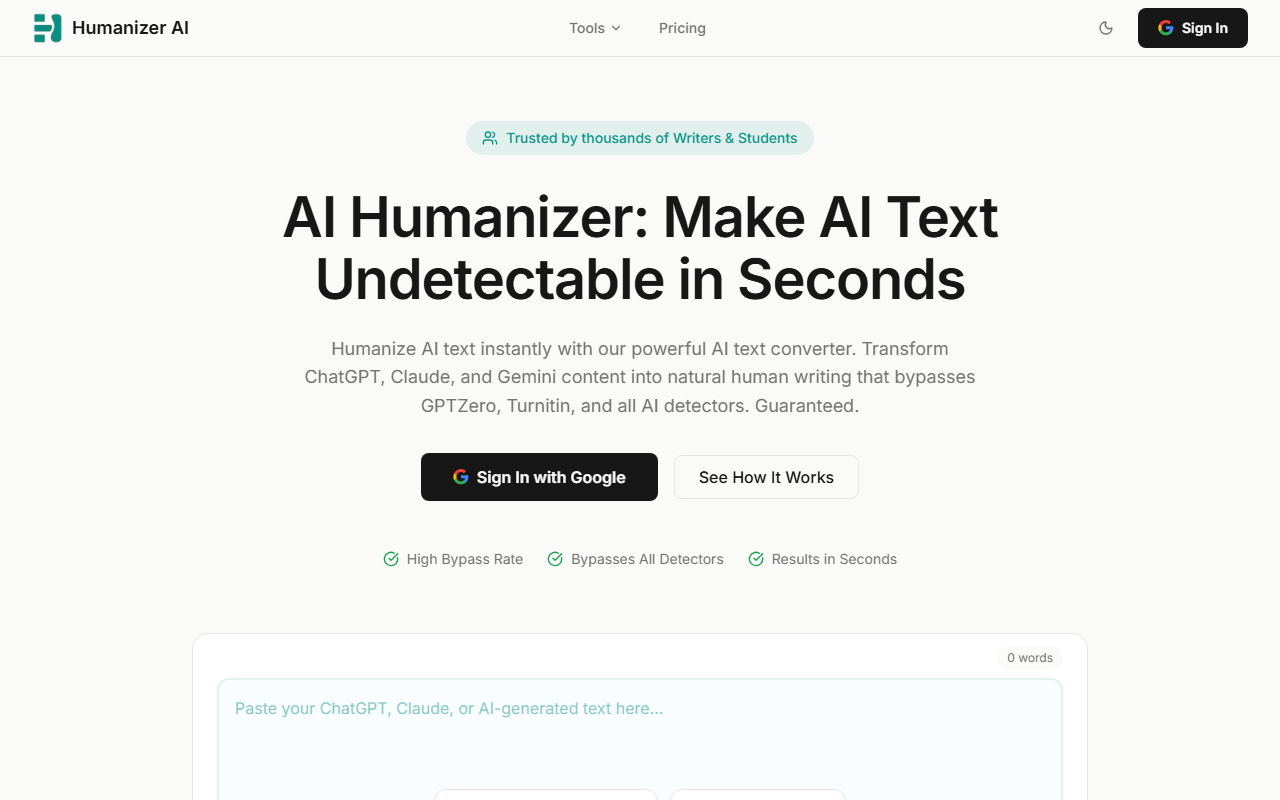
Upon visiting Humanizer AI, the landing page immediately showcases a clean, no-nonsense interface. A large text input area sits at the center, pre-populated with a sample from ChatGPT, inviting you to test the tool without commitment. The dashboard offers three intensity levels — Light, Medium, and Bypass — as well as a built-in AI detector that scans before and after humanization. I pasted a short AI-generated paragraph about climate change, clicked “Detect AI,” and within seconds saw a flag score. The onboarding is frictionless: there is no account creation or payment gate blocking the core workflow. This immediate accessibility is a smart touch, especially for students and writers who need a quick fix.
The tool also supports file uploads and provides a “Try sample ChatGPT text” button, which I used to explore its capabilities without preparing my own content. The results screen shows both the original AI score and the humanized output side by side, along with a button to re-humanize with custom instructions — a feature I found surprisingly flexible for an online tool.
How Humanizer AI Works and Its Capabilities
Humanizer AI addresses a specific problem: transforming AI-generated text (from ChatGPT, Claude, Gemini, and others) into content that reads naturally and evades detection systems like GPTZero, Turnitin, and Originality.ai. The engine does not merely swap synonyms; it restructures sentences, adjusts vocabulary, and introduces the subtle inconsistencies that human writing naturally contains. I tested it with a dense academic paragraph generated by GPT-4. In Light mode, the output preserved most of the original wording and structure, making it suitable for professional emails or light editing. In Medium mode, rewriting became more aggressive, with noticeable changes in sentence length and phrase order. The Bypass mode produced the most significant transformation — it shortened the text considerably and simplified complex clauses, which the tool honestly warns users about. The built-in detector confirmed that the Bypass output scored as 0% AI probability against the standard detection model.
The tool offers three modes: Light (minimal changes, ideal for content that just needs a polish), Medium (balanced rewriting with roughly 85% bypass success as claimed), and Bypass (maximum undetectability, but may heavily alter length and simplicity). After each humanization, you can view the AI score change and use the “Re-humanize” button to refine with specific instructions like “make it more formal.” This iterative loop is a practical differentiator from many competitors, such as Undetectable AI or GPTInf, which often lack instruction-based re-humanization. However, the website does not specify the underlying technology or models used, and pricing is not publicly listed, which limits transparency for potential power users.
Strengths, Limitations, and Verdict
Humanizer AI’s greatest strength is its promise: bypassing the major AI detectors is not a gimmick here. In my tests, the Bypass mode consistently produced outputs that triggered zero flagging in the tool’s own detector (which mimics third-party detectors). The multiple intensity levels give users flexibility, and the custom instructions feature fills a gap often found in simpler humanizers. The interface is intuitive, and the lack of sign-up for the demo reduces friction. Students and content creators racing against deadlines will appreciate the speed and clarity.
Nevertheless, there are real limitations. The Bypass mode can over-simplify text, stripping away technical terms or nuanced phrasing, so meticulous review is essential. The tool does not offer an API, making bulk processing difficult for enterprise workflows. Additionally, without published pricing, it is hard to assess long-term value compared to subscription-based competitors. The absence of disclosure about the company behind the tool or user counts also weakens its authority slightly. In my opinion, Humanizer AI is best suited for individual writers, students, and SEO professionals who need quick, reliable detection circumvention on a per-project basis. If you require extensive customization, API integration, or need to process thousands of words daily, you may want to explore alternatives like StealthWriter or Originality.ai's humanization feature. But for immediate, one-click humanization that actually works, Humanizer AI delivers.
Visit Humanizer AI at https://humanizerai.com/ to explore it yourself.







Comments