
First Impressions: Simple, Focused, and Fast
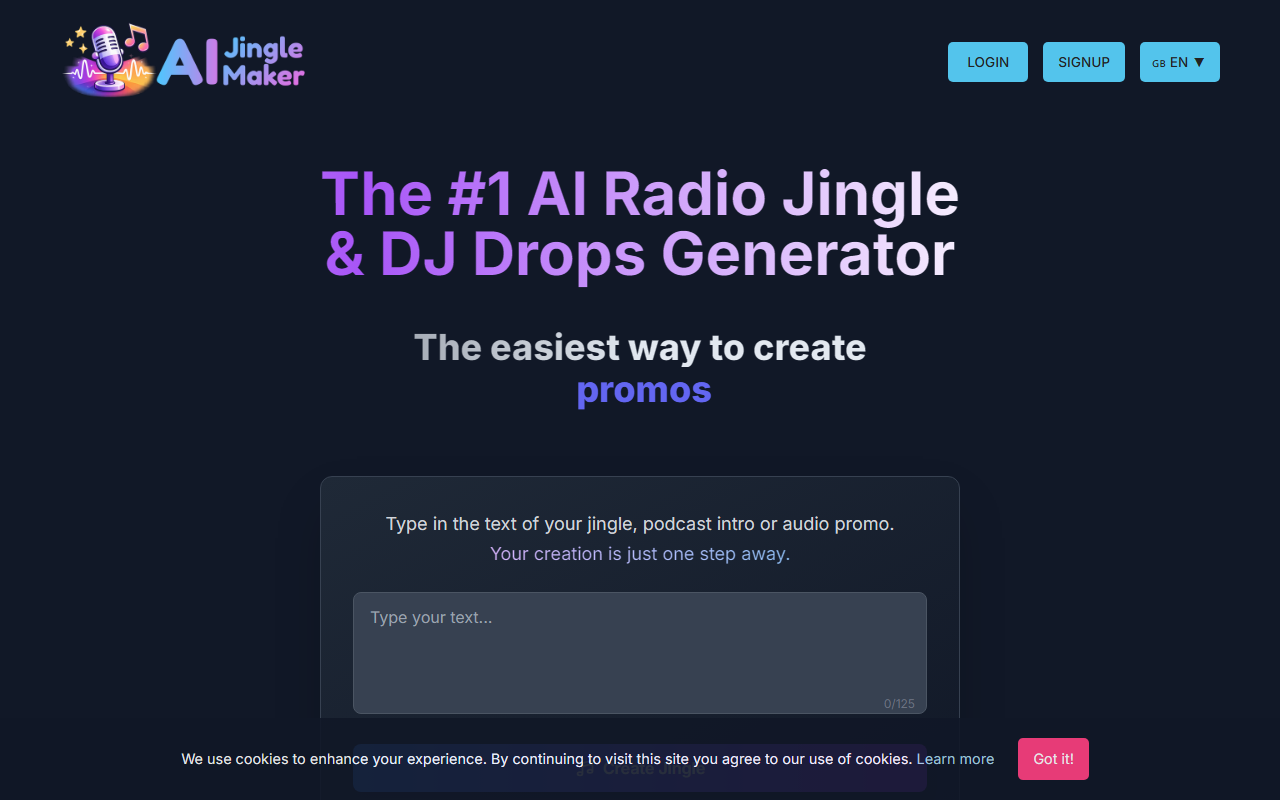
Upon visiting the JingleMaker site, I was greeted by a clean dashboard that immediately communicates the tool's purpose. The interface is minimalist: a text input box with a 125-character limit, buttons to pick an intro, background, and outro, and a large "Create Jingle" button. The language switcher (seven languages) suggests a global user base, and the banner boasting "Already 100,000+ users" hints at solid traction. I typed a short test phrase — something like "Welcome to the morning show" — selected a party intro, a driving background, and a fade-out outro, then clicked the button. Within about eight seconds, a preview audio file played directly in my browser. The voice was clear and energetic, the music synced well, and the overall production sounded broadcast-ready, not like a cheap text-to-speech hack. For a tool that claims zero learning curve, this first interaction proved the point.
How JingleMaker Works: Text-to-Jingle in Seconds
JingleMaker combines a text-to-speech engine with a library of over 1,000 royalty-free intros, backgrounds, and outros. You choose a voice from more than 65 options (male, female, young, mature, dynamic, etc.), type up to 125 characters, pick your audio elements, and the AI delivers a finished MP3 or WAV. The tool also supports SSML break tags for inserting pauses — I tested and it added a tiny gap as instructed. Beyond basic jingles, JingleMaker handles DJ drops, sweepers, station IDs, and podcast intros. It even offers a "Speech To Speech" feature where you can record your own voice to guide pacing, and an option to upload your own voiceover MP3 (via the All-Tools Add-On, $59 lifetime). The FAQ notes that sung jingles exist but are handcrafted on demand by the founder — not AI-generated, which is an important distinction. For longer promos up to 30 seconds, the tool includes a built-in script helper. Every creation is 100% royalty-free, and you can download both the final jingle and the raw voiceover.
Pricing and Value: Pay Only for Voiceovers
JingleMaker uses a credit-based model that keeps the core generation free. You can preview as many jingles as you like at no cost. The paid element is AI voiceover generation: $39 for 100 credits, with discounts for larger quantities. There is no subscription — you buy credits once and use them indefinitely. From a single voiceover, you can generate unlimited jingle variations, which makes the cost per jingle extremely low (as little as 1 cent if you reuse the same voiceover for many outputs). The All-Tools Add-On adds voice upload capability for a one-time $59 fee. Payment is processed through Paddle, which reassures trust. It’s worth noting that if you need only a handful of voiceovers, the $39 entry point is reasonable, but heavy daily users might wish for a true subscription plan. Unlike Adobe Audition or dedicated digital audio workstations, JingleMaker requires zero audio engineering skill — you type and click, and it’s done. Competitors like Voicemod or Descript offer broader audio editing but lack this laser focus on short-form branded audio.
Who Should Use JingleMaker (and Who Shouldn’t)
JingleMaker is best suited for radio DJs, podcasters, music producers, and social media creators who need quick, professional-sounding audio branding without hiring a voice actor or studio. The speed — roughly 10 seconds per generation — makes it ideal for iterating on different ideas. The royalty-free licensing means you can use the output in commercial projects instantly. However, it has limitations. The character limit restricts you to short phrases, so full song lyrics or long narrations won't fit. Sung jingles are not automated; you must request a custom order. And while the voice quality is impressive for text-to-speech, it still lacks the nuance of a human performer, especially for emotional or comedic delivery. Also, the credit system requires planning — if you run out of credits mid-project, you must purchase more. JingleMaker shines as a rapid prototyping and production tool for short audio IDs. I recommend it to anyone who regularly produces radio shows, podcasts, or DJ sets and wants to add a professional edge without the overhead of traditional audio production. Visit JingleMaker at https://jinglemaker.callmefred.com/ to explore it yourself.







Comments