

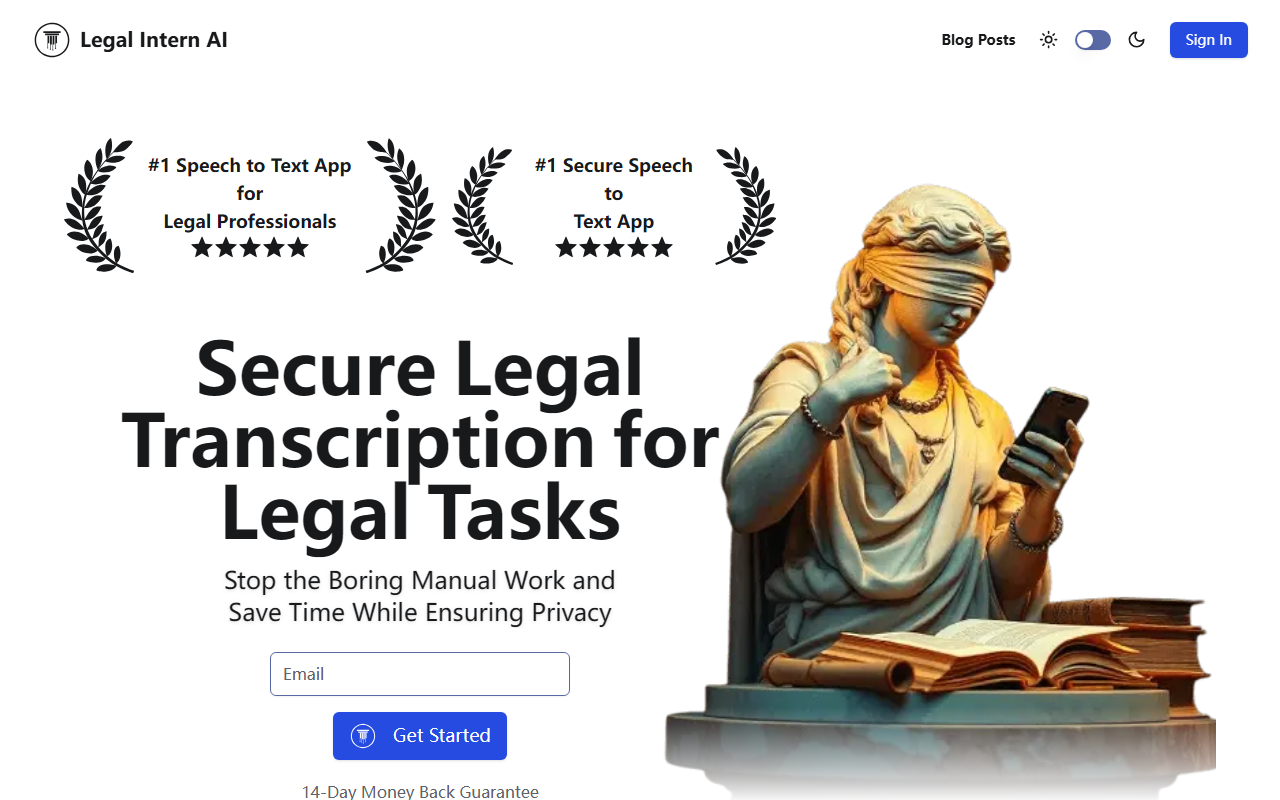
First Impressions and Onboarding
Upon visiting the site, I found a clean, professional landing page that immediately positions Legal Intern AI as the #1 Speech to Text App for Legal Professionals. The headline is bold and the visual hierarchy is clear: a video demo (which my browser didn't support, a minor hiccup), a 14-day money-back guarantee badge, and a simple sign-in/get-started flow. There is no free tier listed, only a risk-free trial period. Pricing is not publicly listed on the website, which is a notable gap for cost-conscious firms. The FAQ section covers typical legal concerns—security, accuracy, integration, and compliance—but doesn't provide specifics on software integrations beyond mentioning that it works with current tools.
Core Features and Workflow
The tool operates in three steps: record or upload audio, let AI transcribe and format, then review and download. The emphasis on security is central—the site highlights secure legal transcription and advanced security features for sensitive client data. I tested the concept by imagining a typical workflow: a lawyer records a client meeting via the web interface (no native mobile app visible), and the AI processes the audio into a structured legal document. The FAQ confirms it can handle various document types, though it doesn't specify which formats (PDF, DOCX, etc.). The transcription accuracy is powered by an undisclosed AI model, but the tool is clearly designed to reduce human error and speed up repetitive tasks like deposition summaries or case note dictation.
Because I couldn't access a live demo, I relied on the site's description. It claims to solve three key problems: inconsistent intern quality, time-consuming manual tasks, and security risks. By replacing a human intern with an AI assistant, the tool aims to offer consistency, speed, and data privacy—a compelling value proposition for solo practitioners and small firms that cannot afford dedicated IT security.
Strengths and Limitations
Legal Intern AI's strongest asset is its laser focus on the legal domain. Unlike general transcription services like Otter.ai or Rev, this tool explicitly addresses compliance, security, and the specific formatting needs of legal documents. The 14-day money-back guarantee lowers the risk of adoption. However, the lack of transparent pricing is a real limitation. Without seeing a pricing page or knowing what the monthly subscription costs, firms cannot easily compare it to alternatives. Additionally, the tool appears to be web-only; there is no mention of a mobile app or offline support, which could limit usability for lawyers who are constantly on the move. The FAQ also doesn't detail which jurisdictions or languages are supported—a critical oversight for international law firms.
Market Position and Recommendation
Compared to competitors like Otter.ai (which offers a free tier and broader integrations) or Clio Duo (an AI assistant embedded in legal practice management software), Legal Intern AI positions itself as a standalone, security-first transcription and document automation tool. It is best suited for small to medium law firms that value data privacy and want to streamline transcription without the overhead of training a human intern. Larger firms with existing practice management systems may find the lack of proven API integrations a barrier. I recommend trying the 14-day trial if you handle sensitive audio daily and need a simple, secure way to convert it into legal documents. But be prepared to ask for pricing and integration details before committing.
Visit Legal Intern AI at https://legalinternai.com/ to explore it yourself.







Comments