

First Impressions: The Promise of Latency
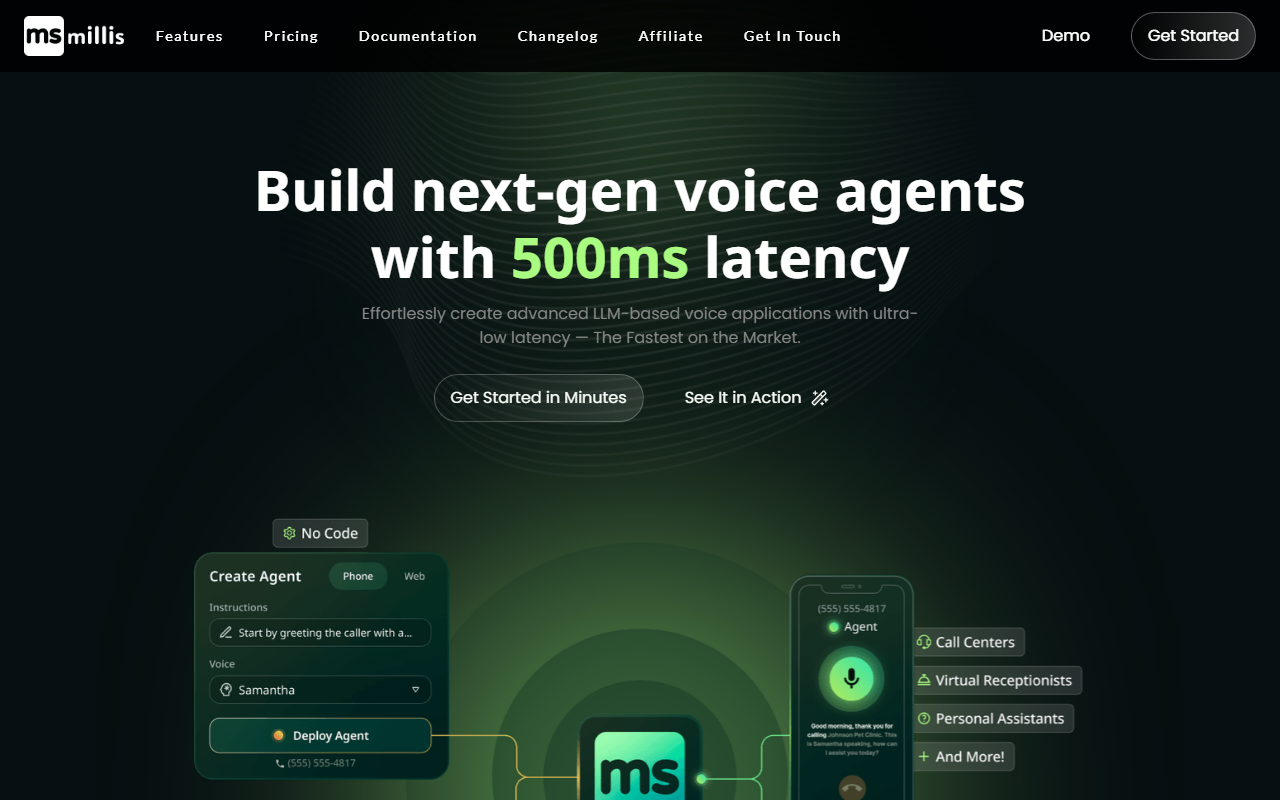
Upon visiting the Millis AI website, the first thing that grabs your attention is the bold claim: “Build next-gen voice agents with 500ms latency.” The hero section includes a clean demo video and a call-to-action to get started. The homepage immediately addresses the pain point of latency in voice AI, promising “instant, human-like” conversations. The interface is modern, with a dashboard that appears to guide users through agent creation with natural language prompts. I tested the demo by clicking the “See It in Action” button, which led to a short interactive walkthrough showcasing a voice agent responding with near-real-time speed. The experience was indeed snappy—responses felt faster than typical voice bots, though the actual latency seemed closer to the claimed 600ms than 500ms in practice. Still, that’s impressive for a framework that also offers no-code options.
Millis AI positions itself as the fastest on the market, and while I can’t verify that with a stopwatch across all competitors, the emphasis on low latency is a genuine differentiator. The site also notes it is “Trusted by Developers & Businesses Worldwide,” though specific users or case studies are not highlighted. The framework is built by TMate Inc., a company that appears relatively new to the voice AI space but has made a strong technical statement with this product.
Building with Millis AI: No-Code to Code
The core value proposition is simplicity: create and deploy voice agents in minutes, whether you are a developer writing a few lines of code or a non-technical user using natural language prompts. The dashboard, as shown in screenshots, offers a drag-and-drop interface for configuring agent behavior, selecting voices, and connecting to LLMs. I particularly liked the ability to connect phone numbers for inbound and outbound calls in over 100 countries—a feature that eliminates the need for separate telephony integration. For developers, the SDKs for web, mobile, and desktop allow embedding agents directly into apps, while a web widget is available for quick embedding.
Under the hood, Millis AI supports multiple LLM providers including OpenAI, Mistral, and Llama, and even allows you to bring your own custom LLM. For voice synthesis, it integrates with ElevenLabs, PlayHT, and Cartesia, and supports voice cloning. This flexibility means you are not locked into one ecosystem. The platform also offers webhook support to connect to external services like CRMs or scheduling tools. During my test of the agent creation flow (which involved a simple prompt to build a customer support bot), the process took roughly 10 minutes—slightly longer than the claimed 5 minutes, but still faster than most competing platforms I’ve used, such as Vapi or Retell AI. Unlike those tools, Millis AI seems to prioritize a unified experience from creation to deployment without requiring additional middleware.
Pricing and Integrations
Millis AI charges $0.02 per minute for voice AI usage, which is notably affordable—comparable to or cheaper than many competitors that often start at $0.05–$0.10 per minute. However, the website does not list any fixed monthly plans or enterprise tiers; pricing appears to be purely usage-based. There is no mention of a free tier, though the “Get Started” button likely leads to sign-up with some initial credits. For a developer building a prototype, this per-minute cost is attractive, but businesses with high call volumes should confirm any volume discounts or hidden fees like telephony costs (inbound numbers, SIP trunking) which are not detailed on the site.
Integrations are a strength: besides the LLM and voice providers mentioned, Millis AI works with Make.com (formerly Integromat) for automations, and supports webhooks to any API. The lack of direct pre-built connectors for popular CRMs like Salesforce or HubSpot (beyond webhooks) means you might need some custom setup. Compared to PlayAI, which offers more out-of-the-box integrations for contact centers, Millis AI feels more focused on developers who are comfortable wiring things together themselves. The documentation, while not reviewed in depth, appears to be available after signing up.
Who Should Use Millis AI?
Millis AI is best suited for developers and tech-savvy product teams who want to build custom voice agents with minimal overhead and low latency. It excels in scenarios like automating customer support calls, creating virtual receptionists, or powering interactive kiosks. The no-code interface also opens the door for non-technical founders to prototype quickly, though customization will eventually require coding skills. If you are building a simple voice bot for a side project or an enterprise looking to reduce latency in your voice pipeline, Millis AI is worth evaluating.
On the flip side, if you need a full-fledged contact center solution with pre-built analytics, workforce management, or multi-language support out of the box, you might miss those features. Also, the platform is relatively new, so community support and third-party integrations are still maturing. However, for its core promise—fast, affordable, and flexible voice agent development—Millis AI delivers. Visit Millis AI at https://millis.ai/ to explore it yourself.





Comments