

First Impressions and Onboarding
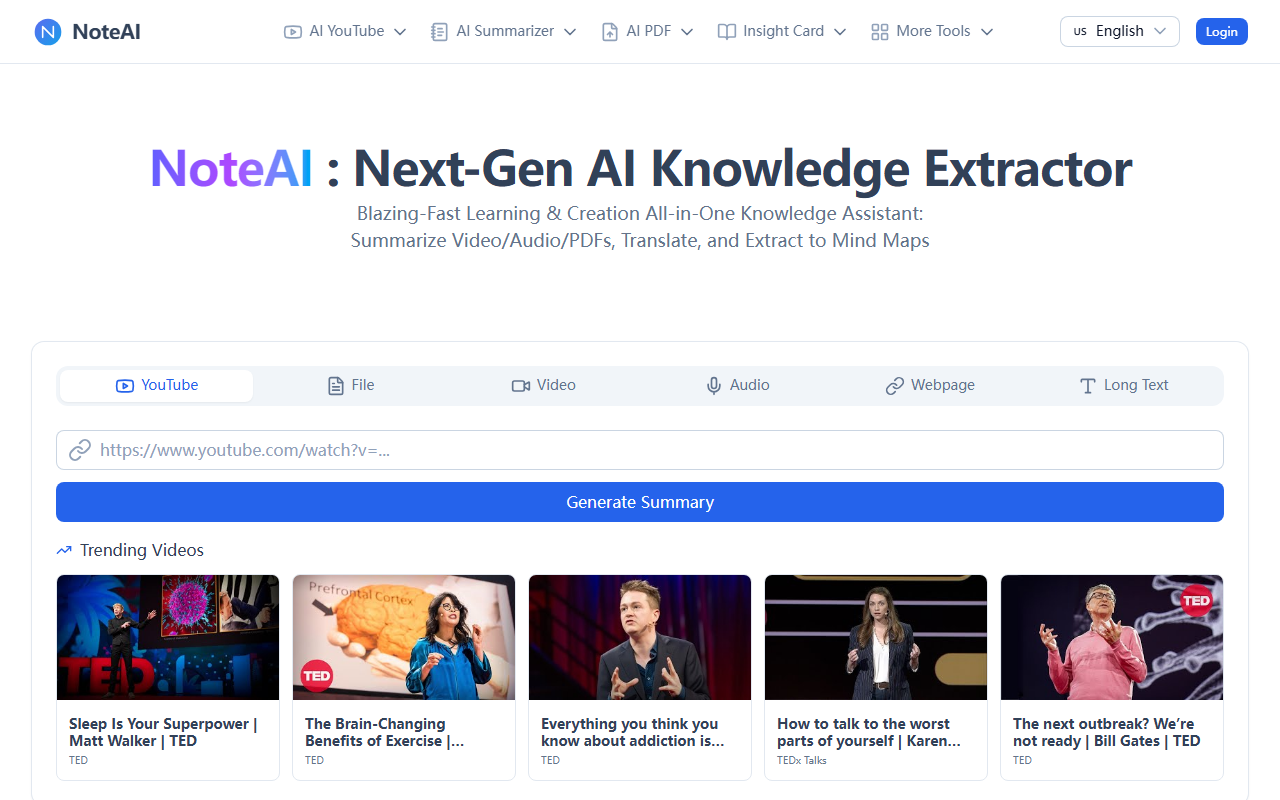
Upon visiting noteai.io, I was greeted by a clean, modern dashboard that immediately invites you to try its core function: paste a YouTube link, upload a file, or drop a URL. The onboarding is minimal — there is no lengthy tutorial or account creation gate. You can start generating a summary right away on the homepage. I tested the free tier with a popular TED talk, "Sleep Is Your Superpower" by Matt Walker. Within seconds, NoteAI produced a bullet-point summary with key takeaways, a full transcript, and even an option to export to a mind map. The speed was impressive, and the output was coherent and well-structured. The interface uses intuitive tabs for different input types: YouTube, File, Video, Audio, Webpage, and Long Text. This makes it clear where to go for each workflow.
Core Features and Performance
NoteAI positions itself as a comprehensive knowledge extractor, and the feature list supports that claim. Under the hood, it appears to use a combination of speech-to-text, OCR for images, and large language models for summarization and mind map generation. The YouTube tools alone include a summarizer, transcript generator, and converters to MP3 and MP4. I also tried the PDF Chat feature, uploading a research paper. It quickly provided a synopsis and allowed me to ask follow-up questions, citing relevant sections. The AI Mind Map Generator is a standout: it converts long-form content into editable visual maps, which is fantastic for studying or brainstorming. During testing, the accuracy of translations and summaries was solid for English content, though I did notice minor quirks with non-English PDFs (the OCR handled it reasonably well but missed some special characters). The platform integrates seamlessly with browsers — there’s a Chrome extension mentioned in the site, though I didn’t test it. Overall, performance is snappy, and the outputs are genuinely usable for note-taking.
Pricing and Market Position
NoteAI offers three tiers: Free, Pro, and Unlimited. Unfortunately, the website does not display exact dollar amounts on the pricing page — it only shows plan names and a toggle for monthly/annual billing with "Save 50" indicated. This lack of transparency is a limitation. Based on typical SaaS models, the Free tier likely includes a limited number of summaries or file uploads per day. The Pro plan probably unlocks higher limits and advanced features, while Unlimited removes all caps. In the competitive landscape, NoteAI faces rivals like Otter.ai (strong for meetings) and Notion AI (for note integration). However, NoteAI differentiates by focusing on visual mind maps and multi-format input (YouTube, PDF, images, audio). It is best suited for students, researchers, and professionals who need to quickly distill long-form content. Creators will appreciate the transcript and media conversion tools. That said, if you require deep integration with a specific workflow (e.g., Notion or Obsidian), NoteAI may feel isolated — it offers export options but not direct sync.
Final Verdict
NoteAI is a versatile and well-executed tool for anyone drowning in information. Its strengths include blazing-fast processing, a wide array of input types, and the innovative mind map generator. The limitations are the unclear pricing structure and occasional hiccups with non-English content. I recommend NoteAI to students and researchers who frequently watch lectures, read PDFs, or listen to podcasts and need quick, structured summaries. For casual users, the free tier is worth trying. If you need a dedicated meeting transcriber or a full note-taking ecosystem, look elsewhere. Visit NoteAI at https://noteai.io/ to explore it yourself.






Comments