

First Impressions: A Desktop RPA Tool With a Modern Twist
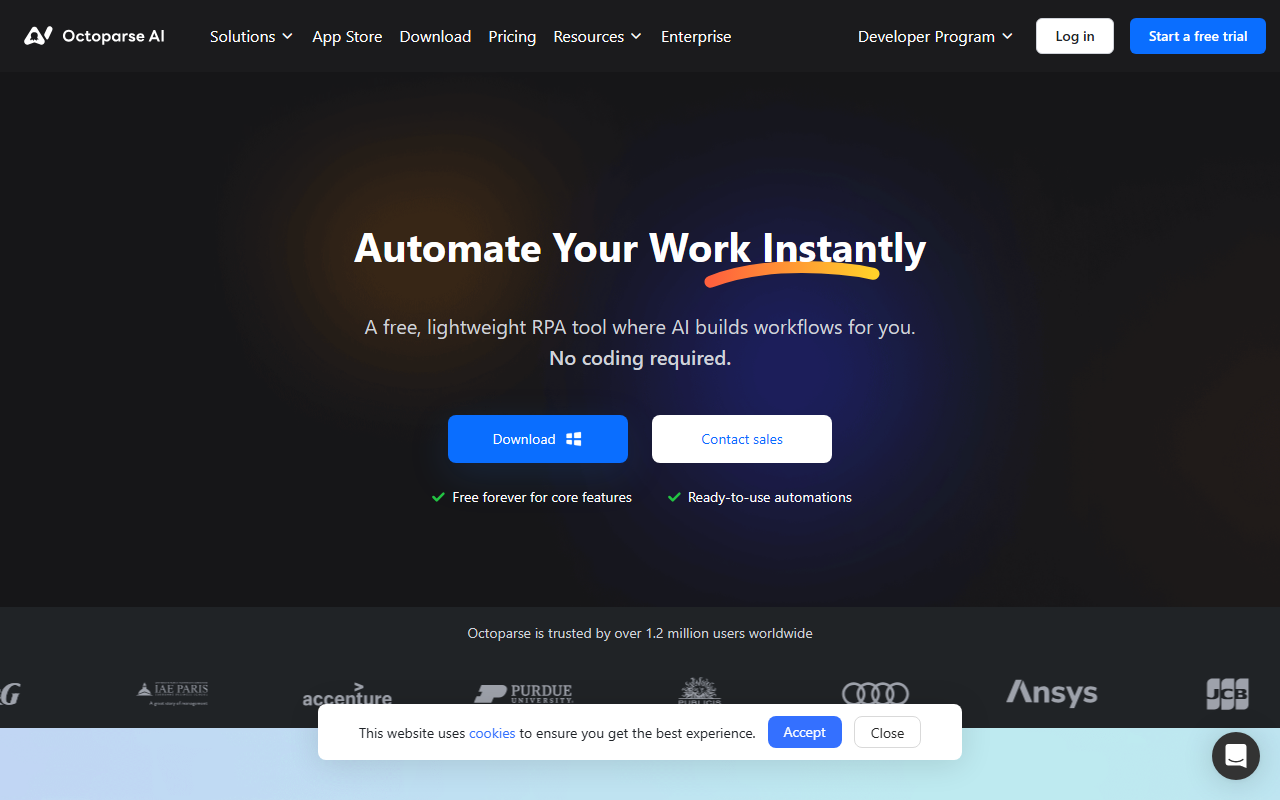
Upon visiting the Octoparse AI website, I was greeted with a clean, marketing-heavy landing page that immediately emphasizes the tool's unique selling point: a free, lightweight RPA (Robotic Process Automation) platform where AI builds your workflows. The headline "Automate Your Work Instantly" is backed by a clear call to action, though I noted it's Windows-only — a significant limitation for Mac or Linux users. The dashboard, after signing up for a free trial, presents a library of ready-to-use automation templates organized by category: Lead Prospecting, E-commerce, Social Media, Data Transfer, and more. Each template has a simple "Free" label, and clicking one reveals a brief description and an option to start building. The overall interface feels user-friendly and intuitive, even for someone who hasn't used RPA tools before.
When I tested the AI Copilot feature by typing a natural language request ("Extract LinkedIn profile data and save to Google Sheets"), the system generated a workflow skeleton almost instantly. The process took under a minute, and I could then tweak steps using drag-and-drop or even add Python scripts if needed. It's clear Octoparse AI is designed to lower the barrier for non-technical users while still offering flexibility for advanced users.
What Octoparse AI Does: RPA Meets AI for Office Automation
Octoparse AI solves a specific problem: automating repetitive tasks across websites, desktop applications, and data files without requiring APIs or coding skills. Unlike the original Octoparse (which focuses solely on web data extraction), this new platform is a full-fledged RPA tool — comparable to Power Automate or UiPath. The key differentiator is its AI integration: the AI Copilot can translate plain English descriptions into executable workflows, and the platform includes built-in AI capabilities like OCR (Optical Character Recognition), CAPTCHA solving, and text processing.
Under the hood, Octoparse AI uses a combination of computer vision, DOM-based interaction, and AI to interact with web pages and Windows apps. The tool can handle tasks like scraping business leads from directories, following Twitter accounts, or transferring data between systems. The FAQ explicitly states that unlike API-based tools like n8n or Make, Octoparse AI can automate platforms that don't provide APIs — a genuine advantage for internal business systems or legacy web portals. I found the template library particularly valuable: it offers over a hundred pre-built automations, including a Google Maps Contact Extractor and a TikTok Account Search & Email Finder, all free to use and modify.
Pricing and Target Audience: Free Core, With AI Credits
The pricing model is refreshingly straightforward: core features are free forever, allowing unlimited workflow building and execution. Every new user also receives $5 in free AI credits to explore the AI Copilot and other smart tools. Beyond that, pricing for additional AI credits or premium features is not publicly listed on the website — users are directed to contact sales. This suggests a freemium model with potential enterprise tiers, typical for tools targeting both individual professionals and teams.
Octoparse AI is best suited for small to medium business owners, marketers, data analysts, and operations teams who need to automate repetitive tasks without a developer's help. The lack of Mac support is a notable gap; anyone not on Windows will need to look elsewhere. For users comparing alternatives, UiPath and Power Automate offer broader platform support but often come with steeper learning curves and higher costs. Octoparse AI's focus on simplicity and AI-driven setup makes it an attractive entry point, especially for users already familiar with the original Octoparse web scraper.
Strengths, Limitations, and Verdict
Octoparse AI's genuine strengths include its no-code AI Copilot, extensive free tier, and pre-built template library. The tool is genuinely easy to start with, and the ability to automate non-API platforms sets it apart from many competitors. The company claims over 1.2 million users, which lends credibility.
However, there are real limitations. The Windows-only restriction is a major barrier. Additionally, while the AI Copilot is impressive, it currently supports only web and Excel automation — desktop workflow support is listed as "coming soon," so complex UI automation is still limited. I also noticed that the app store's template quality varies; some templates are community-built and may require tweaking. Finally, the reliance on AI credits for advanced features could become a cost factor for heavy users.
Overall, Octoparse AI is a solid choice for Windows users who need a free, AI-enhanced RPA tool for simple to moderately complex tasks. It's ideal for scraping, data transfer, and social media automation. If you need cross-platform support or deep enterprise integration, consider Power Automate or UiPath. But for quick wins and a low barrier to entry, Octoparse AI is well worth testing. Visit Octoparse AI at https://octoparse.ai/ to explore it yourself.







Comments