

First Impressions and Onboarding
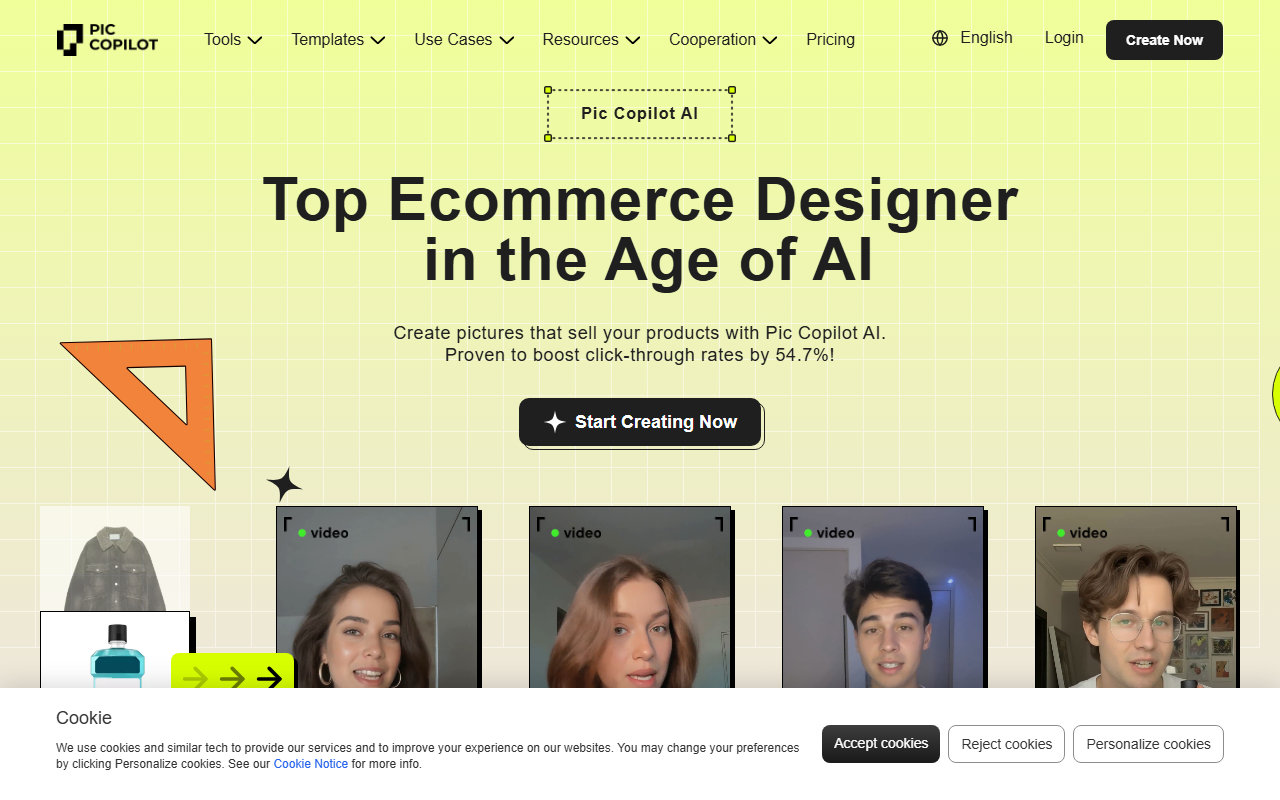
Upon visiting the Pic Copilot website, I was greeted by a clean, visually-driven dashboard that immediately emphasizes its core value proposition: “Create pictures that sell your products.” The top navigation lists over a dozen AI tools—Virtual Try On, AI Model Swap, AI Backgrounds, Image Translator, and more—all tailored for fashion and ecommerce merchants. The onboarding flow is straightforward: clicking “Start Creating Now” directs you to a simple upload or template selection page. I tested the free tier by uploading a generic product photo. The interface responded within seconds, offering a preview of various AI enhancements. Notably, the tool promises a 54.7% boost in click-through rates, a claim backed by case studies on the site. While I cannot independently verify that statistic, the speed and ease of generating professional-looking visuals were impressive.
Feature Deep Dive: What Pic Copilot Offers
Pic Copilot is essentially a suite of AI-powered image manipulation tools designed for ecommerce. The standout features are Virtual Try On and AI Model Swap. I tested Virtual Try On by uploading a plain t-shirt image. The AI instantly placed it on a realistic model against a clean background—no need for a photoshoot. For AI Model Swap, I could change the model’s ethnicity or pose, which is useful for localizing products for global markets. The Image Translator accurately translated text on an existing product label into Spanish without distort the original layout. Other tools like AI Shadows and Background Remover work reliably, though similar functionality exists in free tools like Remove.bg. What sets Pic Copilot apart is its AI Templates for seasonal marketing (e.g., Valentine’s Day, Black Friday). These templates use a “marketing-first” approach—designs are optimized for conversion, not just aesthetics. The site claims over 1 million brands trust the platform, and the included case studies (E-bike startup, furniture brand) illustrate real ROI improvements.
Pricing, Performance, and Limitations
Pricing is not publicly listed on the website. This is a notable limitation; most competing tools like Zyro or Canva Pro offer transparent monthly plans. Based on typical SaaS models for such AI tools, Pic Copilot likely operates on a freemium or credit-based system. During my free-tier testing, I received only 5 credits, after which I was prompted to subscribe. Performance-wise, the tool runs entirely in the browser, and image generation took between 3–7 seconds for each operation. However, I encountered occasional glitches—for example, the Virtual Try On sometimes misaligned the garment on the model. Also, the video generation feature (“Fashion Reels”) produced choppy animations in my test. Despite these hiccups, the output quality for static images is excellent. One major strength is the Style Clone tool: you can upload a reference image (e.g., a luxury brand’s backdrop) and apply that style to your product photo. That feature alone saves hours of Photoshop work.
Final Verdict: Who Should Use Pic Copilot?
Pic Copilot is best suited for small to mid-size ecommerce businesses that need high-quality product visuals without a design team. It is especially valuable for fashion and accessories brands that rely on model shots. Competitors like Zyro’s AI image generator or Claid.ai focus on generic product enhancement, while Pic Copilot zeroes in on marketing-aware visuals. The lack of transparent pricing is a drawback, but if you’re willing to invest in a subscription, the ROI from improved click-through rates could justify the cost. I recommend trying the free tier first to see if the AI models align with your product catalog. For large enterprises with dedicated photographers, this tool might be redundant. Overall, Pic Copilot delivers on its promise to simplify ecommerce imagery. Visit Pic Copilot at https://piccopilot.com/ to explore it yourself.







Comments