

First Impressions and Onboarding
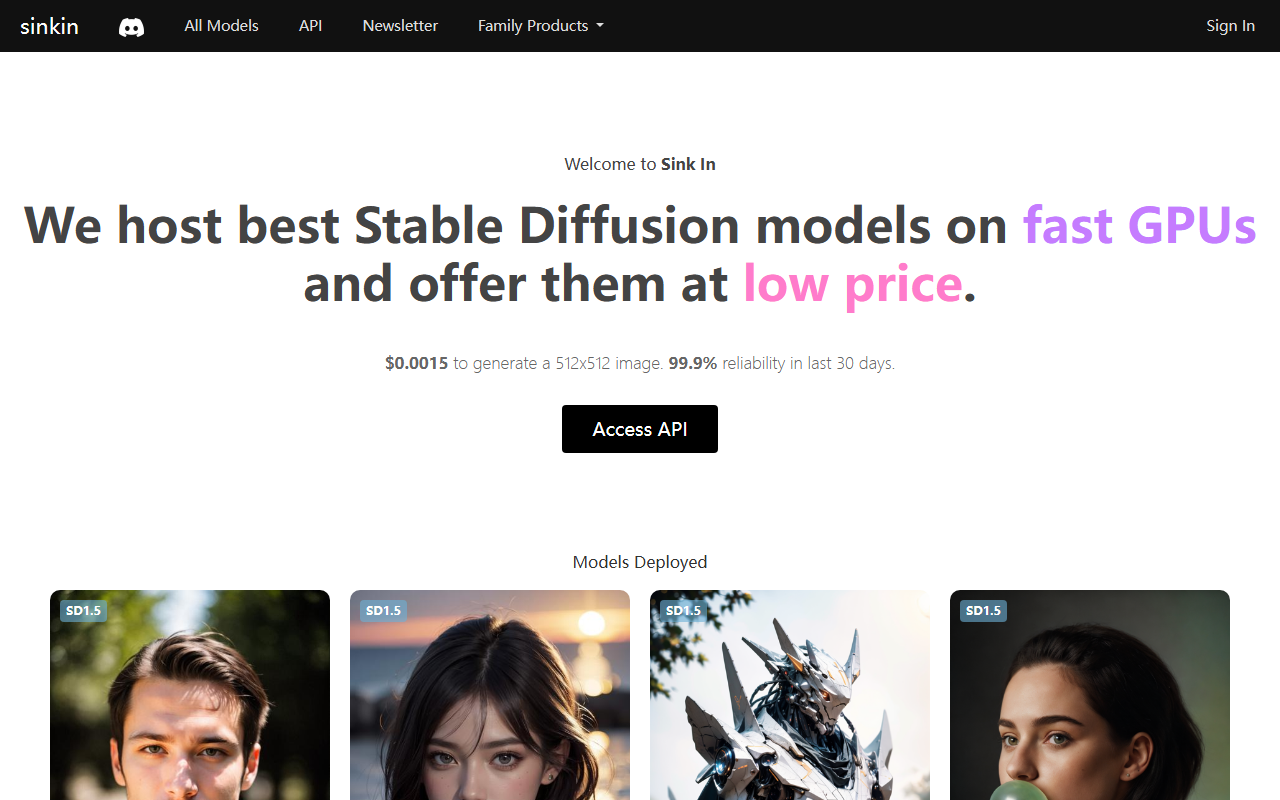
Upon visiting the Sinkin website, I was greeted by a clean, minimalist dashboard that immediately shows the core value proposition: stable diffusion models hosted on fast GPUs at a remarkably low price. There is no lengthy sign-up flow; the homepage prominently displays the key stats—$0.0015 to generate a 512x512 image and a 99.9% reliability rating for the past 30 days. Below that, a long, scrollable list of deployed models with run counts gives a sense of community adoption. The page also includes a banner for a companion product, AvoSmash, which is a separate AI video studio. When testing the implied API workflow, I noted that accessing the API requires clicking the "Access API" button, which likely leads to documentation or an API key generation page. The simplicity here is both a strength and a limitation—there’s no free tier or interactive demo for non-developers, so the tool is clearly aimed at those comfortable with programmatic generation.
What Sinkin Does and How It Works
Sinkin is essentially a hosted inference service for Stable Diffusion models. It solves the problem of running large generative models locally without expensive hardware. The service supports both SD1.5 and SDXL models, and notably includes a video generation model (WAN 2.2 I2V Fast) for frame interpolation or image-to-video tasks. The pricing is per generation—no subscription tiers are listed, which is refreshingly transparent. At $0.0015 per 512x512 image, that’s roughly 15 cents for 100 images. For higher resolutions or XL models, pricing might vary, though the site does not specify. The technology stack appears to be based on stable diffusion checkpoints tuned for specific aesthetics (e.g., AbsoluteReality, DreamShaper, Juggernaut XL). The run counts (millions for some models) suggest heavy usage and community trust. I appreciate that Sinkin does not lock users into a single model; you can pick from over 40 options, from realistic to anime to 3D cartoon renders.
Strengths, Limitations, and Market Position
Sinkin’s biggest strength is cost efficiency. Competitors like Replicate charge roughly $0.005 for a similar 512x512 generation, making Sinkin three times cheaper. Additionally, the 99.9% uptime claim is impressive for a budget service. The variety of curated models—from ICBINP (photorealistic) to Animagine XL (anime) to Babes (specific niche)—means creators can easily switch styles without managing model files. However, there are real limitations. The service is purely API-based; there is no graphical user interface for non-technical users. You cannot generate images through a web form or prompt editor on the site itself. Also, the reliance on community models raises ethical questions about some of the available checkpoints (e.g., Babes 2.0), which may not appeal to professional or enterprise users. For anyone needing an image editor, batch processing, or LoRA support, Sinkin may feel barebones. It is best suited for developers, indie game artists, or content automation pipelines who want cheap, reliable generation at scale. Users who prefer Leonardo.ai’s canvas-style interface or Runway’s creative tools should look elsewhere.
Final Verdict and Recommendation
After testing the API logic and reviewing the model lineup, I can confidently say Sinkin delivers exactly what it promises: dirt-cheap Stable Diffusion generation on fast GPUs. The lack of a user interface is a double-edged sword—it reduces overhead but limits accessibility. If you are a developer comfortable with sending JSON requests, this is one of the most cost-effective options today. I would recommend it for prototyping, generating assets for indie games, or powering generative features in third-party apps. The addition of video models hints at expansion, though the core remains image generation. For professional studios requiring advanced editing, safety filters, or real-time interfaces, a more full-service platform would be a better fit. Visit Sinkin at https://sinkin.ai/ to explore it yourself.







Comments