
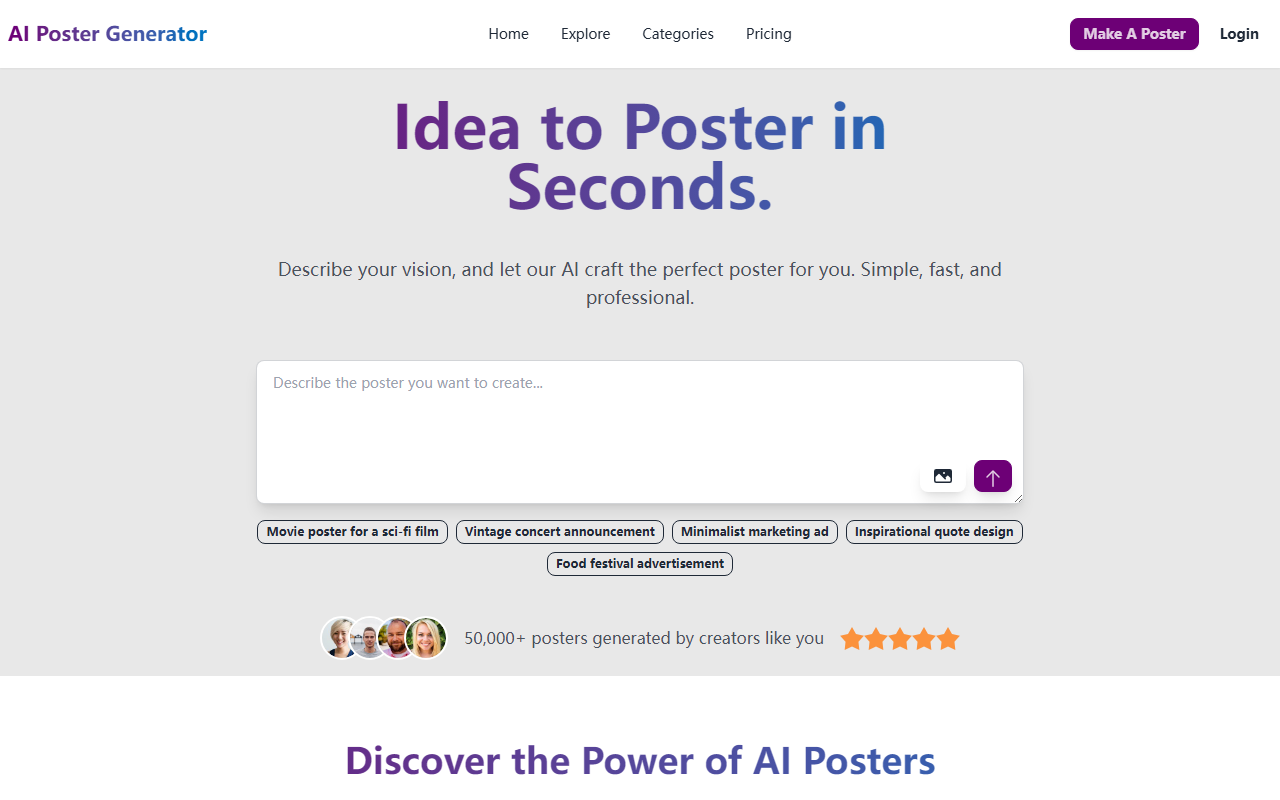
First Impressions and Onboarding
Upon visiting the site, I was greeted by a clean, modern interface with a clear call-to-action: “Make A Poster.” The homepage immediately communicates the tool’s value proposition—turn an idea into a poster in seconds. I clicked the “Get Started Free - 5 Posters on Us” button and was prompted to sign up. The onboarding flow is minimal: you can describe your vision or choose from a set of example prompts such as “Movie poster for a sci-fi film” or “Vintage concert announcement.” I chose the sci-fi movie prompt and clicked generate. Within seconds, a poster appeared. The output was surprisingly high-quality: dramatic lighting, cohesive color palette, and readable typography. The dashboard also displays a counter for remaining free generations, which is helpful for tracking usage.
Core Features and Workflow
The tool specializes in transforming text descriptions into poster designs. It offers a library of style templates, but the AI handles layout, color schemes, and typography automatically. When testing the free tier, I uploaded a reference image and combined it with a text prompt; the AI integrated the image into the poster seamlessly. Key features include professional templates, smart AI layout suggestions, automatic color schemes, and high-resolution exports. The explore section showcases top-rated posters created by the community—categories like faith, sports, health, and music demonstrate the tool’s versatility. Unlike general AI design tools such as Canva’s Magic Design or Adobe Firefly, AI Poster Generator focuses exclusively on posters, which means the output is more tailored to this specific medium. The tool does not offer vector editing or layer manipulation; it is purely generative.
Pricing and Value
Pricing is publicly listed on the website with clear tiers. The free plan gives you 5 poster generations to test the service. After that, paid plans start at a reasonable monthly subscription—though exact numbers are subject to change and should be verified on the site. There is also an option to purchase additional credits if you don’t need a subscription. Compared to alternatives like PosterMyWall or Canva Pro, AI Poster Generator is more affordable for users who only need AI-generated posters without manual design tools. However, power users might miss the ability to fine-tune every element. The 50,000+ posters generated statistic and glowing testimonials from event planners and small business owners add social proof.
Verdict: Who Should Use AI Poster Generator?
This tool is best suited for non-designers who need professional-looking posters quickly—event planners, small business owners, content creators, and hobbyists. Its strength is speed and simplicity: you can go from idea to download in under a minute. A real limitation is the lack of detailed customization; you cannot easily adjust individual elements like font size or object placement after generation. If you require pixel-perfect control, look elsewhere. I recommend trying the free 5-generations offer to see if the output quality meets your standards. For most users, AI Poster Generator delivers on its promise of effortless, professional posters.
Visit AI Poster Generator at https://aipostergenerator.com/ to explore it yourself.













Comments