

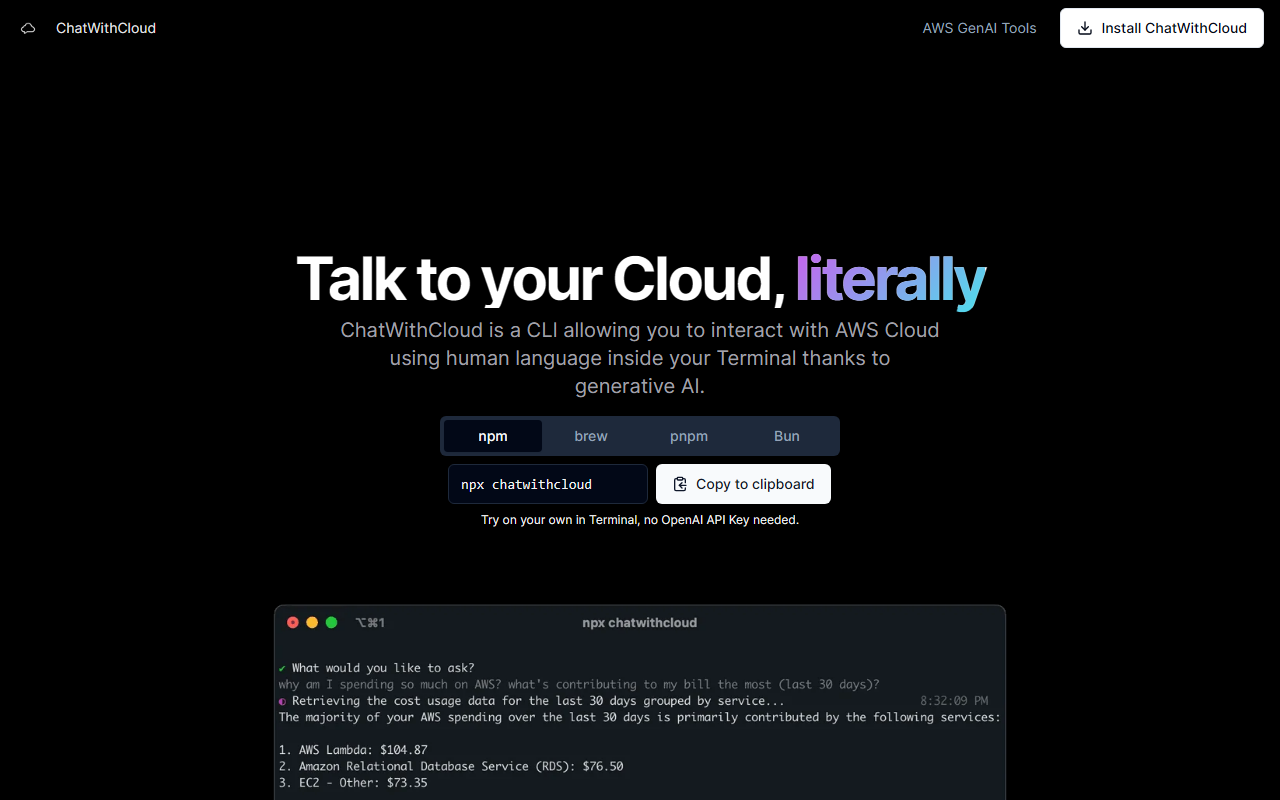
First Impressions and Core Functionality
Upon visiting the ChatWithCloud website, I was immediately struck by how clean and focused the messaging is. This isn't yet another web-based AI assistant; it's a command-line interface (CLI) tool that brings generative AI directly into your terminal. The tagline "Talk to your Cloud, literally" is accurate. After installing it via npm, I ran the trial command to test the free tier. The onboarding was smooth — no OpenAI API key needed for the trial. The terminal showed a prompt where I could type plain English questions about my AWS infrastructure.
The dashboard, which is actually the terminal itself, presents clear options: cost analysis, security analysis, troubleshooting, and fixing infrastructure. I tested the cost analysis feature by asking "Show me my current monthly AWS spending" and received a concise breakdown of services and costs, along with optimization suggestions. The tool uses generative AI to interpret natural language and translate it into AWS CLI commands behind the scenes. This makes it accessible even to developers with limited AWS knowledge, while still being powerful enough for seasoned DevOps engineers.
Pricing and Tiers
ChatWithCloud offers two clear pricing models. The Lifetime License is a one-time payment of $39, which requires you to bring your own OpenAI API key. This is labeled as an "Early believer plan" with limited availability — at the time of writing, 37 out of 50 licenses were sold. The Managed Subscription costs $19 per month, and you don't need an OpenAI key; all costs are included. This tier also promises "smarter model & better responses" and unlimited usage. There is no free tier beyond the trial command, but you can try it before buying by running a simple copy-paste command in your terminal. No pricing is hidden; it's all upfront on the site.
How It Stacks Up Against Competitors
Amazon Q Developer (formerly CodeWhisperer) is the most direct competitor, offering a similar AI-assisted AWS experience. However, ChatWithCloud differentiates itself by being purely terminal-based and focusing on interactive, conversational workflows rather than just code generation. Unlike Amazon Q, which is tightly integrated into AWS environments and often requires additional setup, ChatWithCloud works with any AWS account and supports a bring-your-own-key model for flexibility. Another alternative is AI-enhanced tools like CloudBerry or Spot by NetApp, but those are more focused on cost management. ChatWithCloud combines multiple use cases — cost, security, troubleshooting, and infrastructure changes — into one command-line tool. It's best suited for developers and DevOps engineers who prefer terminal workflows and want to avoid clicking through the AWS Management Console.
Strengths and Limitations
Strengths: The tool excels at reducing the time spent on routine AWS tasks. I was impressed by its ability to not only read data but also modify infrastructure ("Fixing stuff" mode). The security analysis feature correctly identified a publicly accessible S3 bucket and suggested proper IAM policies. The pricing is transparent, and the lifetime license at $39 is a steal for heavy AWS users who already have an OpenAI key. The CLI-first approach keeps you in your development flow without context switching.
Limitations: This tool is only useful if you are comfortable with a terminal — there is no GUI. Also, it requires an existing AWS setup with proper credentials. The AI's effectiveness depends on the underlying model; with the managed subscription, you get better responses, but the bring-your-own-key tier might lag behind if you use a weaker model. Security-conscious users may worry about sending AWS data to OpenAI, though the managed subscription likely handles this more privately. Finally, while it works well for common use cases, complex infrastructure troubleshooting may still require deep AWS knowledge. If you never touch a terminal or manage non-AWS clouds, look elsewhere.
Visit ChatWithCloud at https://chatwithcloud.ai/ to explore it yourself.













Comments