

First Impressions: Open-Source Database Meets Modern UI
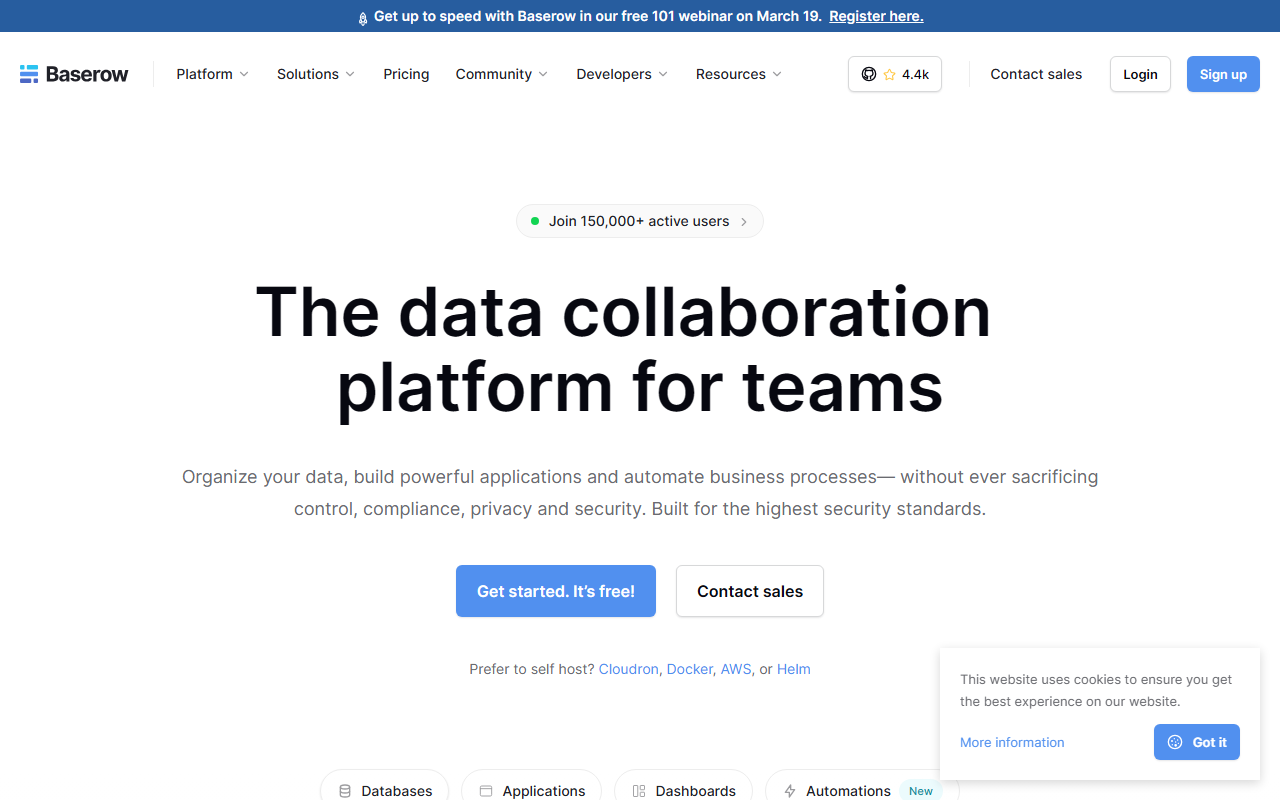
Upon visiting Baserow’s site, the first thing I noticed is the bold claim: “Join 150,000+ active users.” That’s a sizable community for an open-source project. The landing page immediately pitches it as a drop-in replacement for spreadsheets and Airtable, with a strong emphasis on data control, compliance (GDPR, HIPAA, SOC 2 Type II), and self-hosting. I signed up for the free cloud tier to explore the interface.
The onboarding was remarkably smooth. After a simple email registration, I was greeted with a clean, modern dashboard. The left sidebar lists databases, applications, dashboards, and automations. Creating a new database felt intuitive: a grid view appears instantly, similar to Google Sheets but with database-level features like field types (text, number, date, link, etc.). The views dropdown allows you to switch to Gallery, Kanban, Calendar, Timeline, Form, or Survey without any coding. I imported a sample CSV in two clicks – it parsed headers and guessed field types correctly. The UI is responsive and fast, even with a test dataset of 10,000 rows.
One standout moment was testing the built-in AI assistant, Kuma. In the database creation flow, I typed “track employee onboarding tasks,” and within seconds Baserow generated a complete table with relevant columns and some sample rows. It’s a neat productivity boost, though the AI suggestions are still basic. Overall, the first impression is that Baserow nails the core no-code database promise without sacrificing professional looks.
Technical Depth: Features, Automations, and Self-Hosting
Baserow is built with an open-source MIT license, which immediately differentiates it from Airtable’s closed source. Under the hood, it uses Python (Django) for the backend and Vue.js for the frontend. The platform is truly API-first: every table, view, and row can be accessed via REST API, and webhooks are built-in. I tested the API by fetching my “onboarding” table via cURL – it returned clean JSON. This makes Baserow a strong backend for custom application frontends.
The feature set is impressive for a free-tier product. Automations are no-code: you create triggers (e.g., “when a row is created”) and actions (send email, HTTP request, update another table). Conditions and loops are supported, and all actions are logged for audit compliance. I set up a simple workflow to send a Slack message when a high-priority task was added – the integration worked flawlessly. Applications go beyond databases: the Application Builder lets you compose pages, dashboards, and workflows on top of your data. The templates include Risk Management, Task Management, ESG, CRM, and more.
Pricing: The site lists “Get started. It’s free!” but doesn’t publicly display tiered pricing. After exploring further, the free cloud tier is limited to 2,000 rows per database and 2 GB of attachments, which is generous for small teams. Paid plans (Team and Business) start at €5 per user per month, and a self-hosted option is available via Docker, AWS, or Helm. Enterprise pricing requires contacting sales. For comparison, Airtable’s free tier caps at 1,000 rows per base and offers far less flexibility. NocoDB is another open-source alternative, but its UI is less polished.
Positioning and Comparisons: Airtable Alternative Done Right
Baserow pitches itself as “The open source Airtable alternative.” I’ve used both, and the comparison holds. Unlike Airtable, Baserow lets you self-host your data, ensuring compliance for regulated industries. It also avoids row limits even at scale (self-hosted) and offers frontend and backend plugin extensions – Airtable only allows frontend plugins. The Application Builder is a key differentiator: you can build a custom CRM or project management tool entirely within Baserow, something Airtable requires third-party integrations for.
However, Baserow has limitations. Its app marketplace is still small compared to Airtable’s ecosystem. The AI assistant Kuma is clever but occasionally guesses the wrong field types. Also, while the grid and kanban views are polished, the timeline view I tested felt a bit sluggish when zooming in on many tasks. For spreadsheet-heavy workflows, Google Sheets remains faster for ad-hoc calculations.
Who Should Use Baserow (and Who Shouldn’t)
This tool is ideal for teams that need a flexible database with strong compliance requirements. Best suited for: small to mid-size companies handling sensitive data (health, finance, government) who want to avoid vendor lock-in; IT and operations managers who need to build custom internal tools without code; and anyone frustrated by Airtable’s row limits and pricing. Look elsewhere if: you need a full-fledged low-code platform with visual app builder for external customers (try Retool), or if your workflows rely heavily on complex formulas like spreadsheet experts do (Google Sheets is simpler).
In summary, Baserow delivers on its promise: an open-source, scalable, and compliant alternative to Airtable. The free tier is generous enough to test thoroughly, and the self-hosting option gives IT teams peace of mind. I recommend it to any team currently outgrowing spreadsheets and looking for a database that puts data ownership first. Visit Baserow at https://baserow.io/ to explore it yourself.








Comments