
First Impressions and Onboarding
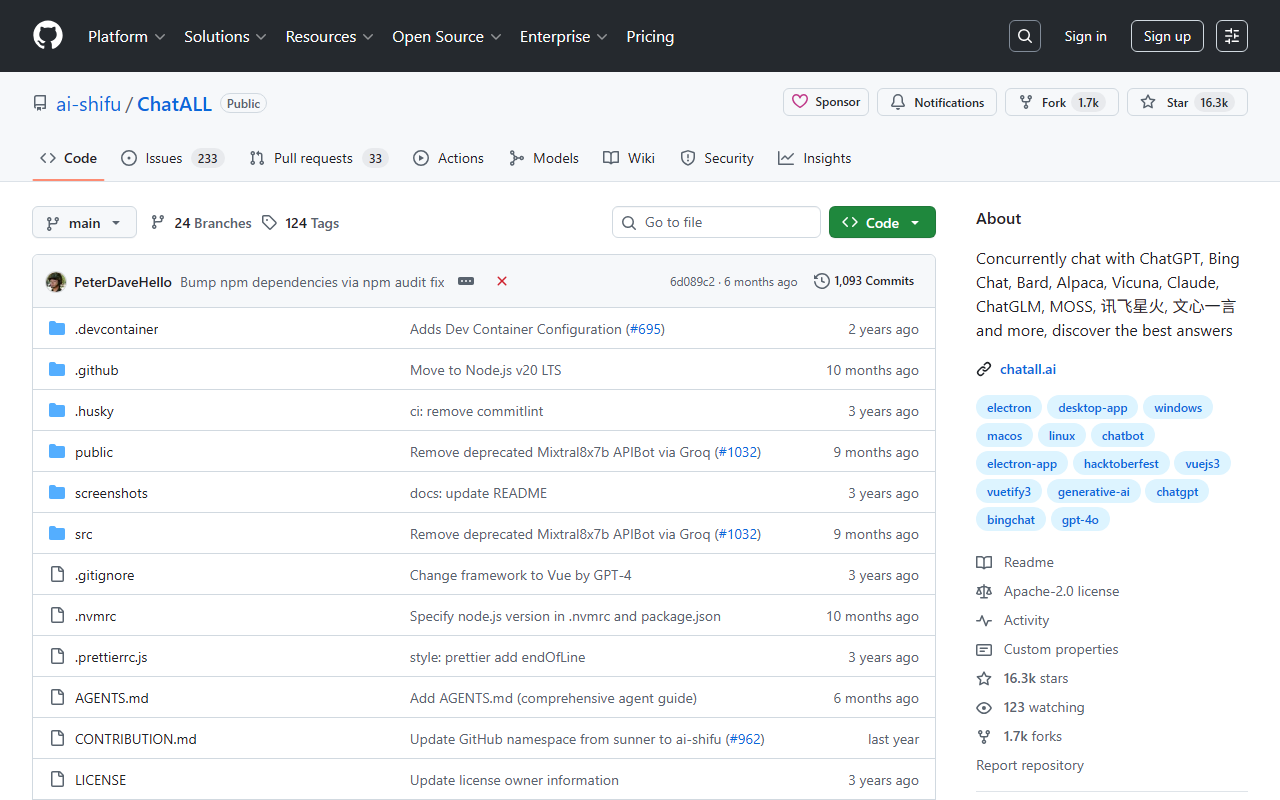
Upon visiting the GitHub repository for ChatALL, I was immediately struck by the sheer number of stars—over 16,400—and the extensive README documentation available in ten languages. The project is open-source under the ai-shifu organization, and the landing page clearly positions it as a client for concurrently chatting with multiple AI bots. I downloaded the latest release for Windows, and installation was straightforward: the app runs as a standalone desktop client, no registration required for the tool itself. The dashboard opens to a clean, multi-column interface where you can add your own API keys or log in to web-based bots. The onboarding flow prompts you to either enter API credentials (for bots like ChatGPT or Claude) or authorize web access for services like Bard or HuggingChat. I was able to quickly enable five bots and send my first query within minutes.
Features and Supported Bots
ChatALL’s core proposition is sending one prompt to dozens of AI models simultaneously and displaying all responses side-by-side. The supported bot list is staggering: ChatGPT (web + API), Gemini, Claude, Copilot, Perplexity, and many open-source models like Llama 2, Vicuna, and Gemma—over 30 in total. Each bot is clearly marked whether it uses web access or API, and the README warns that web-connected bots are less reliable due to reverse engineering. I tested the free API tier of Groq Cloud alongside the web versions of ChatGPT and Claude. The quick-prompt mode let me send a follow-up before the slower responses finished, which saved time. Local chat history, prompt management, dark mode, and multi-language support are all included. The app runs on Windows, macOS, and Linux. I particularly appreciated the ability to highlight the best response and delete bad ones—no data is sent to any server, as all history stays local.
Performance and Limitations
When I tried the web-connected bots (Bard, HuggingChat, and YouChat), the experience was hit-or-miss. Bard loaded but sometimes timed out; HuggingChat worked reliably but slower than the API-based models. As noted in the documentation, these web integrations depend on reverse-engineered endpoints that can break without notice. For consistent use, API keys are the way to go. ChatALL does not include any pricing of its own—it’s free and open-source. However, you must have your own accounts and API keys for each service. This is a limitation for those expecting a single subscription. Unlike competitors like Poe or TypingMind, which offer a polished paid experience with curated bots, ChatALL requires more setup but gives you full control. The absence of mobile support is another gap. Privacy is a strong point: no cloud storage, no telemetry beyond anonymous usage data (bot usage length, response length—not content).
Who Should Use ChatALL?
ChatALL is ideal for LLM researchers, developers debugging prompts, and power users who want to quickly compare outputs from many models without switching tabs. It is less suitable for casual users who prefer a simple, all-in-one subscription with managed bots. For example, if you primarily use ChatGPT and want a no-hassle experience, Stick to the official client. But if you regularly test multiple models and value privacy and customization, ChatALL is a standout tool. Its open-source nature ensures transparency and community-driven improvements. I would recommend downloading the desktop app and setting up API keys for your most trusted bots—the ability to see answers from 10 different AI models at once is genuinely eye-opening.
Visit ChatALL at https://chatall.ai/ to explore it yourself.







Comments