

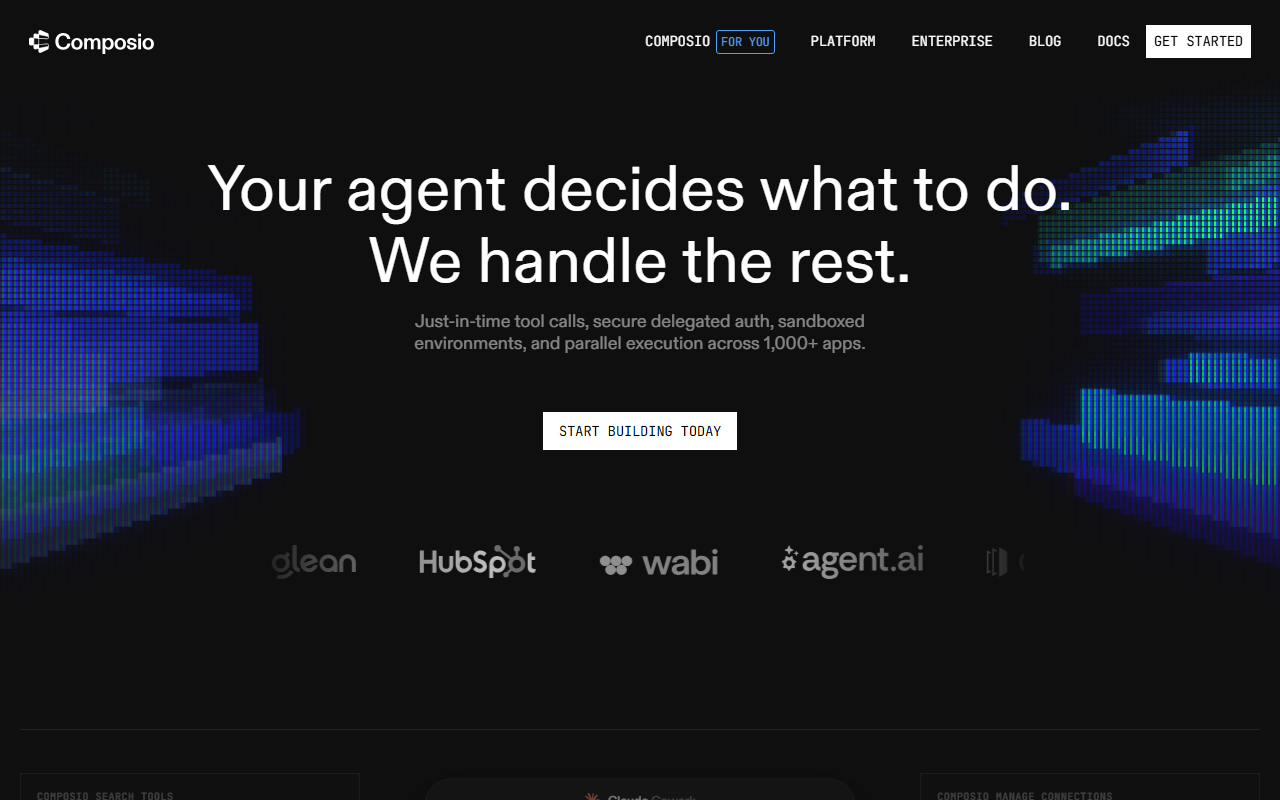
First Impressions and Interface
Upon visiting https://composio.dev/, I was greeted by a clean, developer-oriented landing page that immediately showcases the core value proposition: "Your agent decides what to do. We handle the rest." The hero section includes a live interactive demo panel that simulates a Claude Cowork session with a composio_search_tools dropdown and an execution log. It shows Gmail, Slack, GitHub, Notion connections and a sandboxed Python environment executing tool calls. This gives a tangible feel of how the platform works without requiring a sign-up. The navigation bar organizes products into "FOR YOU," "DEVELOPER PLATFORM," "ENTERPRISE," and "CLI," plus a "SOLUTIONS" section broken down by business function (Engineering, Sales, Marketing, etc.). There is also a "FOR AGENTS" dropdown listing Claude, Codex, OpenClaw, Cursor, and Hermes – indicating broad LLM compatibility. The design is modern and responsive, though the heavy use of ASCII art in the developer section may feel gimmicky to some. The documentation link is prominent, which suggests the platform is documentation-first – a good sign for developers evaluating depth.
Core Features and Technology
Composio positions itself as a tool-calling infrastructure layer for AI agents. The four pillars highlighted are: Smart Tools (intent-based tool resolution, proposed execution plans, built-in guardrails), Constant Evolution (accuracy driven by millions of real-world tool calls, account-level optimization), End User Auth (fully managed OAuth, inline auth triggered by user intent, granular permission scoping), and Dynamic Sandbox (remote sandboxed environments, composable multi-step workflows, large responses stored on a filesystem). The platform supports over 1,000 app integrations, including Gmail, Slack, GitHub, Notion, Sentry, Linear, and more. During my exploration, I noticed the interactive demo shows an agent fetching errors from Sentry, classifying them via an LLM, and creating issues in Linear – a realistic workflow. The "FOR YOU" product targets users of Claude Code, Cursor, or any MCP client, enabling them to turn an agent into an executor across all apps without setup. The "PLATFORM" product targets developers building custom agents with tools in five lines of code. The technology appears model-agnostic and framework-agnostic, supporting Gemini, Anthropic, and others. A webhook/trigger system enables bidirectional communication with apps to keep agents informed.
Pricing and Market Positioning
Pricing is not publicly listed on the website. The site offers "FOR YOU" (likely a free or trial tier for individual developers) and "ENTERPRISE" (custom pricing). There is no pricing page visible in the navigation. This is a common pattern for developer infrastructure tools that rely on usage-based or seat-based models. Competitors include LangChain's tool integrations, Zapier's AI Actions, and standalone tool orchestration platforms like Toolhouse. Unlike those, Composio emphasizes end-to-end auth management and sandboxed execution as first-class features. The platform claims "accuracy driven by millions of real-world tool calls," which suggests a significant user base, though no specific metrics are provided. The tool is best suited for developers building AI agents that need to interact with multiple SaaS tools securely and at scale. Developers who need simple, one-off integrations may find the setup overhead unnecessary, while enterprise teams will appreciate the auth control and sandbox isolation.
Strengths, Limitations, and Recommendations
Strengths: Composio excels at reducing the friction of connecting agents to real-world apps. The managed OAuth flow is a genuine time-saver, and the sandboxed execution prevents agents from causing unintended side effects. The intent-based tool resolution (rather than manual configuration) is innovative, and the platform's model-agnostic design future-proofs investments. The live demo is highly effective at communicating value.
Limitations: The lack of transparent pricing is a barrier for individual developers evaluating the service. The tool is heavily focused on agent developers; non-technical users will struggle. The website's heavy use of jargon and ASCII art may alienate less technical audiences. Additionally, the claim of "millions of real-world tool calls" cannot be independently verified.
Recommendation: Try Composio if you are building production-level agents that need to interact with Gmail, Slack, GitHub, or any of the 1,000+ supported apps out of the box. Start with the "FOR YOU" tier to test the integration with Claude Code or Cursor. If you need a simple one-off automation, consider a lighter tool. For enterprise deployments requiring robust auth and sandboxing, Composio is a strong candidate.
Visit Composio at https://composio.dev/ to explore it yourself.













Comments