

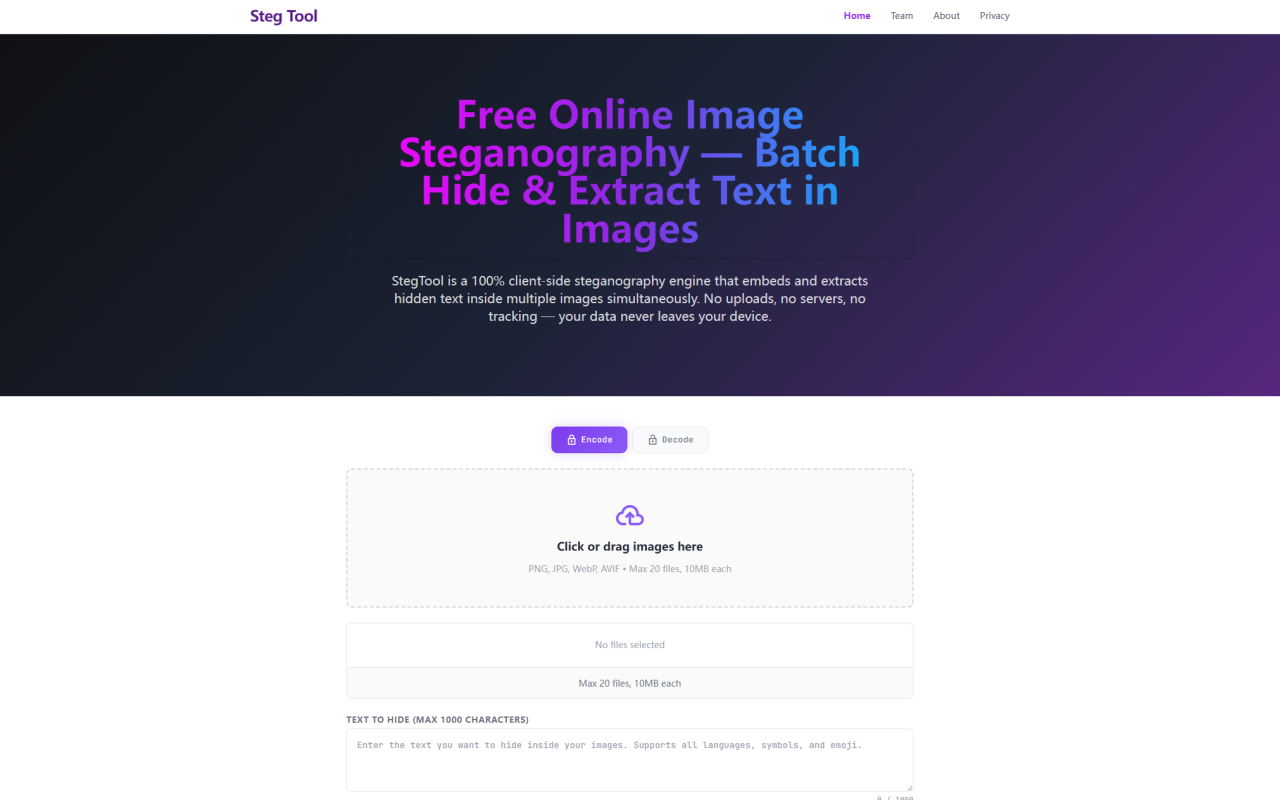
Steg Tool: A Deep Dive into Client-Side Image Steganography
Upon visiting Steg Tool's website at stegtool.com, I was immediately struck by the clean, utilitarian interface that prioritizes function over flash. The tool is categorized under Image AI > AI Office on 345tool, but it's more of a specialized privacy utility than a traditional office tool. The landing page greets you with two clear modes: Encode and Decode, each represented by a clickable lock icon. As a tech journalist who has explored dozens of steganography tools, I found the onboarding refreshingly straightforward. No account creation, no tutorial pop-ups — just drag-and-drop functionality. I decided to test the batch encoding feature immediately, dragging five JPG photos into the drop zone. The interface confirmed support for PNG, JPG, WebP, and AVIF, with a 20-file and 10MB-per-file limit. I typed a 500-character hidden message, then clicked Encrypt & Download All. Within seconds, five lossless PNG files downloaded sequentially, each carrying my invisible payload. The entire workflow felt snappy and responsive, even on my mid-range laptop.
How LSB Steganography Works Under the Hood
Steg Tool employs Least Significant Bit (LSB) steganography, a technique that alters the least significant bit of each pixel's Red, Green, and Blue channels to encode data. The website explains that flipping an LSB changes a channel's value by at most 1 on a 0–255 scale — well below human perception. I verified this by comparing the original and encoded PNGs in a pixel editor; the differences were undetectable to my naked eye. The algorithm uses the browser's native TextEncoder API to convert text to UTF‑8 bitstream, then iterates through each pixel's RGB channels. A 16‑bit zero delimiter (two NUL bytes) marks the end of the payload, enabling precise decoding without needing to know the message length in advance. The Alpha channel is intentionally untouched to preserve cross‑platform rendering. When decoding, the engine scans the same RGB sequence, halting upon the delimiter and reassembling the bits into readable text. I tested this by dragging one of the encoded PNGs back into the decode zone — the hidden text appeared instantly, and a single click copied it to my clipboard. The whole process is elegant and mathematically sound.
Key Features and Hands-On User Experience
The hallmark of Steg Tool is its batch processing capability. You can encode up to 20 images simultaneously — a significant time‑saver for anyone managing large image libraries. During my test, mixing a WebP, an AVIF, and three JPGs in one batch worked flawlessly. The tool normalizes all inputs to a raw RGBA pixel matrix on an HTML5 Canvas, ensuring format‑agnostic consistency. Another standout feature is the zero‑server architecture. The website states that no data ever leaves your device, and I confirmed this by opening my browser's Network panel (F12) while encoding. The only network requests were for static assets and Google Analytics pings — absolutely no image data was transmitted. Even after disconnecting my internet, the encode and decode functions continued to work perfectly. This makes the tool suitable for air‑gapped or highly sensitive environments. However, there are limitations: output is restricted to lossless PNG only, because JPEG or WebP compression would destroy the LSB payload. Additionally, the hidden text is capped at 1,000 characters — enough for a copyright notice or a transaction ID, but not for embedding a full document. The file‑size limit of 10MB per image and 20 files per batch also means you can't process large‑resolution 4K images in bulk without careful sizing. For my workflow, these constraints felt reasonable for a free client‑side tool.
Privacy and Security Architecture
Steg Tool's commitment to privacy is its strongest selling point. The entire application is a single‑page web app: every line of JavaScript executes in your browser's sandbox. Images are loaded via the FileReader API, rendered onto Canvas, manipulated with native bitwise operators, and exported as Blobs — all without ever touching a server. This architecture is compliant with GDPR and immune to server‑side breaches. To verify, I used the F12 network monitor as mentioned; no image bytes were uploaded. The FAQ even suggests disconnecting the internet after page load to prove client‑side operation. I tried this, and the encoding and decoding remained fully functional. There is no tracking of uploaded data, and the tool does not store any files on remote backends. For organizations that require strict data sovereignty — like law firms handling confidential evidence or corporate security teams testing covert channels — Steg Tool provides a trustworthy, reviewable solution. The only minor privacy consideration is the Google Analytics page‑view ping, which contains no file data but does track usage metrics. The site's privacy policy (linked from footer) should clarify data collection further, but based on my tests, the core functionality is genuinely server‑free.
Pricing, Market Position, and Alternatives
Steg Tool is completely free to use — there are no paid tiers, subscriptions, or hidden fees. This is a refreshing approach in a market where many steganography tools either limit functionality behind paywalls or rely on server‑side processing (which compromises privacy). Alternatives include OpenPuff (desktop software with multi‑carrier support) and Steghide (command‑line tool for JPEG/audio). Unlike OpenPuff, Steg Tool is purely web‑based and requires no installation. Unlike Steghide, it offers a visual drag‑and‑drop interface and batch processing. However, those desktop tools support larger payloads and more carrier formats (e.g., audio, video). Steg Tool's niche is instant, client‑only, and image‑focused steganography. The website is part of the 345tool ecosystem, an independent developer collective that builds privacy‑first utilities. There is no mention of venture funding or large user numbers, but the tool's transparent design and active FAQ suggest a committed development team. For users who need to embed copyright details into hundreds of images without relying on a cloud service, or who want a quick way to exchange hidden messages in plain sight, Steg Tool is a solid choice. It's not meant for large‑scale forensic watermarking or video steganography, but for its intended use case, it excels.
Pros, Cons, and Final Verdict
Strengths: The client‑side architecture guarantees absolute privacy — your images and text never leave your device. Batch encoding of up to 20 images saves time. Support for multiple input formats (JPG, PNG, WebP, AVIF) and a clean interface make it accessible. The LSB implementation is well‑documented with a clear termination protocol. The tool is completely free and works offline after initial load.
Limitations: Output is restricted to PNG only, which may require an extra conversion step for workflows that need JPEG or WebP. The 1,000‑character text limit may be insufficient for embedding large metadata or documents. Batch size and file size caps (20 files, 10MB each) could hinder users with massive libraries or high‑res assets. There is no option for visible watermarks or encryption of the hidden text inside the steganographic layer (though you can pre‑encrypt your message yourself).
Who should use it: Photographers, digital artists, and brand managers who want to invisibly embed copyright or license IDs into their image assets. Security professionals needing a quick, auditable, client‑side steganography tool for covert communication or data exfiltration exercises. Educators demonstrating steganography concepts in a hands‑on lab.
Who should look elsewhere: Users who need to hide more than 1,000 characters or want support for lossy output formats. Those looking for a tool that automatically encrypts hidden messages before embedding (though you can encrypt manually). Enterprise teams requiring batch processing of thousands of images without manual clearing will need to script the workflow.
Overall, Steg Tool delivers exactly what it promises: a free, private, and efficient steganography engine that runs entirely in your browser. I recommend it to anyone who values data sovereignty and needs a quick, no‑fuss way to hide text in images. Visit Steg Tool at https://stegtool.com to explore it yourself.











Comments