

First Impressions of Delete Metadata: A Minimalist Privacy-First Tool
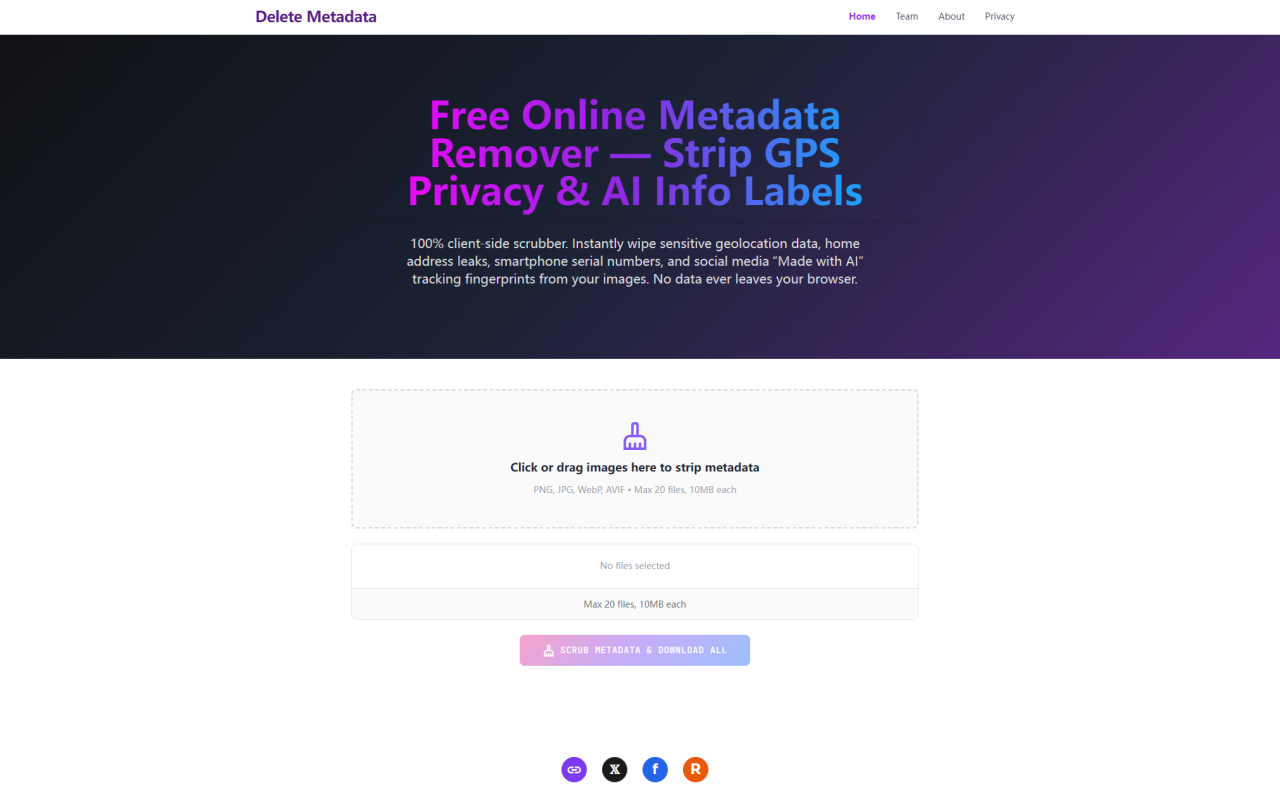
Upon visiting deletemetadata.com, I was greeted by a clean, no-nonsense interface. The hero section features a drag-and-drop zone with the clear call to action: “Click or drag images here to strip metadata.” Right below, it lists supported formats—PNG, JPG, WebP, AVIF—and caps at 20 files per session, each under 10MB. The design is refreshingly sparse; no ads, no pop-ups, just a single button labeled “Scrub Metadata & Download All.” I dragged a few test JPEGs taken with my smartphone, and within seconds the tool processed them. The entire workflow happens client-side—there is no upload progress bar, which confirms the promise that files never leave my machine.
What Is Image Metadata and Why Delete Metadata Solves a Real Privacy Problem
Every digital image carries hidden data: EXIF tags record camera model, shutter settings, and timestamps; GPS coordinates leak your exact location; and newer AI-generated images include C2PA signatures that platforms use to flag synthetic content. As a journalist who often shares screenshots and photos, I was alarmed to learn how much personal tracking data is embedded in ordinary files. Delete Metadata addresses this by stripping all that hidden baggage. It doesn’t just remove visible tags—it rebuilds the image from raw pixel data, ensuring no leftover fragments remain. This is particularly valuable for privacy-conscious individuals, photographers selling stock images, and social media managers who want to avoid algorithmic profiling based on AI metadata.
Technical Deep Dive: How the Client-Side Engine Works
Delete Metadata uses a clever approach. Instead of parsing binary blocks and risking corruption, it leverages the browser’s native hardware codec to extract the pure RGBA pixel matrix into local memory. The metadata container—EXIF, IPTC, XMP, GPS, and C2PA certificates—is simply abandoned during the decoding step. The engine then constructs a brand-new output file from the clean pixel data, saved as a lossless PNG. This process is what the site calls a “sterile output file.” I tested this by checking a processed image with an external EXIF viewer; indeed, all GPS coordinates and device serial numbers were gone. The output PNG retained full resolution and color depth, though it was larger than the original JPEG—an expected trade-off for lossless output.
Performance, Limitations, and File Handling
During my tests, the tool handled batch uploads reliably. The maximum of 20 files at 10MB each is reasonable for a web app, though heavy users might hit the cap. A notable limitation is that the output is always PNG, which increases file size. Pros: no zip archives—each file streams individually, which works seamlessly on mobile devices that lack native zip support. Cons: no option to preserve the original JPEG format or lossy compression. Also, the tool explicitly states it does not alter pixel-level copyright watermarks; for that, the site recommends a separate sister tool called StegTool.com. Another limitation is the 10MB per-image cap; high-resolution RAW files are out of scope. Still, for everyday JPEGs and WebP images, performance is snappy—processing a 5MB photo took under two seconds on my laptop.
Privacy Compliance and Zero-Upload Architecture
Delete Metadata emphasizes total privacy: no files are uploaded to any server. All processing occurs within the sandbox of your browser via JavaScript and the Canvas API. This design makes it inherently GDPR and CCPA compliant—no data ever leaves your device. I verified this by monitoring network traffic in DevTools; zero HTTP requests were made after initiating the scrub. The team behind the tool, according to the site, is an independent developer collective called the 345tool team, which also runs other privacy-first utilities. Pricing is not publicly listed on the website; the tool appears to be completely free to use with no hidden limits or subscription upsells. That said, there is no API available for programmatic use, so this is strictly a manual web tool.
Verdict: Who Should Use Delete Metadata?
This tool is ideal for anyone who frequently shares images online and wants to erase location data, device info, or AI-generation markers before posting. It is particularly useful for e-commerce sellers avoiding unfair “Made with AI” tags, and for journalists or activists who need to anonymize photos. However, professional photographers who need to preserve EXIF copyright information should look elsewhere; tools like ExifTool allow selective removal. Also, if you need batch processing of more than 20 images or require output in other formats, consider a desktop utility. Strengths: truly private, zero uploads, free, easy to use. Limitations: fixed output format and file-size cap. Overall, Delete Metadata delivers exactly what it promises—a simple, trustworthy way to strip metadata from images. Visit Delete Metadata at https://deletemetadata.com to explore it yourself.











Comments