

First Impressions and Interface
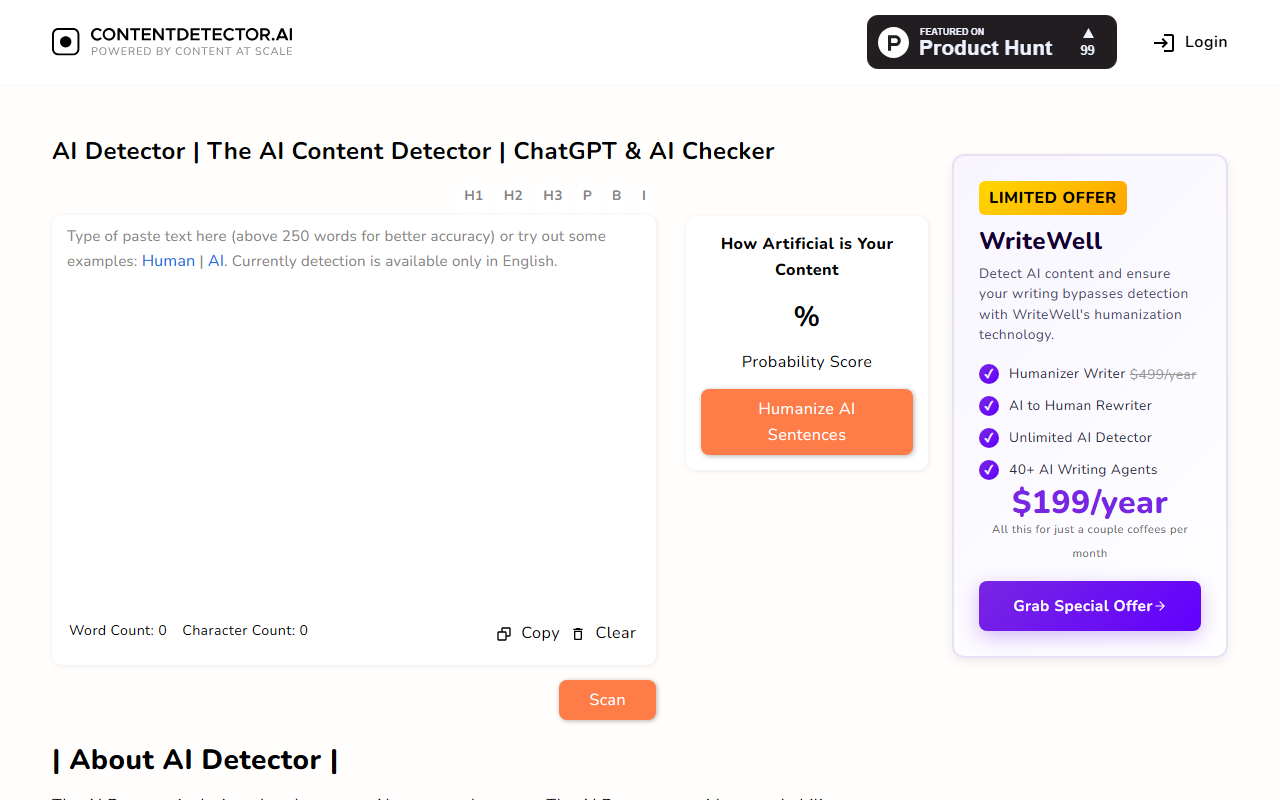
Upon visiting ContentDetector.AI, I was greeted by a clean, minimal interface. The homepage centers around a large text input box with placeholder text inviting you to paste content (above 250 words for better accuracy). A small toolbar lets you switch between example human or AI text, and buttons for Copy, Clear, and Scan are clearly visible. The dashboard also shows real-time word and character counts as you type — a nice bonus for writers. The overall onboarding is straightforward: no sign-up required, and you can start scanning immediately. A sidebar promotes WriteWell, a paid humanization tool, but the core detector remains free. I pasted a sample paragraph generated by ChatGPT, clicked Scan, and received a probability score in seconds. The result is displayed as a percentage under the heading "How Artificial is Your Content," with a gauge-like visual. There's also a "Humanize AI Sentences" button that redirects to WriteWell. The experience was fast and frictionless, though I noticed the detection is currently limited to English text only.
Detection Performance and Technology
The AI Detector is powered by Content at Scale’s detector, which combines fine-tuned outputs from OpenAI’s GPT-2 model with a robustly optimized BERT pretraining approach (Roberta). This hybrid model aims to catch text generated by ChatGPT (including GPT-3.5, GPT-4, GPT-4o, and GPT-o1), Claude, and Gemini. During testing, the tool gave a high probability score (98%) for a clearly AI-written paragraph and a low score (12%) for a human-written excerpt. However, the website explicitly notes that "any detector algorithm works on probability and are not 100% accurate" — an honest caveat. The tool includes a word counter and character counter, and there is no word or scan limit for the free tier. The detection results are presented as a simple percentage, which is easy to interpret. One limitation: the tool expects at least 250 words for better accuracy, making it less useful for short snippets. Also, it only supports English, which may exclude non-English users.
Pricing and Market Position
ContentDetector.AI is free to use with no limitations — a standout feature compared to many competitors. While there is an upsell for WriteWell (a humanization suite priced at $199/year or a limited offer at $499/year for multiple agents), the core detection functionality costs nothing. This positioning puts it in direct competition with tools like GPTZero (freemium, with paid plans starting at $9.99/month) and Originality.ai (paid-only, starting at $14.95/month). Unlike Originality.ai — which focuses on high accuracy for professional publishers — ContentDetector.AI targets casual users, bloggers, and educators who need a quick, free check. The tool claims over a million users since launch, lending it some credibility. However, because it relies on a probabilistic model, it may produce false positives or negatives, especially on borderline content. Users should treat the score as a guide, not a definitive verdict.
Who Should Use This Tool?
ContentDetector.AI is best suited for bloggers who want to quickly verify if a draft reads too mechanically, academics checking student submissions for AI use, and content creators who need a free, unlimited scanner. Its strengths are zero cost, no registration, and a clean interface. But its limitations — English-only, probabilistic accuracy, and a 250-word minimum for best results — mean it shouldn't be your only tool for critical decisions. If you need enterprise-grade detection or support for multiple languages, consider a paid alternative like Originality.ai. For a casual, no-commitment check, ContentDetector.AI gets the job done. I recommend trying it first, then using your own judgment alongside the score. Strengths: completely free, unlimited scanning, word counter built-in. Weaknesses: only English, not 100% accurate, requires longer text for reliable results. Overall, a solid entry in the free AI detection space. Visit ContentDetector.AI at https://contentdetector.ai/ to explore it yourself.







Comments