

First Impressions and Onboarding
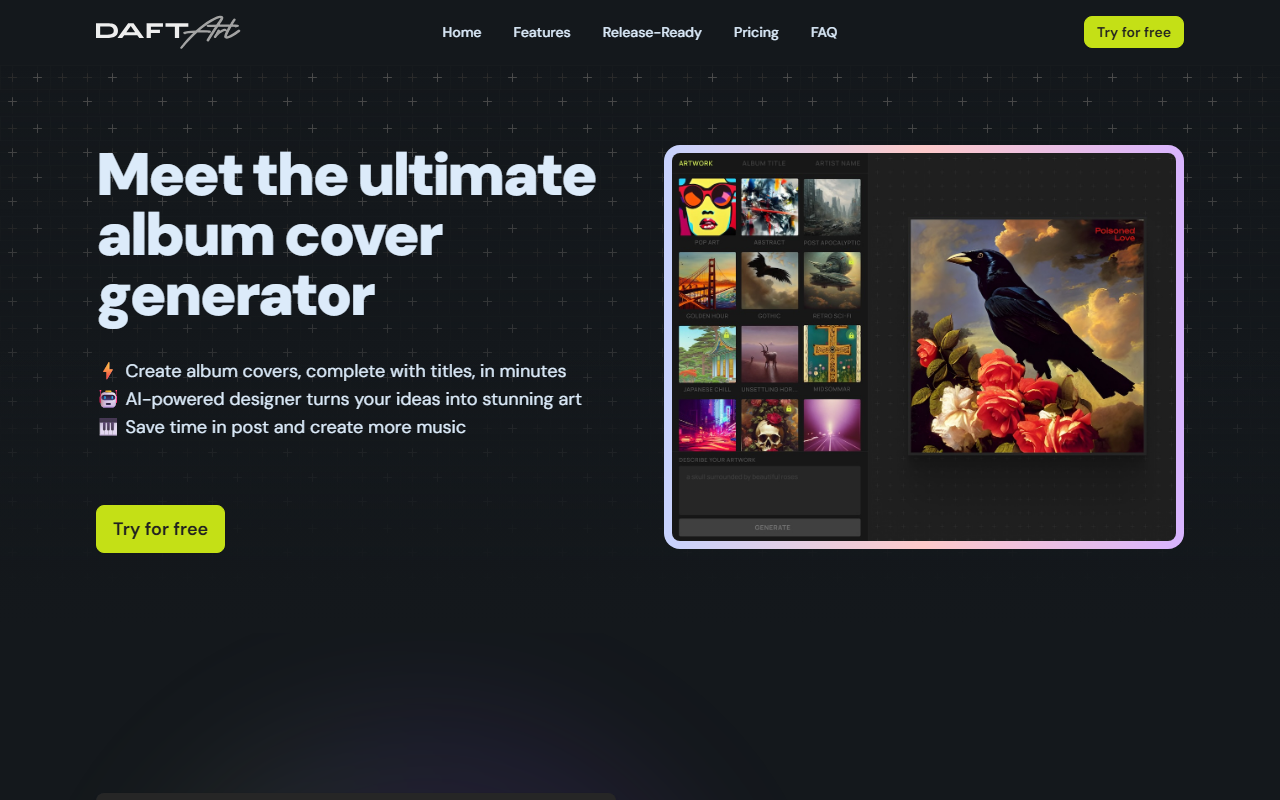
Upon visiting the Daft Art website, the design is clean and immediately communicates its singular focus: generating album covers. The homepage showcases example covers with a prominent call-to-action button labeled Try for free. However, when I attempted to use it, the onboarding funnel actually leads to a pricing page. The FAQ clarifies that the tool is no longer free; all users must purchase a pass to generate covers. This is a notable shift from many AI image generators that offer limited free tiers. The dashboard itself is simple: once you purchase a pass, you are presented with a visual editor that starts with selecting an aesthetic filter and entering a text prompt. The entire process is guided, which makes it accessible even for beginners who may not be familiar with prompt engineering.
Core Features and Workflow
Daft Art solves a very specific problem: creating a professional album cover that is ready for distribution platforms like Spotify and Apple Music, without needing design skills. The workflow is straightforward: choose from a set of curated aesthetic styles (e.g., vintage, minimal, abstract), describe your vision in a text prompt, and the AI generates multiple options. I tested this with a prompt for a synthwave cover. The results were visually coherent and matched the aesthetic selected. The real value-add is the customizable title editor. You can add your album title and artist name, adjusting font, color, and placement. This is where Daft Art differentiates itself from generic AI image generators like Midjourney or DALL·E, which require manual post-processing for text integration. The export is fixed at 3000x3000 pixels in the correct 1:1 aspect ratio, ready for upload. The tool uses unspecified AI models but relies on proprietary aesthetic filters to enforce a consistent artistic direction. There is no API or integration listed, and the editor is entirely web-based with no plugins required.
Pricing and Value Proposition
Unlike most AI image tools that operate on a subscription model or credit system, Daft Art uses a one-time payment pass for a fixed duration. As of this review, the options are:
- 7-Day Pass: $9.97 – unlimited generations for 7 days
- 30-Day Pass: $24.97 – unlimited generations for 30 days
- 180-Day Pass: $99 – best value for frequent users
All passes include the full feature set: all aesthetic filters, high-resolution exports, and the text editor. There is no subscription, which is refreshing for users who only need a cover for a single release. However, the lack of a free tier means you cannot test the quality before paying. Compared to competitors like Canva (which offers a free tier and album cover templates) or Adobe Express (free with limited AI features), Daft Art’s pricing is premium for a niche service. Yet for musicians who want a one-click solution without learning design software, the pass model may be cost-effective.
Who Should Use It and Final Verdict
Daft Art is best suited for independent musicians, bands, podcasters, and content creators who need a quick, release-ready cover and value simplicity over deep customization. It is not ideal for graphic designers who need advanced layers, vector editing, or unique compositions beyond the curated aesthetics. A genuine strength is the release-ready export and the intuitive text editor, which saves hours of manual layout work. A limitation is the narrow scope: you are constrained to the provided aesthetics and cannot upload your own assets or generate radically different styles without prompting. Additionally, the no-free-trial policy may deter hesitant users. For a one-time release, the 7-Day Pass at $9.97 is a reasonable investment. If you produce multiple projects frequently, the 180-Day Pass offers the best value. Overall, Daft Art delivers exactly what it promises: a fast, hassle-free way to generate album covers that look polished and meet distributor requirements. Visit Daft Art at https://daftart.ai/ to explore it yourself.













Comments