

Ai Sizs: A Hands-On Review of a Privacy-First Image Forensics Tool
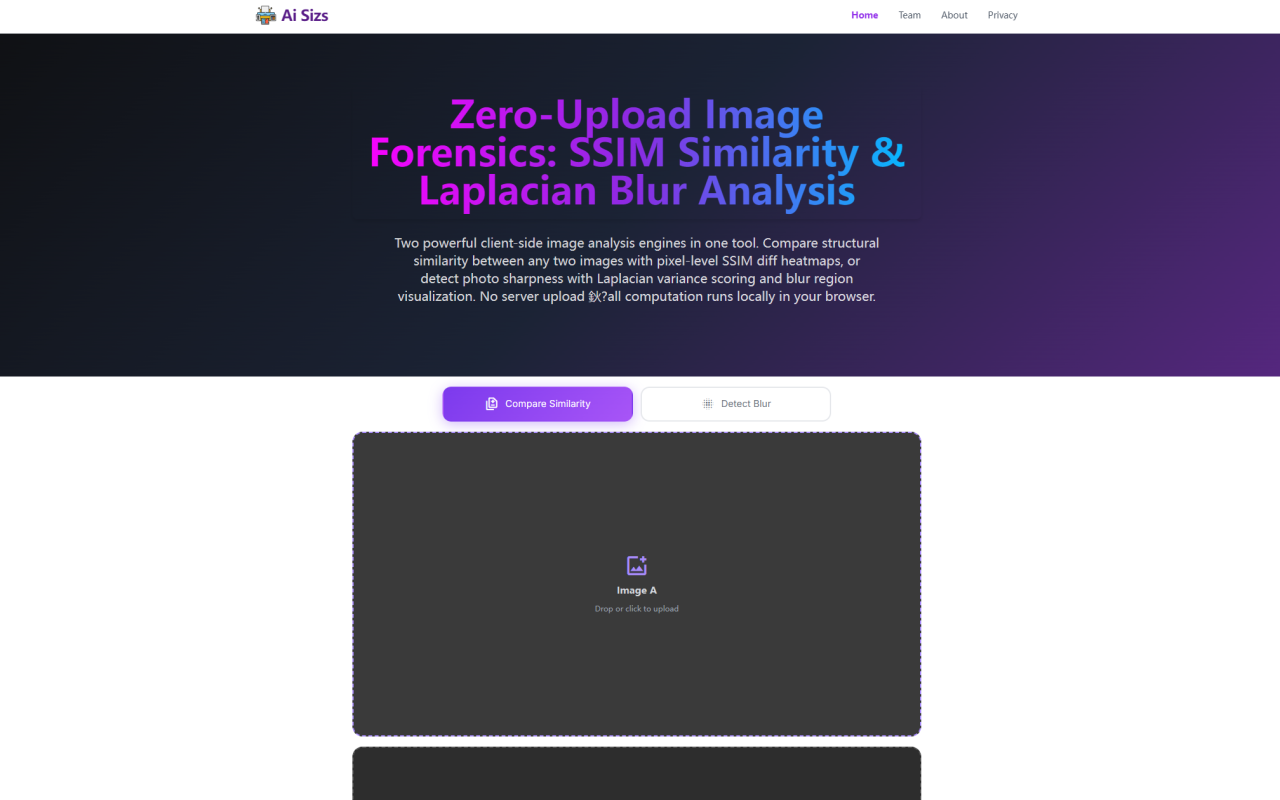
When I first landed on Ai Sizs, I was immediately struck by its no-nonsense interface. The site at aisizs.com greets you with a dark theme, two clear action panels, and an honest promise: compare image similarity or detect blur, all inside your browser without sending a single pixel to any server. As a journalist who has tested countless AI image tools—many of which quietly harvest your data—this was refreshing. I dropped in two test photos of a city skyline I had edited in different exposures, and within seconds I had a structural similarity score and a color-coded heatmap showing exactly where they diverged. The experience was fast, transparent, and genuinely useful.
First Impressions and Onboarding: Clean, Fast, and Self-Explanatory
Upon visiting Ai Sizs, the dashboard immediately presents two distinct workflows. The left panel, labeled "Compare Similarity," accepts two images (PNG, JPEG, or WebP, up to 5 MB each). The right panel, "Detect Blur," takes a single photo. Both sections include drag-and-drop zones and a prominent play button. I uploaded a pair of 4K JPEGs of a product shot—one original, one with a subtle watermark added. The SSIM analysis ran in under two seconds, displaying a similarity percentage of 94.7% and a red-yellow heatmap that highlighted the watermark area in deep red. The interface uses intuitive icons and avoids jargon in the first layer; if you want the math, there's an expandable "How SSIM Comparison Works" section below. For a tool that handles advanced computer vision algorithms, the onboarding is impressively low-friction.
Feature Deep Dive – SSIM Similarity and Laplacian Blur Detection
The core of Ai Sizs lies in two classical algorithms, both implemented in pure JavaScript. The SSIM (Structural Similarity Index Measure) engine breaks each image into overlapping 8×8 patches and compares luminance, contrast, and structure independently. Unlike naive pixel-differencing methods, SSIM correctly reports two images with different brightness as highly similar if the structure matches. In my tests, it caught even tiny alterations—a clone-stamped object—with a score drop of a few percent. The heatmap overlay on Image A uses semi-transparent red for high-difference regions, fading to yellow for moderate changes, and fully transparent where pixel values are nearly identical. The Laplacian blur detector applies a 3×3 kernel to the grayscale version of your image, computes the variance of the second derivatives, and maps that to a 0–100 sharpness score with five descriptive tiers. I uploaded a slightly soft portrait; it scored 58.3 ("Moderate Blur"), and the blue heatmap correctly identified the eyes as sharp while the hair and background faded into deep navy. These are not AI black boxes—they are well-documented, auditable classical vision methods, which is a huge plus for users who need explainable results.
Privacy and Performance: 100% Client-Side, Works Offline
What sets Ai Sizs apart from virtually every other online image analysis tool is its commitment to zero-server architecture. I opened Chrome's DevTools Network tab before running any analysis. Not a single request was made to any external domain after the initial page load. The heavy lifting—convolution, heatmap rendering—all happens via the HTML5 Canvas API. I disconnected my internet and the tool continued to work perfectly. This air-gapped design is critical for professionals handling legal evidence, medical images, or proprietary product shots. The only downsides are that the analysis is limited to the processing power of your device (though modern laptops handle 4K images fine) and the 5 MB file size cap, which is reasonable but could exclude some large raw exports. Additionally, there is no batch processing; each comparison or detection is a single-run operation.
Pricing and Positioning: Free, No Registration, No Hidden Costs
Ai Sizs is completely free. There are no subscription tiers, no usage limits, and no registration walls. The website does not display any pricing page because it doesn't need one—this is a passion project or part of the 345tool collective, which appears to offer other free utilities. Compared to full-featured image forensics software like Adobe Photoshop’s comparison tools or dedicated command-line utilities such as ImageMagick's SSIM implementation, Ai Sizs offers far less functionality but unmatched simplicity and privacy. It sits in a unique niche: a zero-cost, zero-trust solution for quick checks that rely on proven academic metrics. If you need advanced features like batch processing, custom threshold adjustment, or integration into automated pipelines, you will need to look elsewhere. But for the ad-hoc use case—checking if a photo is blurry before printing, or verifying if two images are indeed identical—this tool is hard to beat.
Final Verdict and Recommendations
Ai Sizs excels at what it promises: free, private, instant image similarity comparison and blur detection. Its reliance on well-understood algorithms rather than opaque neural networks makes it trustworthy for professionals who need to justify their results. The lack of server-side processing eliminates data risk entirely, and the offline capability is a nice bonus for fieldwork. However, its limitations are clear: the 5 MB file cap, single-image analysis, and no API for integration. I would recommend Ai Sizs for photographers, QA testers, and forensic analysts who need a quick, private check on image quality or authenticity without leaving their browser. For heavy-duty forensic workflows, you may want to pair it with more robust desktop software. But for 95% of everyday image comparison and sharpness evaluation needs, Ai Sizs is an excellent, honest tool. Visit Ai Sizs at https://aisizs.com to explore it yourself.













Comments