
First Impressions and Onboarding
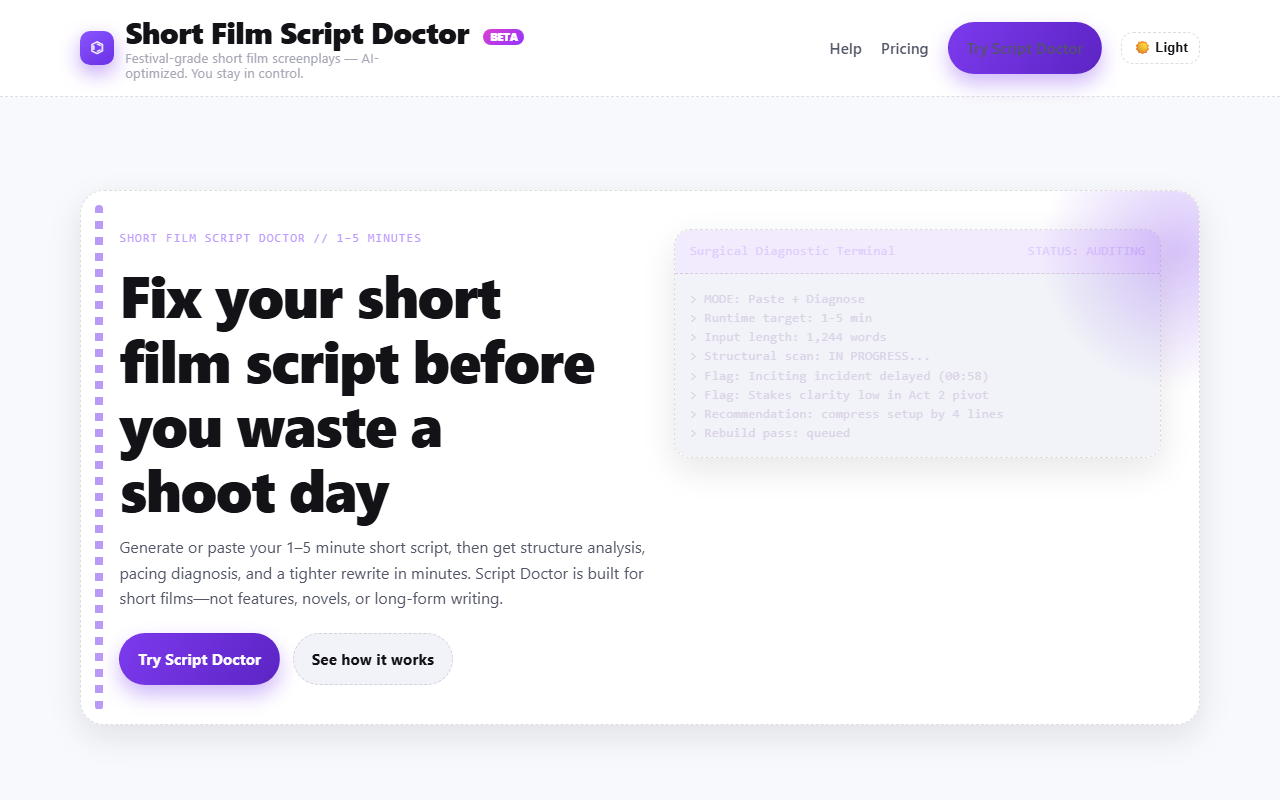
Upon visiting Film AI, I was immediately struck by the no-nonsense dashboard. The interface is stripped down to a single screen: a text input area on the left, a control panel in the center, and diagnostic output on the right. The "Surgical Diagnostic Terminal" greets you with a command-line aesthetic — status bars, flags like "Inciting incident delayed (00:58)", and a real-time rebuild pass queue. It feels like a debugging tool for stories, not a typical AI writing app.
I started with Mode 2: Paste + Diagnose. I pasted a short script I had lying around (about 1,200 words). The tool immediately scanned it and flagged a late inciting turn and weak stakes in Act 2. The turnaround was under 15 seconds. For a writer used to waiting hours for feedback, this was refreshingly fast.
Core Features and Diagnostic Engine
The heart of Script Doctor is its short‑film‑specific analysis engine. Unlike general‑purpose AI writing assistants (e.g., ChatGPT or Jasper), this tool enforces compressed three‑act beats and a modified Hero’s Journey structure designed for 1–5 minute runtimes. It measures pacing efficiency, dialogue vs. action balance, and highlights weak stakes or unclear goals.
When I ran the analysis on a sample 3‑minute sci‑fi short, the tool gave me a score breakdown: 68% dialogue/action balance, 82% pacing efficiency. It then generated a rewrite that tightened the opening, moved the midpoint conflict earlier, and sharpened the emotional payoff. The iterative analysis→rewrite loop is particularly useful: you can fix one issue, re‑run the scan, and see if the new version improves structural integrity.
The tool also includes a Generate + Refine mode for starting from scratch. You enter genre, tone, and a logline, and the AI produces a short‑film draft with built‑in structural guardrails. This is ideal for filmmakers who need a draft fast for a shoot.
Pricing and Market Position
Film AI’s pricing is structured into three tiers: Basic, Pro, and Studio, with monthly and discounted yearly billing options. The Basic plan gives access to the Script Doctor for up to 10 scripts per month, while Pro and Studio unlock higher word limits and priority processing. Compared to alternatives like ScriptBook (which focuses on feature scripts) or Scrite (aimed at long‑form screenplays), Script Doctor occupies a unique niche: it is purpose‑built for the short‑film format, where every second of runtime counts.
The tool is clearly positioned for AI filmmakers, indie directors, film students, and YouTube Shorts creators. It does not support feature‑length scripts or novels, which is both a strength and a limitation — if you write shorts, this is a laser‑focused solution; if you work on longer projects, you’ll need to look elsewhere.
Strengths, Limitations, and Verdict
Strengths: The diagnostic engine is brutally honest. It flags structural rot (like a late inciting incident) with surgical precision. The iterative rewrite saves time — I improved my script’s pacing in under three minutes. The interface is fast and free of clutter, and the short‑film‑specific rules ensure the output is production‑ready.
Limitations: The tool is currently in BETA and its roadmap shows several features — structural score (0–100), beat breakdown visualization, runtime pacing map — that are not yet available. The word limit of ~2,000 characters per script can feel restrictive if you’re writing a dense 5‑minute short. Also, the AI’s rewrite suggestions, while structurally sound, can sometimes strip out voice or nuance; you’ll want to manually polish the final draft.
Overall, Film AI’s Script Doctor is a specialized tool that does one thing very well: fix short‑film scripts before you waste a shoot day. If you are an indie filmmaker or AI creator producing shorts for festivals or YouTube, this tool will save you hours of rewrite agony. For feature writers or novelists, skip it. Try the Paste + Diagnose mode first — the free tier gives you a feel for how brutally helpful the analysis can be.
Visit Film AI at https://film-ai.io/ to explore it yourself.









Comments