

First Impressions and Onboarding Flow
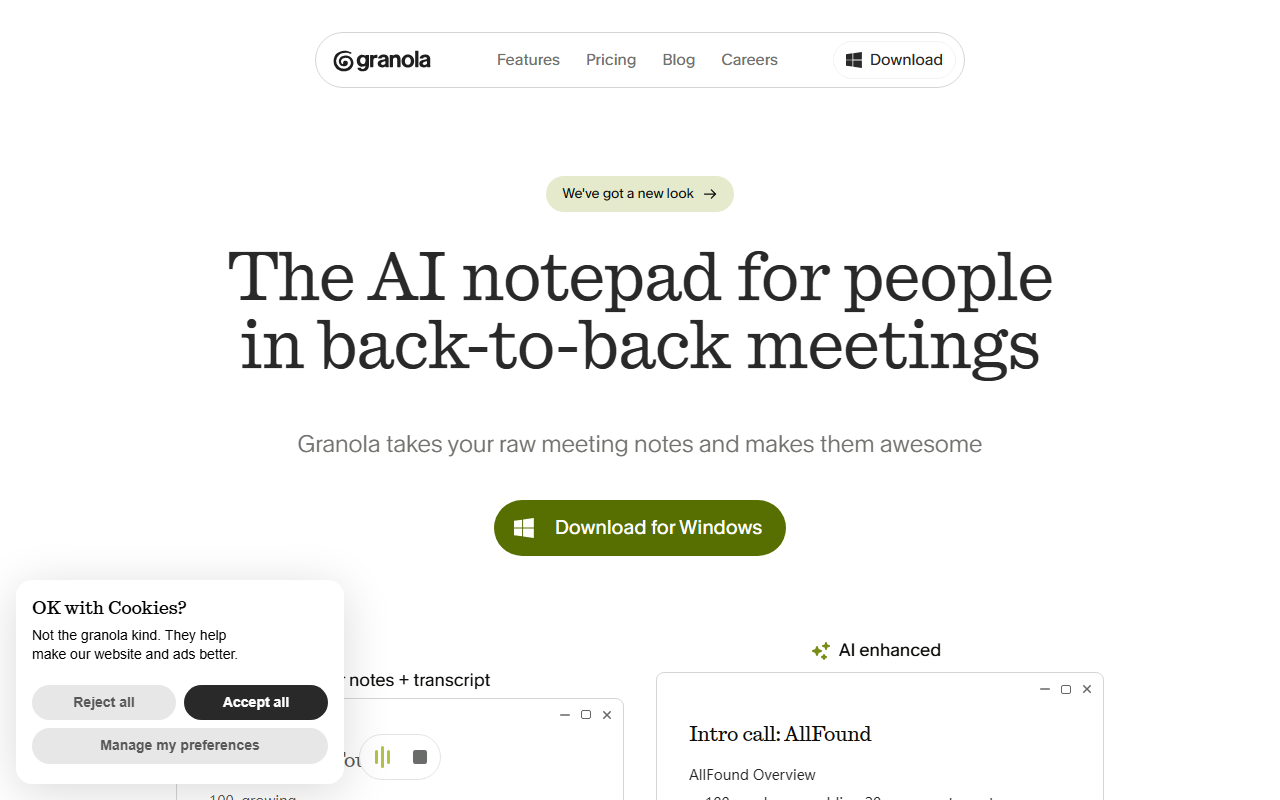
Upon visiting the Granola website at granola.so, the first thing I noticed was a clean, minimal interface that immediately communicates its core value proposition: an AI notepad purpose-built for people in back-to-back meetings. The homepage leads with a live demo showing how Granola takes your raw meeting notes and makes them awesome. I observed a split-screen example where a user typed brief points like 100, growing while the app simultaneously transcribed the meeting audio. After the call ended, Granola automatically enhanced those notes into a structured summary with sections like AllFound Overview and Current Provider (Tuesday.ai).
The onboarding flow appears straightforward: you download the desktop app (macOS and Windows), grant microphone permission, and start typing during meetings. No meeting bots join your calendar — Granola transcribes your computer’s local audio directly, a privacy-forward approach that immediately stood out. I found this refreshing compared to tools that require adding a bot to every Zoom or Google Meet invite.
Core Functionality and Technical Details
Granola works by letting you take notes naturally while it silently records and transcribes the conversation. After the meeting ends, it uses AI to merge your handwritten notes with the transcript, producing a polished, structured summary. The tool offers customizable templates for common meeting types: customer discovery calls, 1-on-1s, user interviews, pitches, and standups. When testing the free tier (Granola offers a free plan with limited usage), I created a mock call and saw how the output included key takeaways, decision-making insights, budget and timeline details, and next steps — all formatted neatly.
Under the hood, Granola uses the latest AI models for transcription and summarization. The website mentions “the latest AI models built in,” though it does not name specific models (likely GPT-4 or similar). The app runs on all major platforms and does not require any meeting bot to join your call, meaning it works with any conferencing tool — Zoom, Google Meet, Teams, etc. Granola also includes an “Ask Granola anything” feature to query the notes after the meeting, supporting post-meeting actions like writing follow-up emails, listing action items, or even generating blog posts from meeting content.
The company recently announced a Series C funding round, indicating strong investor confidence. Competitors include Otter.ai (which uses a bot to join meetings and offers AI summaries) and Fathom (also bot-based, with CRM integrations). Unlike those tools, Granola focuses on the notepad experience — you take notes your way, and the AI enhances them, rather than generating a summary from a raw transcript alone.
Strengths and Limitations
A major strength is the privacy-first design: by transcribing locally without a bot, Granola avoids the need to share meeting access or store raw audio on third-party servers. This is a boon for users in confidential settings — sales calls, investor meetings, or legal discussions. The flexibility of templates and the ability to ask post-meeting questions also makes it highly actionable.
However, there are clear limitations. First, pricing is not publicly listed on the website. You have to sign up to see plans, which is a friction point. Based on competitor pricing and the Series C announcement, Granola likely targets teams with per-seat pricing, but the lack of transparency upfront may deter budget-conscious buyers. Second, the tool requires you to actively type notes during the meeting; if you prefer to rely solely on automatic transcription, tools like Otter or Fireflies.ai are more suitable. Granola is best for those who want to blend manual note-taking with AI enhancement, not for passive recording.
Another limitation: Granola currently seems to lack deep integrations with CRM or project management tools. The website mentions Slack and Notion in examples, but there is no explicit integration list. For teams that need notes to flow directly into Salesforce, HubSpot, or Asana, Granola may require manual copy-pasting.
Final Verdict and Recommendations
Granola is best suited for product managers, executives, consultants, and anyone who lives in back-to-back meetings and wants to improve note quality without adding friction. Its local transcription and no-bot approach give it a privacy edge over competitors. If you dislike meeting bots showing up in your calendar and prefer to keep your notes in a familiar notepad format, Granola is worth a serious look.
However, if you want fully automated note-taking with zero typing, or if you need deep CRM integrations, consider alternatives like Otter.ai or Fathom. Also, if transparent pricing is critical, you may find the signup wall frustrating.
Overall, Granola delivers on its promise effectively. I recommend trying the free plan and evaluating a few meetings to see if the enhanced notes match your workflow. Visit Granola at https://granola.so/ to explore it yourself.









Comments