

First Impressions and AI Design Tools
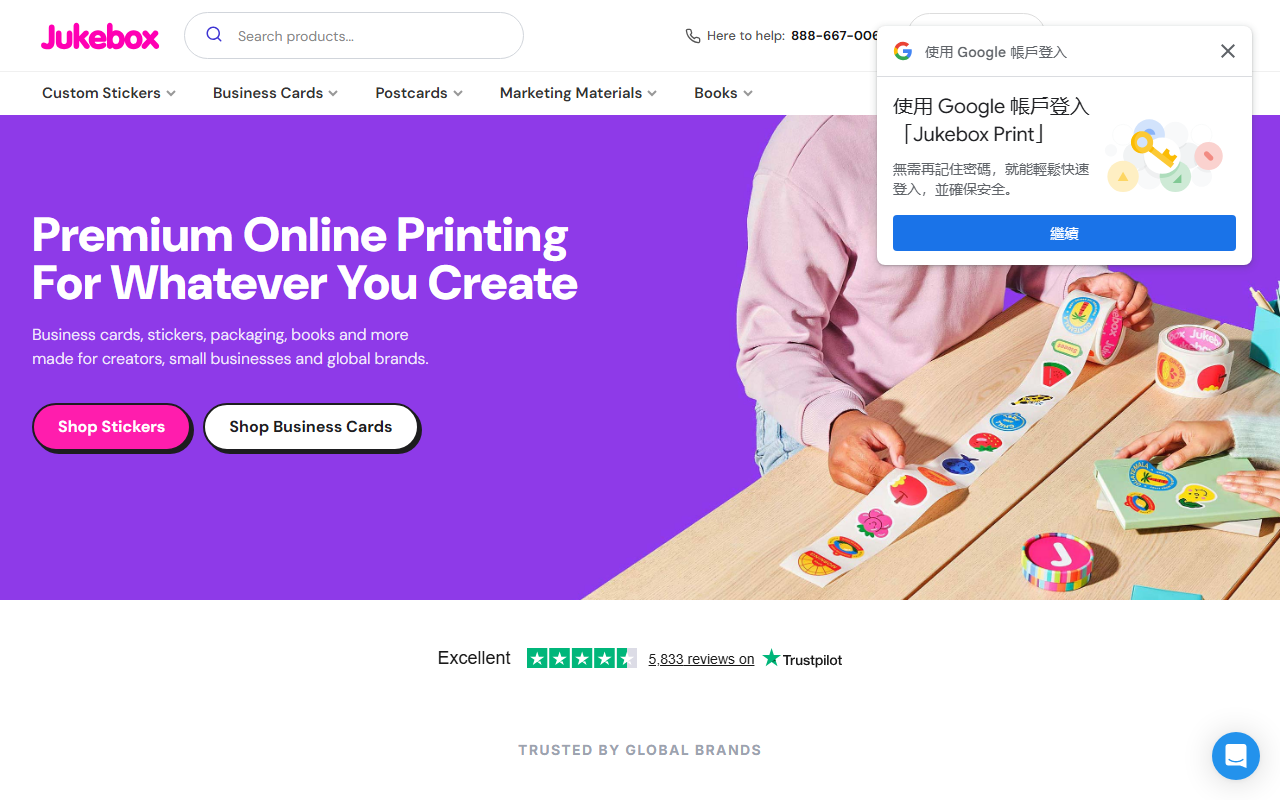
Upon visiting Jukebox Print, I was greeted by a clean, product-focused homepage that immediately highlights business cards, stickers, and roll labels. At first glance, this looks like a standard premium online printing service. However, a closer look reveals a suite of free AI-powered design tools tucked into the navigation: Remove Background, Upscale Image, Business Card Maker, Sticker Maker, and Premade Business Card Templates. These tools are clearly aimed at creators who need quick, automated design assistance before sending files to print. The background remover and image upscaler are particularly relevant for anyone preparing artwork for stickers or cards, and they work entirely in the browser — no software download required.
I tested the background remover on a simple product photo. The interface is minimalist: upload, wait a few seconds, preview, and download a transparent PNG. The result was clean for an edge with decent contrast, though fine details like hair strands were slightly clipped. The image upscaler uses AI to increase resolution without obvious artifact — a useful step before printing small text or logos. For a free tool bundled with a printing service, the quality is impressive and comparable to dedicated web apps.
Core Features and Workflow
Jukebox’s primary business is custom printing, but the “AI Design” category applies because the platform integrates generative and automated design helpers. The Business Card Maker offers templated layouts where you can drag and drop elements, change colors, and insert your own text. The Sticker Maker lets you upload artwork, set a cut line, and preview how the die-cut will look. These tools are not full-fledged design suites (like Canva or Adobe Express), but they serve a specific niche: enabling quick, print-ready artwork for standard products without needing external software.
The entire workflow is streamlined: choose a product, use the embedded design tool or upload your file, and proceed to checkout. Jukebox also offers file review by real experts (mentioned in their copy) — a human quality check for color and alignment. This combination of AI-assisted creation and human oversight is a strong value proposition. The platform also provides premade templates, which can be customized via the maker. For complex designs, users can still upload their own PDFs.
Pricing, Market Positioning, and Target Audience
Pricing is not publicly listed on the website in a transparent menu, but you can see sample deals: 15% off soft touch business cards, 50 stickers for $25, and monthly sales. Jukebox positions itself as a premium provider, trusted by global brands and recommended by Forbes Advisor, Wirecutter, and TechRadar. Compared to competitors like GotPrint or VistaPrint, Jukebox focuses on higher-quality materials (soft touch, cotton, duplex) and offers free monthly stickers with orders. The AI tools are entirely free to use, even without placing an order, which lowers the barrier for potential customers.
This service is best suited for designers, small business owners, and brand teams who need reliable, high-quality print with some automated design assistance. Larger-scale operations can benefit from roll labels and booklets. If you need a full AI design suite that generates entire layouts from text prompts, you’ll want a tool like Canva or Adobe Firefly. Jukebox’s AI is focused on practical, output-oriented tasks — removing backgrounds, upscaling, and simple layout — not generative design from scratch.
Strengths, Limitations, and Verdict
Strengths include the free, genuinely useful AI tools that integrate directly with the print workflow; responsive customer support (real humans review files); and a wide range of premium paper stocks with fast turnaround options. The Trustpilot reviews and media recognition add credibility.
Limitations are the lack of transparent pricing upfront (you must add items to cart to see costs), limited creative freedom in the design makers (no advanced typography or layer controls), and the fact that the AI tools only support basic editing — no generative fill or text-to-image capabilities. Also, the background remover occasionally struggles with complex edges.
For anyone who needs a reliable printing partner and wants to avoid switching between design tools and the print shop, Jukebox is a solid choice. The AI helpers are a bonus, not a replacement for full software. I recommend it for creators who prioritize quality and human support over fully automated design.
Visit Jukebox at https://jukeboxprint.com/ to explore it yourself.













Comments