

First Impressions and Onboarding
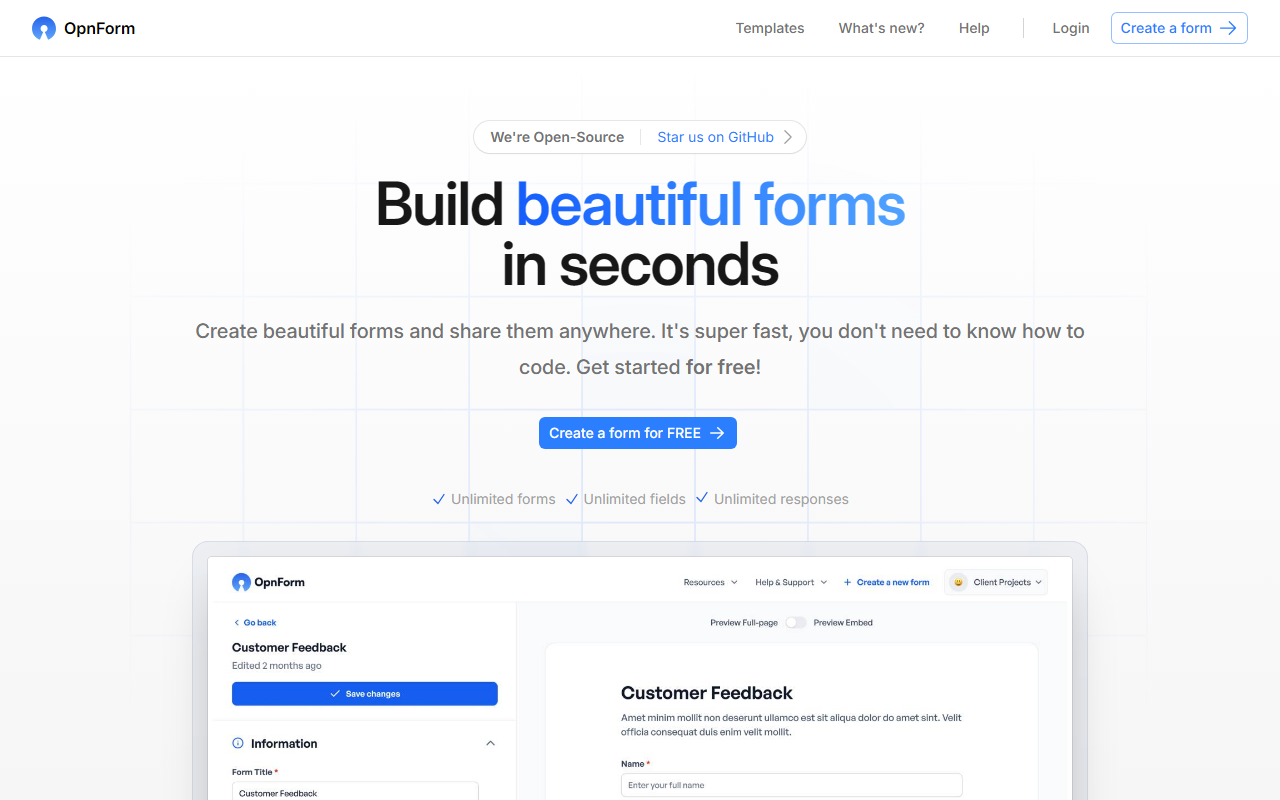
Upon visiting the OpnForm website, I was greeted by a clean, modern interface with a clear value proposition: “Build beautiful forms in seconds.” The landing page immediately highlights the open-source nature (“Star us on GitHub”) and the generous free plan. I clicked the “Create a form for FREE” button and landed on an intuitive dashboard. The onboarding is seamless—no account creation required to try the AI builder. I was prompted to describe my form in plain English, a feature powered by OpnForm AI. I typed “customer feedback survey” and watched as the system generated a fully functional form with fields for name, email, rating, and comments in just a few seconds. The interface offers drag-and-drop customization, 10+ input types, and instant theme changes. The demo form embedded on the homepage gave me a live preview of how submissions look, confirming that the tool is genuinely easy to use.
Key Features and AI Integration
OpnForm’s standout feature is its AI form builder, which simplifies creation dramatically. Instead of starting from a blank canvas, you describe the form’s purpose, and the AI generates a complete structure. You can then tweak fields, add conditional logic, set closing dates, or embed the form on your site. The free plan includes unlimited forms, unlimited fields, and unlimited responses—a rare offering in the form builder landscape. File uploads are supported up to 5 MB, and you can brand forms with custom colors, images, and thank-you pages. For power users, OpnForm Pro at $16 per month (billed annually) unlocks confirmation emails, Slack and Discord notifications, editable submissions, custom domains, larger file uploads (50 MB), custom sender email via SMTP, and removal of OpnForm branding. The platform also supports URL pre-fill, hidden fields, password protection, webhooks, and custom code injection. It integrates with Slack and Discord natively, making it a solid choice for teams that rely on those tools.
I tested the free tier extensively. Creating a multi-page survey was straightforward—I added new pages via the builder, applied logic to show or hide fields, and set a closing date. The form’s unique URL worked perfectly, and submissions appeared in real-time with basic analytics like views and submission counts. Exporting data as CSV was a one-click operation. The AI feature, while impressive, sometimes misunderstood complex requests, so manual tweaking was occasionally needed.
Pricing and Limitations
OpnForm’s pricing is refreshingly simple. The free plan offers nearly all essential features without limits on forms, fields, or responses. Pro costs $16 per month when billed yearly (20% discount) or $20 monthly. There is no public enterprise tier. Compared to competitors like Typeform, which restricts free plans to 10 responses per month, or Google Forms, which lacks AI generation and advanced notifications, OpnForm is a strong contender. However, some limitations exist: the free plan’s file upload cap of 5 MB may hinder users collecting large files, and advanced analytics, custom branding, and multiple workspaces are paid-only. The tool lacks direct integrations with Zapier, Mailchimp, or CRM tools, which could be a dealbreaker for power users. Additionally, while open-source, self-hosting options are not clearly documented on the website, so most users will rely on OpnForm’s cloud service. The platform is still relatively new, so the template library is smaller than JotForm’s, and community support is limited to Discord.
Who Should Use OpnForm?
This tool is best suited for freelancers, educators, small businesses, and nonprofits that need a free, unlimited form builder with modern features. Its AI-powered creation cuts down setup time, and the generous free tier eliminates worry about hitting response caps. Developers will appreciate the webhooks and custom code capabilities. However, enterprises requiring deep integrations (e.g., Salesforce, HubSpot) or advanced reporting should look at alternatives like Typeform or Formstack. OpnForm’s open-source nature also appeals to privacy-conscious users who want to audit the code. Overall, OpnForm delivers exceptional value for its price point—effectively $0 for most users. If you need a simple, fast, and feature-rich form builder without breaking the bank, give it a try.
Visit OpnForm at https://opnform.com/ to explore it yourself.







Comments