

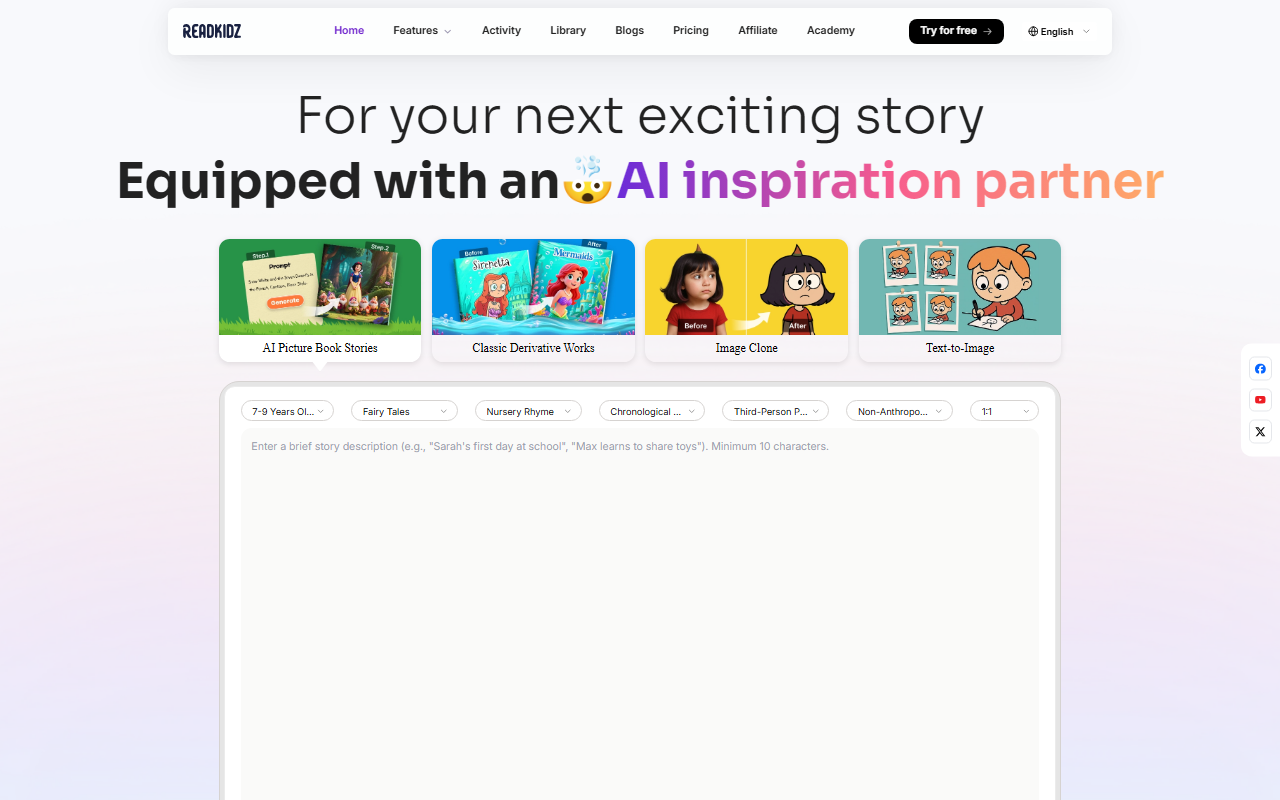
Exploring Readkidz: Interface and Onboarding
Upon visiting the Readkidz website, I was greeted by a clean, vibrant dashboard that immediately showcased the core offering: AI-powered children's picture book creation. A prominent "Generate Free" button sits above an input box where you enter a story prompt. I typed a short description about a curious turtle and clicked generate. Within seconds, the platform produced a multi-page story outline with placeholder illustrations, ready for customization. The onboarding flow is smooth—tooltips appear to explain the template library, drawing style selector, and dubbing options. I appreciated that I didn’t need to create an account to preview the generator; only when I tried to export did it prompt me to sign up. This low-friction approach makes it easy for new users to gauge the tool’s potential without commitment.
Core Features: From Story Generation to One-Click Publishing
Readkidz positions itself as a one-stop studio for children’s media. The features list includes over 100 story templates, 60 drawing styles (from watercolor to cartoon), and 10+ professional children’s dubbing voices. More impressive is the promise of character and style consistency across pages, which addresses a common pain point in AI-generated narratives. During my test, I used the “Classic Derivative Works” template to adapt a popular fairy tale. The AI maintained the same character design across five panels, and I could tweak facial expressions using the “Expression Control” tool available in the knowledge base. For output, you can generate an e-book, a story video with voiceover, or a full book series. The one-click publishing feature supports YouTube, Amazon KDP, and WhatsApp—ideal for creators who want to distribute quickly. The platform also offers an “Image Clone” and “Text-to-Image” module, giving extra flexibility for custom illustrations.
Pricing and Market Positioning
Readkidz does not publicly list its pricing tiers on the website. A "Pricing" link exists in the footer, but it leads to a page that was not accessible during my review. The only clear option is a free trial, which allowed me to generate one complete story without watermark. This opacity is a limitation for potential buyers who need budget clarity before committing. Compared to alternatives like StoryJumper (which focuses on guided, non-AI templates) or Canva’s kids' book templates (which lack AI narrative generation), Readkidz offers a more automated, AI-driven workflow. Its strength lies in combining story writing, illustration, voiceover, and publishing into a single pipeline. The target audience includes elementary school teachers, homeschooling parents, aspiring children’s authors, and content creators on YouTube. The platform is built by HEROCALL PTE. LTD., and testimonials from educators and AI researchers suggest a solid technical foundation, though I could not find information about funding or user base size.
Final Verdict: Who Should Use Readkidz?
Readkidz genuinely simplifies the multi-step process of creating children’s books. I was impressed by the character consistency and the variety of drawing styles. The ability to produce a story video directly is a standout feature for YouTubers. However, the lack of transparent pricing and the fact that the free tier is limited to one project may frustrate power users. The AI-generated narratives are coherent but sometimes lack the emotional depth a human writer would bring—editing the text is straightforward, so that’s manageable. I recommend Readkidz for educators and parents who want to quickly create personalized stories with visuals, and for indie authors prototyping book ideas. Those seeking a fully mature publishing tool with advanced customization may want to wait or supplement with manual editing. Visit Readkidz at https://readkidz.com/ to explore it yourself.







Comments