

First Impressions and Onboarding
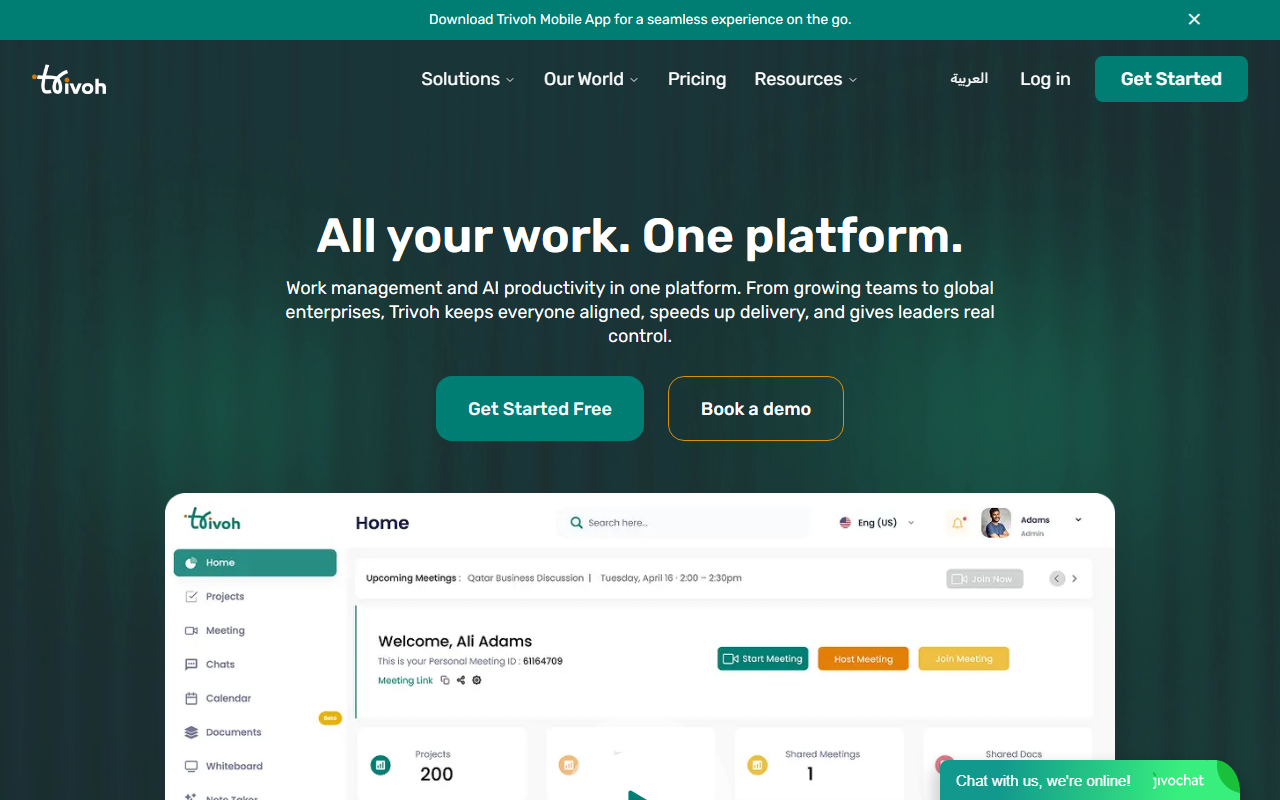
Upon visiting trivoh.com, I was greeted by a clean landing page that immediately pitches the value proposition: “All your work. One platform.” The site uses strong social proof — 5K+ teams, 120+ countries, 99.9% uptime — and a prominent call to action to get started free or book a demo. I clicked the “Get Started” button to see the onboarding flow. The sign-up process was straightforward: email, name, and password. After a quick verification, I landed on the main dashboard. The interface is modern and uncluttered, with a left sidebar offering quick access to Tasks, Chat, Calendar, Documents, Whiteboard, and a “Trivoh AI” button. A sample project was already loaded, which helped me explore features without starting from scratch.
Core Features and AI Integration
Trivoh positions itself as an all-in-one work management and AI productivity hub. The feature set is ambitious: task management with assignment and deadlines, time tracking with AI insights, invoicing, HD video meetings (up to 500 participants), team chat with threaded conversations, a smart calendar with time zone detection, real-time collaborative documents, an infinite whiteboard for brainstorming, and a meeting planner. The central differentiator is the AI assistant, Trivoh AI. When I tested the free tier, I was able to generate a meeting summary by typing “Create a meeting summary and action items from yesterday’s standup.” The AI responded with a structured list of tasks and assignees (e.g., “Update the project timeline - @Sarah”), exactly as shown on the marketing page. The AI also offers smart chat suggestions, content generation for documents, and automated workflow triggers. According to the site, it works in over 100 languages. The underlying model isn’t specified, but the responses felt comparable to GPT-based assistants. Trivoh also provides a mobile app (iOS/Android) for on-the-go access.
Pricing and Market Positioning
Pricing is not publicly listed on the website. The “Get Started Free” button leads to a trial, and there is a “Book a demo” option for business plans. This suggests a freemium model with tiered subscriptions, likely based on number of users and features. For context, competitors like Monday.com and ClickUp also offer all-in-one workspaces, but Trivoh stands out by bundling video meetings and invoicing natively, which most project management tools lack. Another close alternative is Notion with its AI add-on, but Trivoh focuses more on real-time collaboration and productivity workflows rather than just documentation. Trivoh appears best suited for small to mid-sized teams that want to consolidate their tool stack (Slack, Zoom, Asana, Google Docs) into one platform. Individuals and freelancers can also benefit from the task and invoice features. Enterprise buyers will appreciate the self-hosted option (“Trivoh Self-Host for Enterprise”) that promises full data sovereignty and enhanced security — a rare offering in this space.
Strengths and Limitations
The biggest strength of Trivoh is its breadth and unification. I genuinely appreciate the reduction in context switching when chat, video, tasks, and AI are all in one app. The AI assistant is genuinely useful for quick summaries and task generation. The self-hosted enterprise option is a major plus for compliance-heavy organizations. On the downside, depth is sacrificed for breadth. The video meeting feature, while functional (HD, up to 500 participants), lacks advanced features like breakout rooms or recording to cloud storage that dedicated Zoom or Google Meet offer. The task management is also less customizable than dedicated tools like Asana (no Gantt charts or custom fields visible in the free tier). The mobile app, which I downloaded, felt slightly laggy when switching between modules. Additionally, because pricing isn’t transparent, potential buyers may hesitate before committing. Trivoh is clearly targeting teams tired of app sprawl, and it delivers a solid unified experience. I recommend it for teams of 10-100 people who value consolidation over specialized depth. Individual power users should test the free trial first to see if the AI and integrations meet their needs.
Visit Trivoh at https://trivoh.com/ to explore it yourself.







Comments