

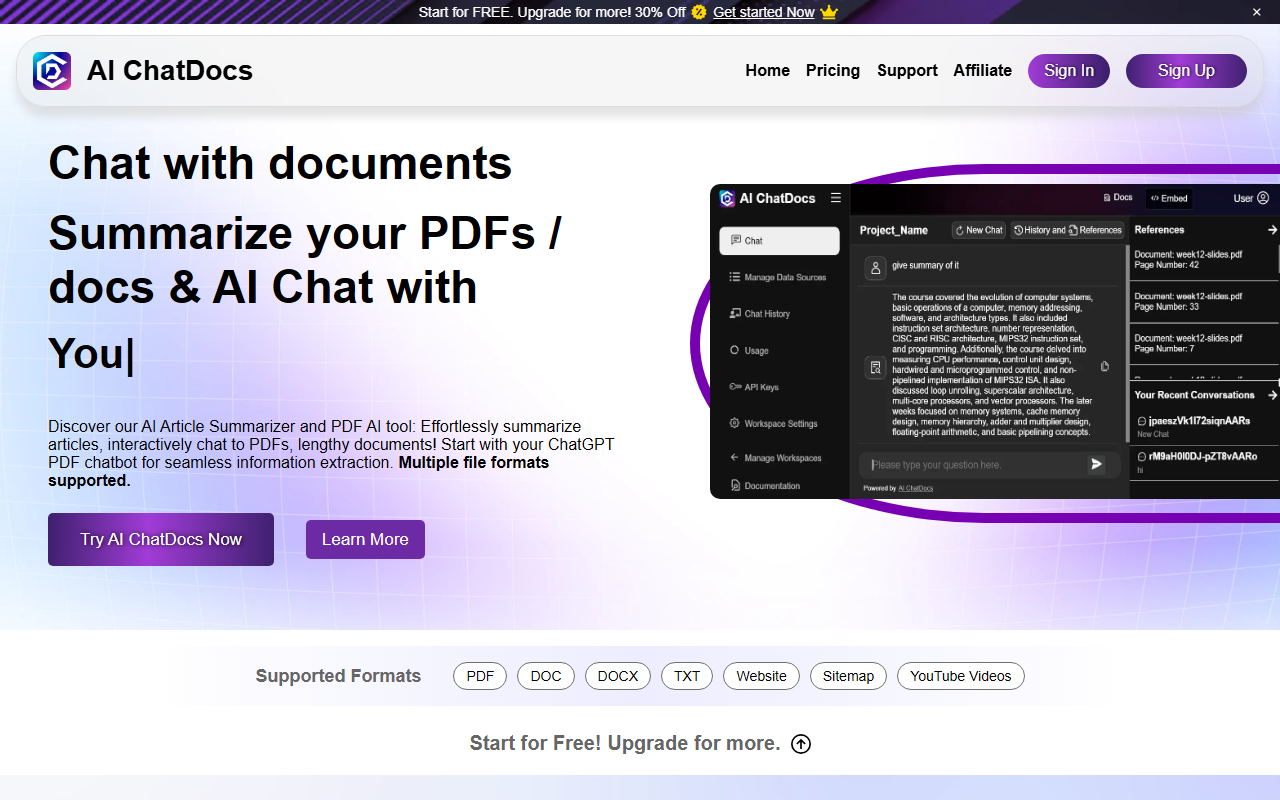
First Impressions and Onboarding
Upon visiting AI ChatDocs, the landing page presents a clean, modern interface with a prominent "Get Started Now" button and a clear value proposition: "Chat with documents, summarize your PDFs/docs & AI Chat with YouTube videos, websites, and more." The onboarding flow is simple—click sign-up, provide an email, and you are directed to a workspace where you can immediately create a chat. I tested the free tier, which allowed uploading a PDF and starting a conversation. The response times were fast, and the interface remained uncluttered, with a sidebar for chat history and a central area for the chat itself. The tool supports PDF, DOC, DOCX, TXT, and even sitemaps and YouTube URLs, making it versatile from the start.
Key Features and Performance
AI ChatDocs is powered by GPT-4, as stated on the site, which explains the coherent and context-aware answers I received. The standout feature is the ability to interact with multiple data sources within a single conversation—you can upload a PDF, add a website link, and reference a YouTube video in the same chat. The summarization function is particularly effective: I uploaded a 20-page research paper, and within seconds it returned a concise summary with bullet points of key findings. The Q&A generator also works well, producing plausible questions and answers that mirror the document’s content. Multi-document interaction is seamless—questions can reference facts from different sources, and the model correctly attributes quotes to the original documents. However, there is a noticeable limit on the number of questions per day on the free plan (the website mentions "Track remaining Questions under Usage section"), which may hinder heavy users. No API details were found on the site, and integration options are only hinted at ("Support for chatbot integrations and customized plans") without specifics.
Pricing and Use Cases
Pricing is not publicly listed on the website beyond the generic "Start for FREE. Upgrade for more! 30% Off." This opacity is a drawback for those evaluating the tool for business use. Based on the site content, AI ChatDocs targets researchers, legal professionals, project managers, and academics. For researchers, the ability to synthesize dense papers into summaries and extract references is a time-saver. Legal users can chat through contracts and compliance documents. The tool also claims to handle sitemaps and websites, which differentiates it from simpler PDF-only chatbots like ChatPDF or DocGPT. One limitation is that the tool does not appear to support citation formatting (APA, MLA) out of the box, which some academics may require. Additionally, during my test, I uploaded a complex spreadsheet (not a supported format per the list), and it was ignored—truly a text document tool.
Final Verdict
AI ChatDocs is a capable document conversation tool with a friendly interface and GPT-4 backbone. Its multi-format support and multi-source chat are genuine advantages over many competitors. The main downsides are unclear pricing tiers and a relatively short free trial. It is best suited for students, researchers, and professionals who need to quickly extract insights from text-based documents without switching between apps. Those who require heavy API integration or structured citation outputs may want to look at alternatives like Gemini or Claude with document upload. Still, for its core promise—chat with PDFs, docs, and websites—AI ChatDocs delivers effectively. Visit AI ChatDocs at https://aichatdocs.com/ to explore it yourself.











Comments