

SoloTrade Review: A Zero-Code Strategy Lab Behind 31 Free Calculators
Upon visiting solotrade.io, the first thing you meet is not a paywall but a wall of numbers: a scrolling ticker strip of AAPL, NVDA, SPY, QQQ, BTC and ETH, followed by a grid of 31 calculators that all open without an account. The dashboard shows position size, stop-loss, Kelly Criterion, Sharpe Ratio, Monte Carlo and Value at Risk tools side by side, each displaying its formula as you type. For a product that describes itself as an educational trading platform, SoloTrade leads with utility rather than marketing, and that sets the tone for everything behind the login.
What SoloTrade Actually Does
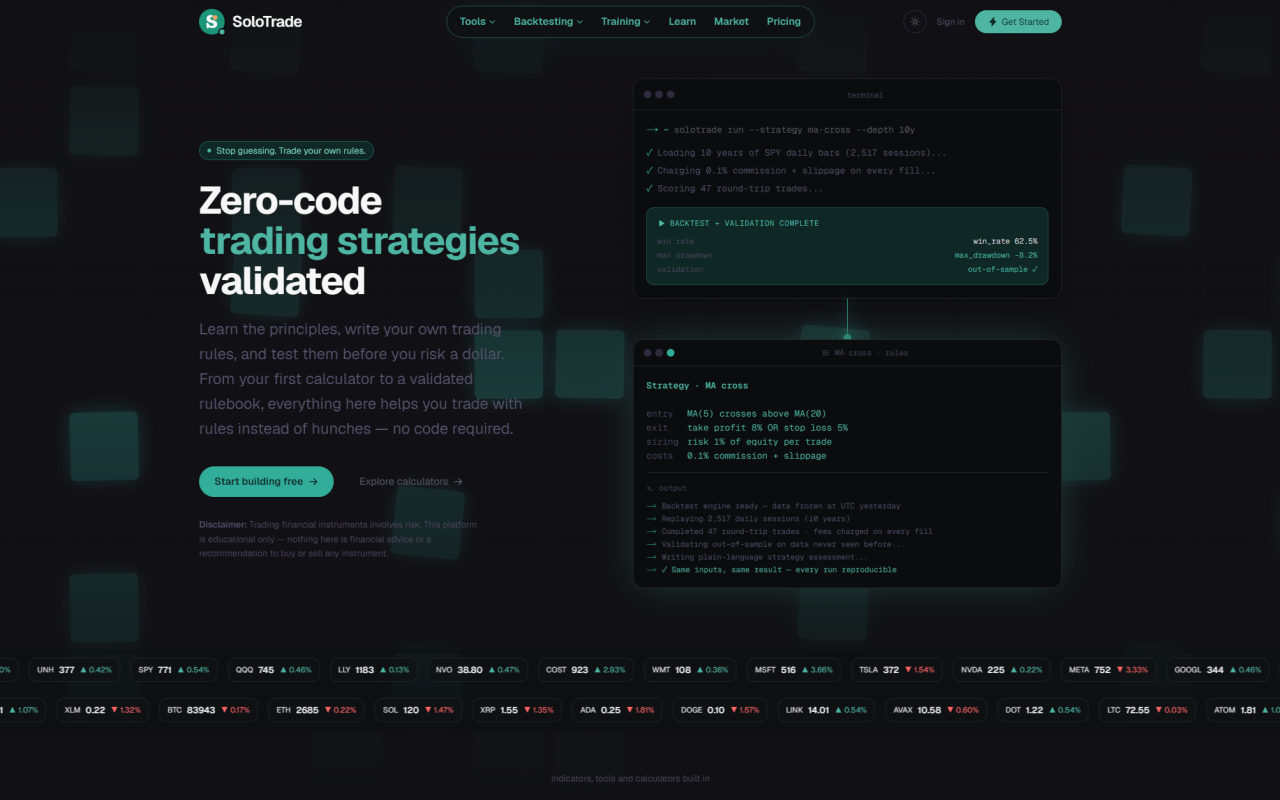
The problem SoloTrade targets is specific: most retail traders have an idea about entries and exits but no way to test it. Full-code platforms assume Python or Pine Script, spreadsheets quietly hide fees, slippage and position sizing, and gut feel is not a sample size. SoloTrade closes that gap with a three-stage loop. First, a learning center of beginner guides, trading notes and a glossary, each linked to the relevant tool. Second, 31 live calculators covering risk, return and performance math. Third, a zero-code strategy studio where entry, exit and position rules are assembled from visual blocks — including AND/OR conditions — and rewritten in plain language as you build.
Backtests run against cached historical price data for a supported set of US stocks, ETFs and crypto pairs. According to the site's own FAQ, results are computed locally, which makes runs fast and repeatable rather than dependent on live market conditions. Risk controls are unusually thorough for a free product: account-level risk tiers, trailing stops, max-additions caps, plus fixed, Kelly and risk-percent position sizing, with commissions and slippage charged on every simulated fill.
Testing the Strategy Studio and Backtest Engine
When testing the free tier, I built a simple SPY rulebook: entry when price closes above its 50-day average while RSI sits under 40, exit on a close below the 20-day average or a 2% trailing stop, with 1% risk per trade on $10,000 of starting capital. The studio echoed the logic back as a sentence in plain English before I ever pressed run, which is a small detail that matters — it catches ambiguous AND/OR stacking that visual builders often bury. A run cost 3 credits from the 50 handed out at signup.
The output was more useful than raw numbers. Alongside total return, maximum drawdown, win rate, profit factor, Sharpe, Sortino and Calmar, SoloTrade produced an auto-written evaluation describing whether the strategy behaved better in trending or sideways conditions, plus a confidence rating and sensitivity checks across neighbouring parameters. The training ground is the most interesting piece: build a rule on one slice of history, then validate it on data the strategy has never seen, a direct attempt to catch overfitting before it costs money. Intraday coverage runs from 30-minute down to 1-minute bars, with 60 days to roughly three years of minute data depending on the interval, and up to 10 years of daily bars. The interface is available in seven languages.
SoloTrade Pricing: Free Forever, Pro at $29, Max at $69
SoloTrade publishes its pricing openly. The Free plan is $0 forever and includes all 31 calculators without an account, backtesting on daily bars with up to two years of history, the training ground on daily bars, manual AI strategy review, the learning center, glossary and market pages, and 50 one-off credits on signup — 3 credits per engine run. No credit card is required, and there is no monthly credit allowance, so the free tier is a genuine trial rather than an infinite sandbox. Intraday intervals and deeper history are excluded.
Pro costs $29 per month and adds daily history up to 10 years, 30-minute intraday backtesting with up to three years of bars, 360 credits per month (about 72 runs with review), and automatic AI review after each backtest. Max costs $69 per month with 1,000 credits (roughly 200 runs), 15-minute bars up to one year, 5-minute bars up to 180 days and 1-minute bars up to 60 days. Both paid tiers display a "Request access" button rather than instant checkout, which suggests paid capacity is being released gradually.
Strengths, Limitations and How SoloTrade Compares
The genuine strengths are the free calculator suite, the plain-language strategy restatement, and an onboarding flow that tells you exactly what you are getting. The limitations are equally clear. SoloTrade does not execute trades, document a public API, or offer a shared strategy library — everything you build stays private in your account. Paid tiers are required for anything faster than 30-minute bars, and the site's own copy is inconsistent about the calculator count, citing 31 in one place and 33 in another. Most tellingly, SoloTrade states plainly on its comparison page that it "is new and has no customers yet, so there are no testimonials to show here" — admirable transparency, but it also means there is no user track record to lean on.
Compared with TradingView, SoloTrade trades charting depth and community scripting for a guided, beginner-safe learning loop. Against QuantConnect, it gives up Python, institutional data feeds and broker connectivity in exchange for zero setup and no infrastructure. For pure risk math, it sits comfortably alongside either as a free companion rather than a replacement.
Who Should Use SoloTrade — and the Verdict
SoloTrade is best suited to beginners and self-taught swing traders who want to move from hunches to tested rules on daily or 30-minute bars, and to anyone who wants rigorous position-sizing and expectancy math without a subscription. Traders who need tick data, sub-minute execution, live broker integration or a documented API should look elsewhere; so should anyone unwilling to pay $69 per month for the deepest intraday windows.
My recommendation: start with the free plan and the calculators, build one rulebook in the studio, and run it through the training ground's out-of-sample validation before spending anything. If the 30-minute interval is enough for your style, the $29 Pro tier is the natural next step. SoloTrade is young and unproven, but the core loop — learn, calculate, build, validate, then risk money — is the right one, and remarkably little of it is hidden behind the paywall.
Visit SoloTrade at https://solotrade.io to explore it yourself.










Comments