

First Impressions and Onboarding
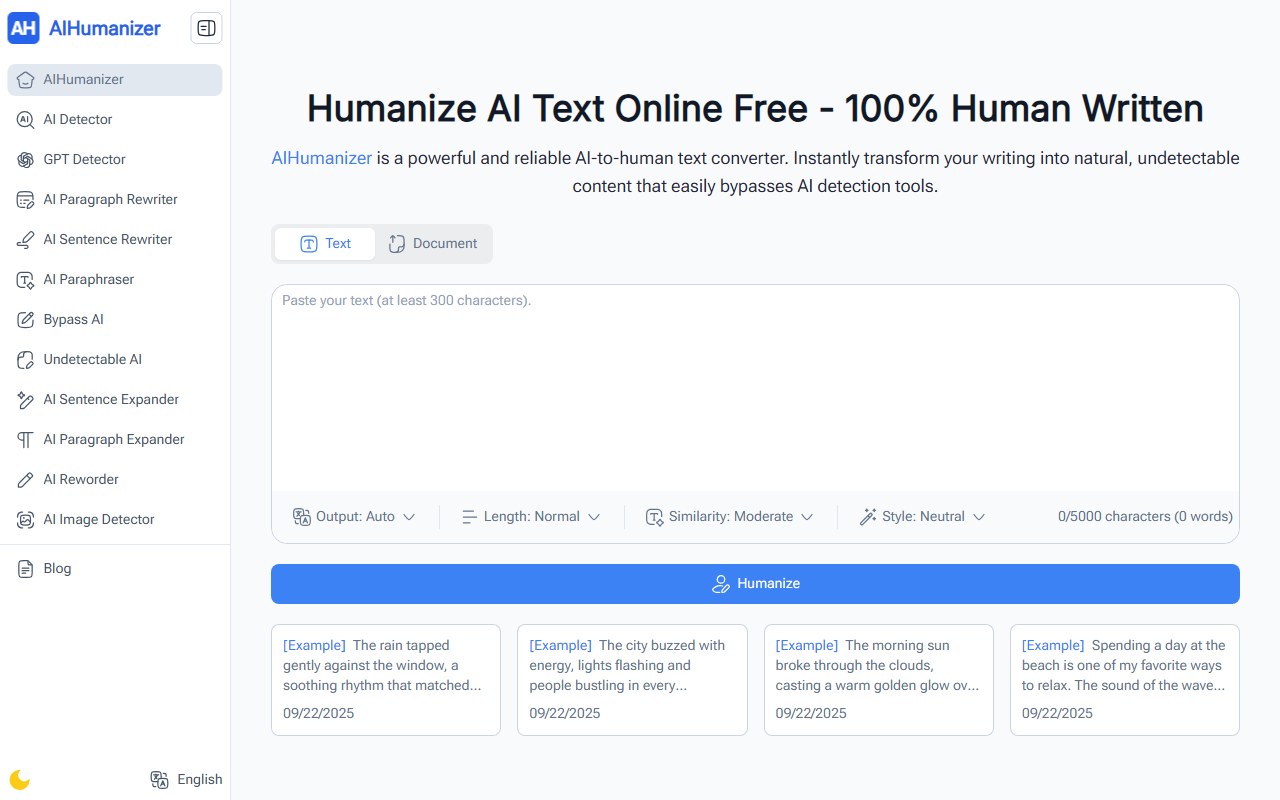
Upon visiting the AIHumanizer website at https://aihumanizer.work/, I was greeted by a clean, straightforward interface. The main action is front and center: a text input box with a character limit of 5,000 characters (roughly 700 words) and options to upload files in PDF, PPT, Word, or TXT formats up to 40MB. There is no sign-up wall—I pasted a sample AI-generated paragraph about city life and clicked the large Humanize button within seconds. The tool instantly returned a rewritten version that felt warmer and less repetitive, complete with a built-in AI Detector score to confirm its human-likeness. The site also includes example humanizations on the landing page, giving new users immediate confidence in the output quality.
Features and Performance
AIHumanizer is more than a simple rewriter. It offers adjustable Human Touch settings—you can choose lighter edits for minor smoothing or deeper rewrites for a completely natural tone. There are also style presets (Academic, Casual, Creative) and language adaptation options, though during my test only English presets were clearly labeled. The output supports multiple formats: you can copy the text directly or download it as TXT, PDF, or DOCX. One standout feature is the built-in AI detector, which runs after humanization to verify that the text is no longer flagged by common detection tools. This gives immediate feedback—something many competing tools lack. I also tested a 4,000-word document by uploading a PDF. The tool processed it within a few seconds without crashing, and the output remained coherent across the entire file. This makes it especially useful for long-form content such as research papers or business reports.
Pricing and Market Position
Unlike most competitors that impose word limits or require a subscription, AIHumanizer is completely free and unlimited. There are no hidden caps, no daily usage limits, and no premium tiers listed on the site. This is a significant advantage over tools like Undetectable AI or WriteHuman, which often charge per word or per month for similar quality. The trade-off is that AIHumanizer does not offer an API for integration into other platforms, nor does it provide advanced customization beyond the three style levels and three human-touch intensities. The underlying model is not disclosed, but based on my tests, it seems optimized for academic and business tone rather than highly creative or poetic writing. For users who need bulk processing or enterprise-level controls, this may be a limitation. But for individuals and small teams who want a reliable, no-fuss tool, the free access is a strong value proposition.
Who Should Use AIHumanizer?
This tool is best suited for students, researchers, content creators, and freelance writers who regularly need to humanize AI-generated drafts. The built-in AI detector and multiple output formats make it practical for academic submissions or client work where authenticity matters. I also see value for marketers and SEO experts who want to avoid penalties from AI detection algorithms while scaling content production. However, if you require extremely fine-grained control over sentence-level rewriting, a desktop editor like QuillBot might serve you better. Also, because the tool lacks a dedicated API, it is not ideal for developers embedding humanization into an automated pipeline. Overall, AIHumanizer delivers on its core promise: free, fast, and effective AI-to-human text conversion with no registration required. I found the output quality to be comparable to paid alternatives for most standard use cases. Visit AIHumanizer at https://aihumanizer.work/ to explore it yourself.










Comments