
First Impressions and Interface
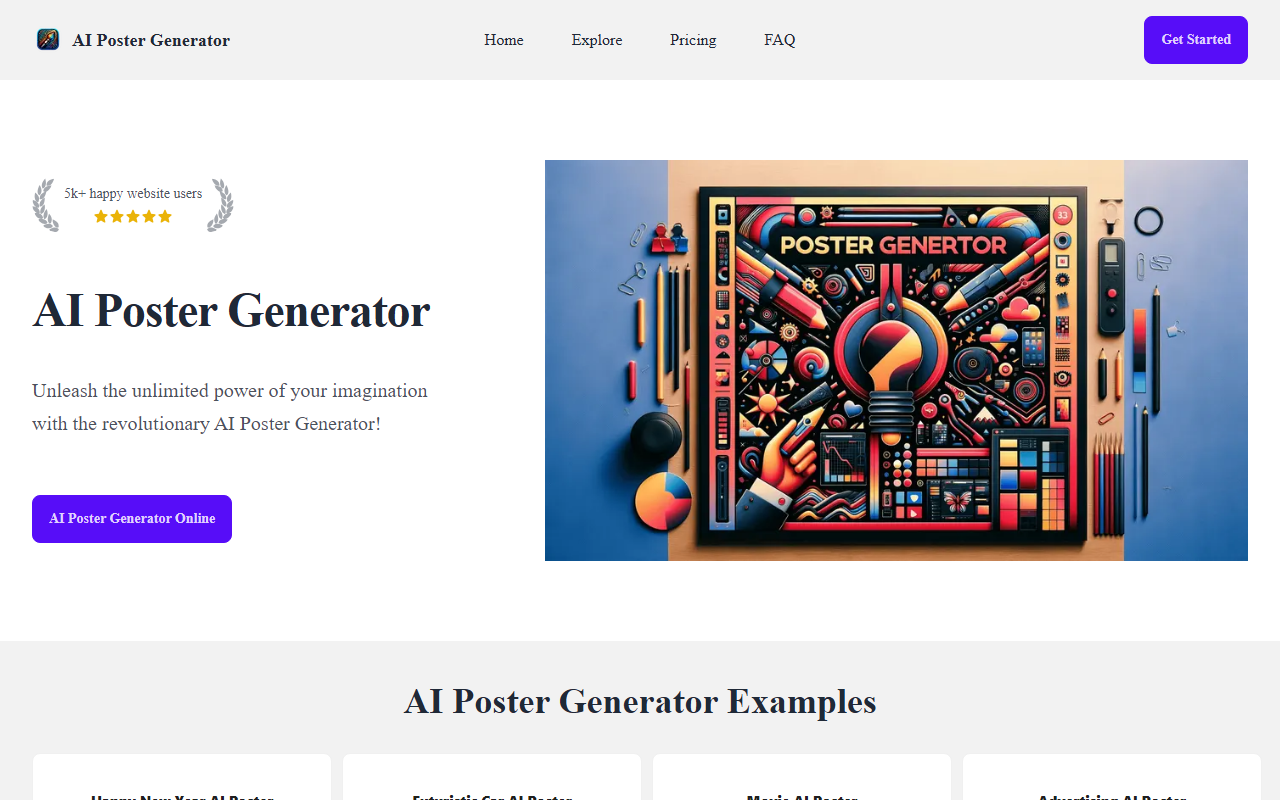
Upon visiting the site, I was greeted with a clean, modern landing page that immediately showcases example posters—Happy New Year, Futuristic Car, Movie, and Advertising. The top navigation offers Home, Explore, Pricing, and FAQ. The call-to-action buttons are prominent, and the tagline "Unleash the unlimited power of your imagination" sets expectations. The dashboard itself is minimal: you enter a text prompt, select a style (if available), and hit generate. I tested the free tier, which gives 1 credit, and generated a "futuristic car" poster. The result appeared within about 15 seconds, rendered at high resolution with a cinematic look. The interface is intuitive—no design skills needed. However, I noticed a lack of customization options like font, color palette, or layout tweaks. You get what the AI outputs, no editing beyond regenerating.
How It Works and Key Features
The FAQ confirms it uses DALL-E 3, OpenAI's advanced image generation model. This explains the high-quality, detailed images. The tool's core value is speed: you type a description, and the AI generates a poster in minutes. Features listed on the site include time-saving, creativity enhancement, and professional results. I observed that the tool also has an "Explore" page where users can view community posters, though I didn't upload my own. The free plan offers 1 credit (one generation). Paid plans start at $5 for 25 credits (Starter), $9 for 55 credits (Premium), and $20 for 120 credits (Advanced). All paid plans include high-quality images and faster generation, with no subscription—you buy credits outright. Payment is via Stripe, which is secure, but refunds are not offered due to image processing costs. For integration, it's purely web-based; no API or app version is mentioned.
Strengths and Limitations
The biggest strength is accessibility. Anyone can create a striking poster in seconds without design software like Photoshop or Canva. The use of DALL-E 3 ensures outputs are visually sophisticated. The pricing is also affordable compared to hiring a designer. However, limitations are clear: the free tier is extremely limited (1 credit), and there is no room for manual adjustments. If you want to tweak fonts, layout, or add your own elements, you're out of luck. Also, copyright is ambiguous—the site advises avoiding styles of living artists to be safe, but doesn't clarify ownership of generated works. The lack of refunds may deter risk-averse users. Compared to alternatives like Canva AI or Adobe Express, this tool is more focused and faster but less flexible. For example, Canva offers a full editor plus AI generation, while this tool is generation-only.
Who Should Use AI Poster Generator?
This tool is best for individuals or small businesses who need quick, one-off posters for events, promotions, or social media—especially if they lack design skills. It's also great for brainstorming visual concepts rapidly. However, professional designers who need precise control should look elsewhere. The pricing model favors occasional use; heavy users might find the credit system limiting. Overall, I recommend trying the free credit to see if the quality meets your needs before buying. Given the competitive landscape, AI Poster Generator serves a niche of pure prompt-to-poster, and it does that well.
Visit AI Poster Generator at https://aipostergenerator.net/ to explore it yourself.










Comments