

First Impressions and Interface
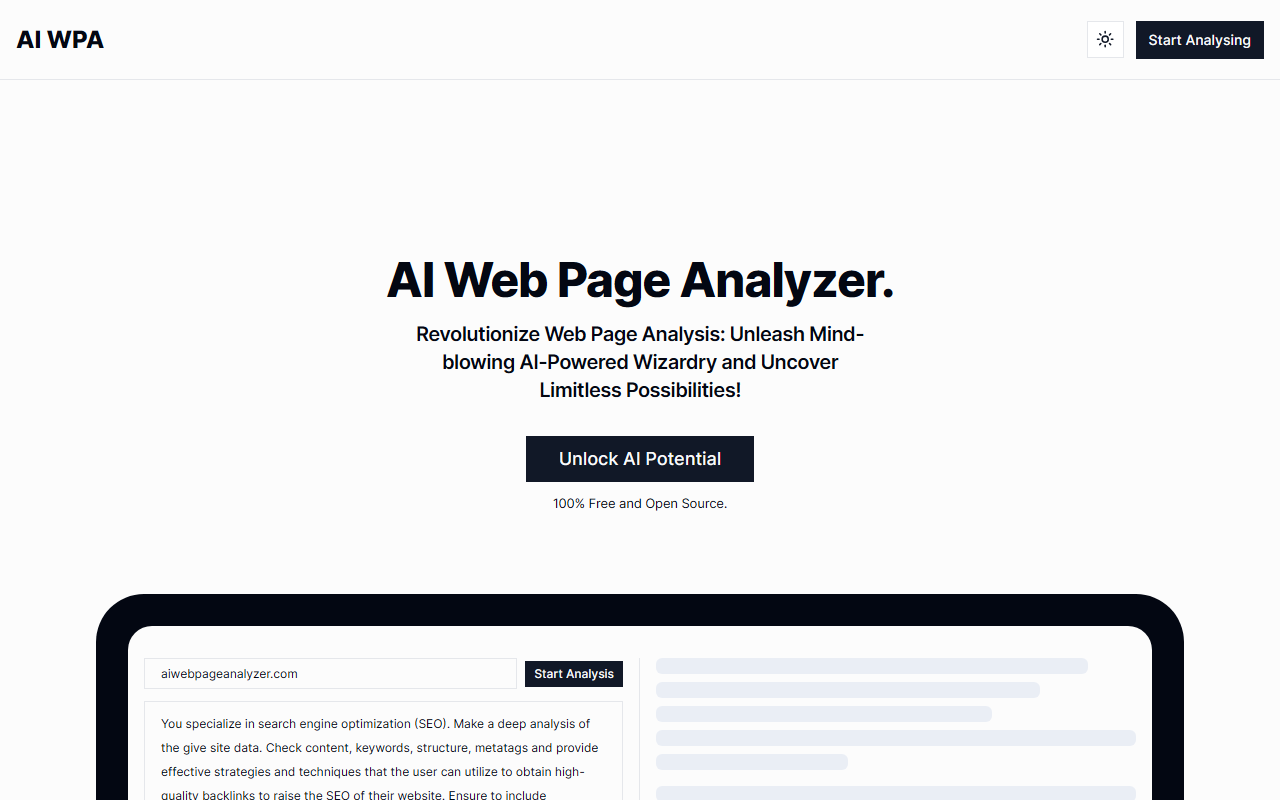
Upon visiting AI Web Page Analyzer, I was greeted by an extremely minimalistic landing page. No account creation, no complex onboarding – just a short description and a prominent call-to-action: "Start Analysis." The interface is sparse, with a single input field that accepts either a URL or raw HTML. There is no dashboard, no user settings, and no indication of which AI model powers the analysis. The entire experience feels like a focused side project rather than a full-fledged SaaS platform. Within seconds, I could paste content or a link and receive output. This simplicity is both a strength and a limitation: it lowers the barrier for entry but also means you get only what you see.
Core Features: SEO, Keywords, and Content Generation
The tool offers three primary functions, all derived from analyzing the HTML and text content you provide. SEO Optimization scans the submitted data and generates suggestions for meta tags, headings, and keyword usage. When I tested it with a page of my own, it recommended adding a missing meta description and suggested better H1-H2 hierarchy – basic but actionable advice for a beginner. Keyword Extraction identifies the most frequent and important terms on the page. The output is a simple list with frequency counts; there is no semantic analysis or clustering. Content Generation uses the extracted data to create tweets, YouTube scripts, reviews, and even Twitter threads. I selected "Post to YouTube script" and received a few paragraphs formatted as a presenter's script. The quality was decent for a quick draft, but noticeably generic. Notably, all analysis happens on the client side? The website's code suggests it uses a combination of JavaScript and possibly a serverless function, but no specific model (e.g., GPT-4) is mentioned. The tool is fully free and open source, with a call to subscribe via email for notifications about future updates.
Pricing, Open Source, and Market Positioning
AI Web Page Analyzer is 100% free. There are no paid tiers, no credits system, and no trial limitations. The creator explicitly states "100% Free and Open Source" on every page. This is a major differentiator from competitors like Sitechecker (which has a free tier with limited daily checks) or Seobility (freemium with paid reports). However, being free also means there is no customer support, no API (despite being open source, the backend is not publicly documented), and no guarantee of uptime. The open-source code appears available on GitHub (linked in the footer), but the repository lacks detailed documentation. For webmasters or bloggers who need quick, no-cost SEO insights without installing plugins, this tool fills a narrow niche. But for agencies or power users requiring bulk analysis, crawl depth, or competitor monitoring, it falls short.
Who Should Use AI Web Page Analyzer?
This tool is best suited for individual content creators, small business owners, and SEO beginners who want a simple way to check on-page basics without spending money. The keyword extraction and content generation features are helpful for brainstorming social media posts from existing content. On the other hand, anyone needing technical SEO audits (load speed, structured data, backlink profiles) should look to alternatives like SEMrush or Ahrefs. The biggest limitation is that you must supply the HTML yourself – there is no actual web crawler. If you paste a URL, the site fetches it server-side, but the process is slow for larger pages. Additionally, the tool does not store analysis history; you must save results manually. The absence of any real-time or interactive feedback also makes iterative optimization tedious. Overall, AI Web Page Analyzer is a useful experiment and a generous free offering, but it is not a replacement for comprehensive SEO tools. If you are curious or in a pinch, it is worth a test – just keep expectations in check.
Visit AI Web Page Analyzer at https://aiwebpageanalyzer.com/ to explore it yourself.










Comments