

First Impressions: A Unified Workspace for Math, Code, and AI
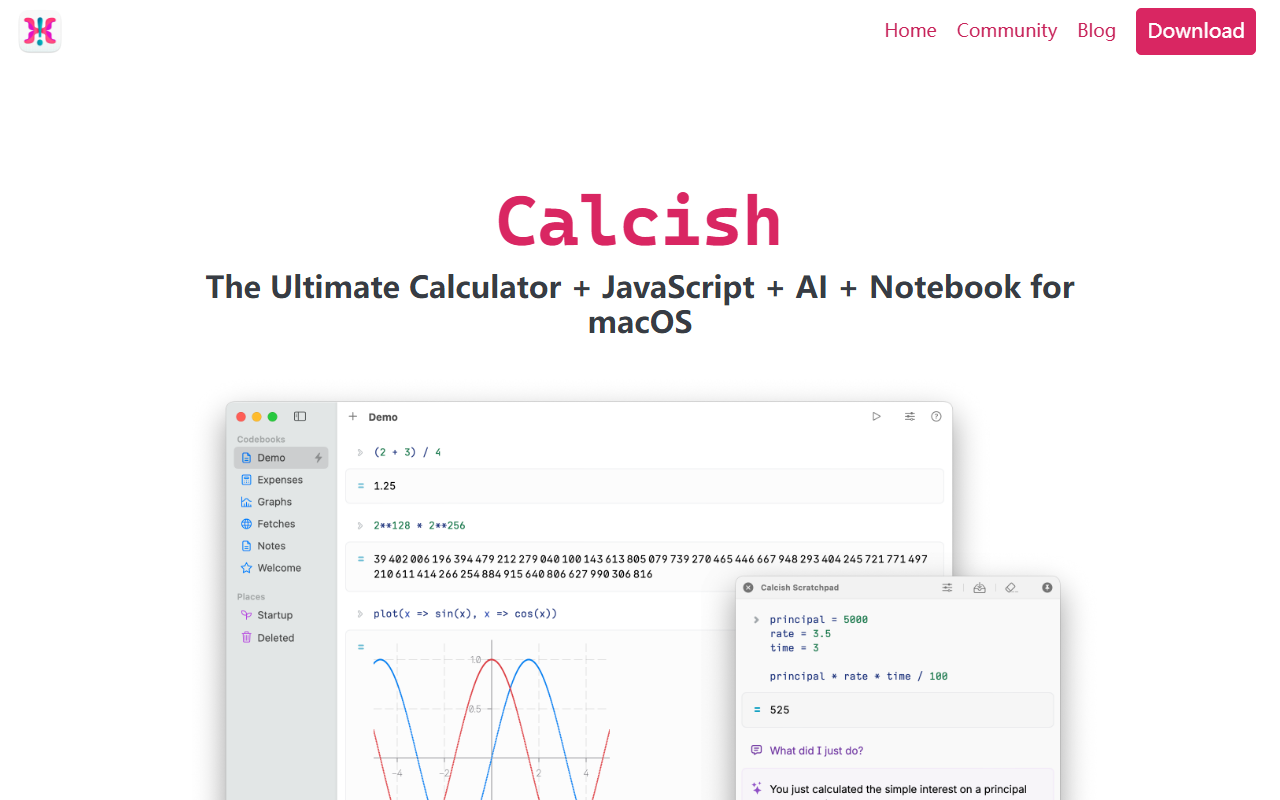
Upon visiting calcish.com and downloading the free trial, I found a beautifully designed macOS app that aims to replace your calculator, code scratchpad, and AI chat clients with a single, cohesive notebook interface. The landing page promises a Ultimate Calculator + JavaScript + AI + Notebook experience. The download was quick, and the app launched via a global hotkey (similar to Spotlight) — a feature that immediately felt natural. The floating scratchpad appears above other apps, letting you capture ideas without breaking your workflow. I started by testing the calculator for complex expressions: inputting sqrt(144) + 3/4 * (2^10) gave me an instant, formatted result. The notebook UI is clean: cells are editable, draggable, and you can mix code, text, files, and AI prompts in one document. That’s a huge productivity win.
Under the Hood: Enhanced JavaScript Engine and AI Integration
Calcish is powered by QuickJS, a lightweight JavaScript engine, but it's been supercharged with native support for big numbers, fractions, vectors, and matrices. When I opened the JavaScript cell and typed BigNum(12345678901234567890).pow(2), the result displayed correctly with arbitrary precision — something that fails in a browser console or Node REPL. The notebook also supports rich output: tables, plots, and formatted text appear seamlessly. For AI, Calcish offers both remote and local models. You can plug in API keys for OpenAI (GPT-5.5, GPT-5.4, etc.), Google Gemini, OpenRouter (Claude, DeepSeek, etc.), or use local models like Llama 2 7B and TinyLlama-1.1B for private, offline work. I tested the local TinyLlama chat cell; it responded quickly and kept all data on-device. The AI integration is context-aware — you can ask it to analyze a previous calculation or generate code for a matrix operation, and it works within the same notebook. This eliminates app-switching and keeps your thought process intact.
Pricing, Privacy, and Practical Use Cases
Calcish is a paid macOS app. The pricing is not explicitly listed on the website, but the site offers a free trial. Upon checking the in-app purchase screen (after trial), it shows a single purchase option: Calcish Pro at $39.99 (lifetime license). There are no subscription tiers, which is refreshing. The app respects privacy: all local AI models run offline, and your data never leaves your device unless you choose to connect a remote API. This is a key differentiator from cloud-only tools like Notion AI or Obsidian with third-party plugins. However, Calcish is macOS-only; Windows and Linux users need to look elsewhere. Alternatives include Mathematica (expensive, not AI-native), Jupyter Notebook (free but no AI integration out of the box), and Spotlight (limited math). Calcish is best suited for developers who need quick prototyping, students doing math homework with vectors/matrices, and data analysts who want a private AI assistant. Casual users might find the $39.99 price steep if they only need a basic calculator.
Who Should Download Calcish?
After spending several hours with Calcish, I can genuinely recommend it to anyone who lives in a terminal or code editor but wants a visual, notebook-style environment. Its strengths are the combination of a powerful math engine, JavaScript execution, and local AI — all accessible via a global hotkey. The notebook export to Markdown, JavaScript, or PDF makes it easy to share work. Limitations include the lack of a Windows version and a relatively small set of pre-installed local AI models (you can add custom models via API, but the doc mentions only a few). Also, the initial learning curve: mixing code cells and AI cells takes a bit of practice. But once you get the flow, it feels like a supercharged mental scratchpad. If you're a Mac user who values privacy and wants a unified tool for math, coding, and AI chat, Calcish is worth the price. If you're on another OS or need collaborative features, look elsewhere. Visit Calcish at https://calcish.com/ to explore it yourself.











Comments