

First Impressions and Interface
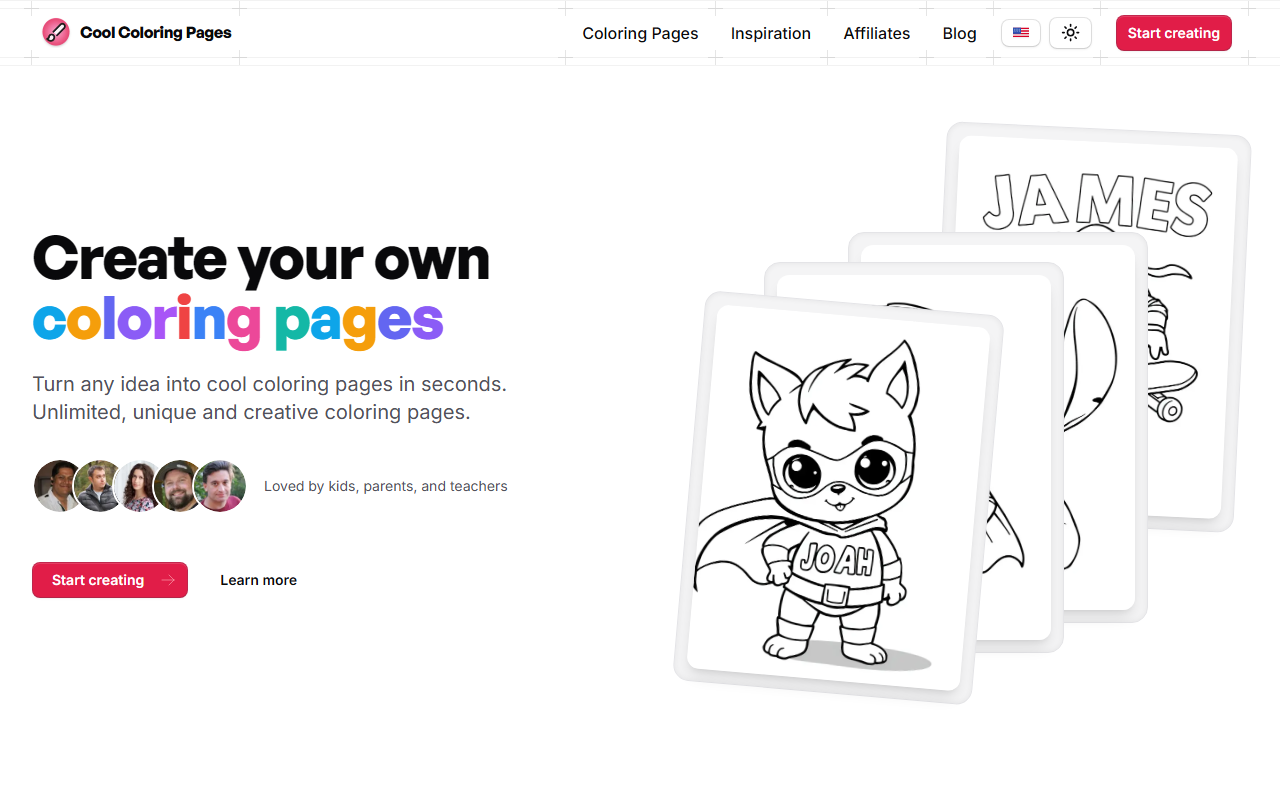
Upon visiting Cool Coloring Pages, I was greeted by a bright, family-friendly landing page. The headline "Create your own coloring pages" immediately sets expectations. The site is clearly designed for a non-technical audience—buttons are large, navigation is minimal, and the tone is warm and encouraging. There's a prominent "Start creating" call-to-action, and a secondary "Learn more" link that leads to more details. Scrolling down, the page showcases the tool's two main workflows: generating from a text idea or uploading a photo. I clicked "Start creating" and was taken to a simple interface with a text input box and an upload button. No immediate login prompt appeared, which is nice for quick testing. The dashboard is uncluttered: a large prompt field, a "Generate" button, and a blank canvas area. Below that, you can see your previously generated pages and collections.
Core Features and AI Performance
Cool Coloring Pages addresses a common pain point: the limited variety and cost of traditional coloring books. The AI generator allows users to create unlimited, unique coloring pages based on text prompts or uploaded images. I tested the text prompt with "a dragon flying over a castle" and received a black-line drawing within seconds. The output was clean, with clear outlines suitable for children and adults alike. The quality is decent but not perfect—some details were simplified or slightly messy, matching testimonials that note "sometimes it takes a few tries to get the perfect page." The tool also supports embedding names into the design, a popular feature as shown by user reviews. You can create collections to organize your favorites, and adjust difficulty levels to suit different age groups. The photo-to-coloring-page feature worked well with a picture of a dog—the AI simplified the image into bold lines. All outputs can be downloaded as high-resolution PDFs or images for printing.
Pricing and Market Position
Pricing is not publicly listed on the website. There is no mention of a free tier, trial, or subscription cost. This is a significant limitation for potential users who need to evaluate cost before committing. It is possible that the tool is free with limitations or that pricing is hidden behind a sign-up wall. Competitors in the space include traditional coloring book publishers and other AI generators like Crayola's digital coloring apps or "Coloring Book AI." However, Cool Coloring Pages differentiates itself by focusing specifically on personalized, on-demand generation with a strong emphasis on family use. The site is backed by a small family team, as described in the "About" section, which adds a personal touch. The lack of transparent pricing may be a barrier, but the product itself is well-targeted at parents and educators seeking an endless supply of custom activities.
Who Should Use It? Strengths and Weaknesses
This tool is best suited for parents of young children, teachers looking for themed coloring activities, and anyone who enjoys creative downtime. Strengths include the ability to generate unlimited unique designs, embed names, and print from home. The process is fast and requires no technical skill. The user interface is intuitive even for young children. However, limitations include variable output quality—some generated images may have uneven lines or missing details. The absence of clear pricing and the potential need for an account after a few uses are drawbacks. Additionally, the tool lacks advanced features like custom line thickness, multiple difficulty levels per image, or export to vector formats. For professionals needing high-quality line art, this tool may fall short. But for casual family fun, it excels. The positive testimonials from parents confirm that the novelty and personalization keep kids engaged.
Visit Cool Coloring Pages at https://coolcoloringpages.com/ to explore it yourself.










Comments