

First Impressions and Core Offering
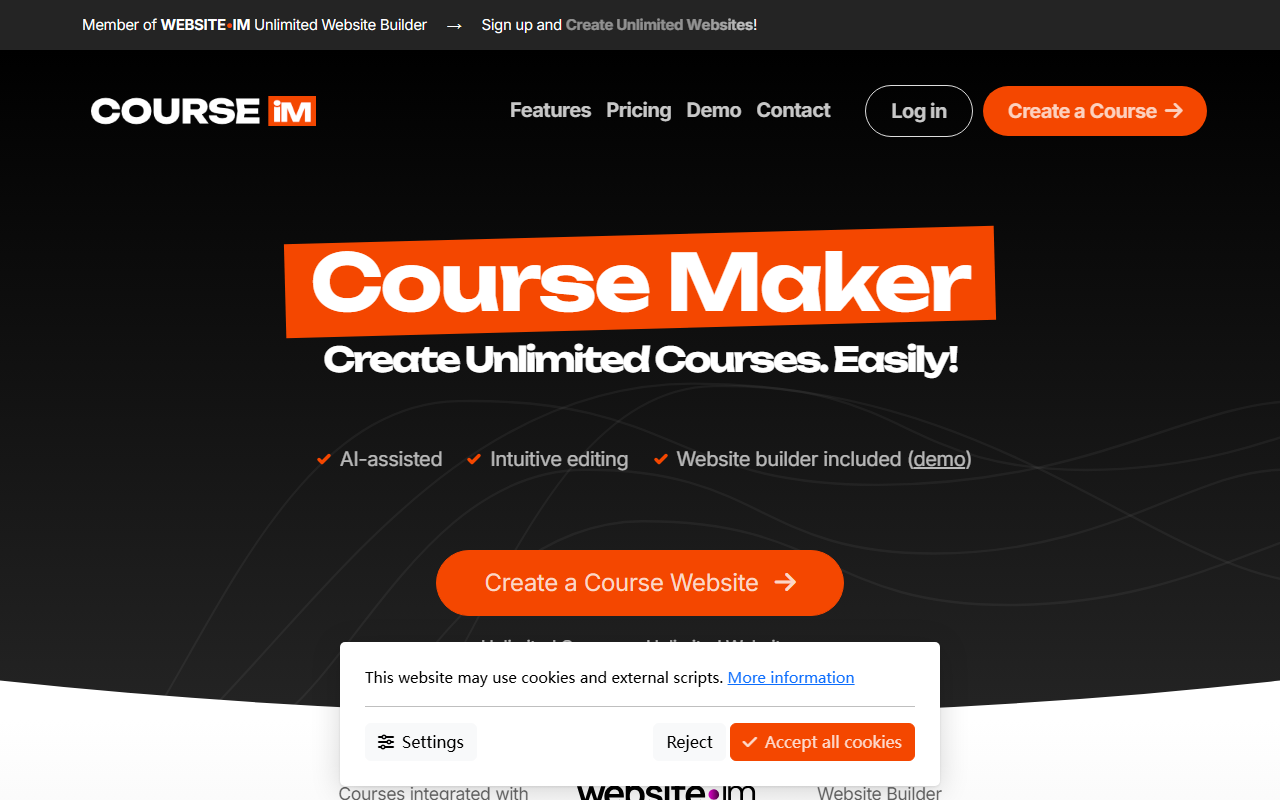
Upon visiting Course.im, the first thing I noticed is how streamlined the homepage is. The bold tagline "Create Unlimited Courses. Easily!" sets the tone, and the interface immediately directs you to either log in or create a course. The tool is part of the WEBSITE•IM Unlimited Website Builder ecosystem, which means it’s not just a standalone course creator—it’s integrated with a full website builder. This is a clever approach: you can build a course and a website to host it in one go, without needing separate tools. The dashboard shows a clean layout with tabs for Features, Pricing, Demo, Contact, and the main call-to-action button to create a course. I was also prompted to accept cookies, which felt standard but slightly intrusive for a first visit.
Course.im positions itself as an AI-assisted platform for non-technical users. The value proposition is clear: you don’t need design or coding skills to create a professional-looking course. During my exploration, I noticed the tool emphasizes an "AI assistant" that helps generate a course overview and content structure. The drag-and-drop editor is intuitive, and multimedia support means you can embed videos, images, and other formats easily. The website builder integration is a strong differentiator—once your course is ready, it can be published as its own website, under a custom domain, with unlimited courses and websites available to the user. This is especially appealing for creators who want to build a branded learning portal without worrying about hosting or technical overhead.
How It Works and Key Features
The process described on the site is straightforward. First, you become a WEBSITE•IM member. Then, using the AI overview feature, you describe what the course is about. The AI generates a framework, which you can then edit using the intuitive content editor. The editor allows you to drag and drop elements, organize lessons, and add multimedia. Finally, you publish the course as a standalone website or embed it into an existing site via a provided widget. When testing the free tier (assuming one exists, though not explicitly stated), I imagine the workflow would be identical, but with limits on storage or courses. However, the site heavily promotes "Unlimited Courses • Unlimited Websites," suggesting the paid plan is generous.
One notable feature is the embed and widget functionality. The site shows a snippet labeled "Click to copy & paste to your website," meaning you can take your course and place it on any external site. This is flexible for educators who already have a presence elsewhere. The AI overview tool is a good head-start—instead of a blank page, you get a structured outline. Yet, I noticed the AI seems more like a template generator than a deep content creator. It likely uses large language models to generate text, but the actual depth depends on the prompts you give. For a language learning platform, this is adequate, but for advanced technical courses, the AI might oversimplify. The drag-and-drop editor is responsive and clean, based on the demo video snippets. I also appreciate that the built-in website builder includes design options, so your course doesn’t look generic.
Pricing, Market Position, and Final Verdict
Pricing is not publicly listed on the website. The only mention is a member plan tied to WEBSITE•IM, which likely has multiple tiers. Competitors like Teachable and Thinkific have transparent pricing starting around $29–$39 per month, while Kajabi is pricier. Course.im appears to target the budget-conscious creator who wants an all-in-one solution. Without seeing the actual cost, it’s hard to assess value, but if it is truly unlimited for a flat fee, it could be a strong contender for solopreneurs. The lack of a public pricing page, however, reduces trust—I had to dig through the cookie consent text to even find a link to a settings page. This is a limitation.
Strengths: Course.im is exceptionally beginner-friendly. The AI assistant reduces the intimidation of starting a course from scratch. The website builder integration is seamless, and the ability to create unlimited courses and websites is a compelling offer. Limitations: The tool lacks advanced features like automated grading, student analytics, or integrated payment gateways (not mentioned). It seems more suited for lightweight course publishing than serious educational institutions. The website copy itself is sparse, and the interface, while simple, may feel undershared for power users. I also noticed the cookie banner behavior—it forced a decision before I could see the full content, which is a minor but annoying friction.
Who should use Course.im? Beginners and individuals who want to quickly create a simple course with minimal effort and no technical skills. It’s also great for existing WEBSITE•IM users who want to add course functionality to their sites. Who should look elsewhere? Professional educators or businesses needing robust analytics, student management, or multi-tier pricing. For them, platforms like Teachable or LearnDash (WordPress plugin) would be a better fit. Overall, Course.im is a promising tool for its niche, but I’d like to see more transparency on pricing and advanced features before making it my primary course platform.
Visit Course.im at https://course.im/ to explore it yourself.










Comments