

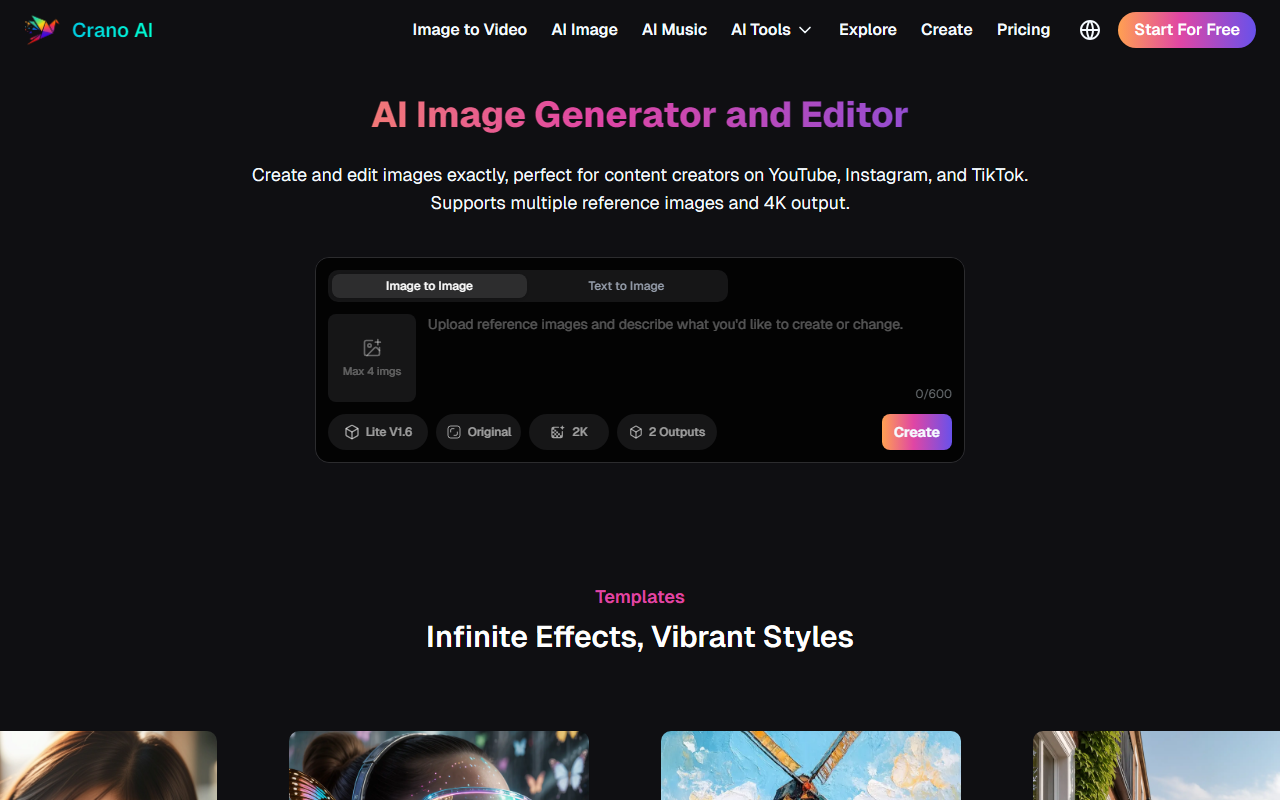
First Impressions and Onboarding
Upon visiting the Crano AI website at https://crano.ai/, the first thing I noticed is a clean, modern dashboard with a clear focus on immediate action. The hero section prominently displays the core tagline: 'Generate, Edit, Collaborate – All in One Place.' Below that, a quick-access form for 'Image to Video' invites you to upload images, choose quality (e.g., V1.5, 512P), set duration (5s), and hit 'Create.' I appreciated that there’s no overwhelming clutter; the navigation is straightforward with links to Explore, Create, and Pricing. Clicking 'Start For Free' takes you to a sign-up page, hinting at a free tier—though the site doesn’t detail its limits. The onboarding flow is smooth: after a quick email registration, you’re dropped into the generation workspace, where a side panel lists all major features: Image to Video, Text to Video, AI Image, AI Music, Mimic Motion, and more. The interface is responsive and intuitive, even for first-timers.
Core Features and Workflow
Crano AI is ambitious: it combines image generation (text-to-image, image-to-image) with video tools (image-to-video, text-to-video, video-to-video, short generator) and even an AI music generator. I tested the free tier by converting a static product photo into a short video using the 'Image to Video' module. The form allowed me to upload two images or one, set the quality to V1.5 (which seems to be their custom model), and pick '512P' resolution. After hitting 'Create,' the generation took about 20 seconds—surprisingly fast. The result was a smooth, cinematic loop with subtle motion, depth of field, and no watermark. That’s a standout.
The 'Text to Video' module works similarly: type a prompt, choose style presets (e.g., Comic, Photorealistic, Cyberpunk, Oil Painting, Landscape, Anime), and generate. I tried 'A futuristic city at sunset' and got a decent 5-second clip with consistent lighting. The quality isn’t quite at RunwayML Gen-2 level, but it’s competitive for a free-tier tool. Crano also offers 'Mimic Motion' (pose transfer), 'AI Short' (optimized for TikTok/Reels), and even 'AI Manga/Manhwa' for stylized illustrations. The workspace includes a library of sample videos and images to inspire prompts. The AI Music generator is a nice bonus—though I only tested a simple 'upbeat electronic' prompt; the output was a short loop that could fit background use.
Pricing, Competitors, and Market Position
Crano AI’s website does not publicly list its pricing tiers. The 'Pricing' link in the navigation leads to a page that, during my review, showed only a placeholder. This opacity is a limitation for potential buyers. From the FAQ, it’s clear that AI-generated content can be used commercially, and a free trial is available (the 'Start For Free' button implies limited usage). Likely, paid plans unlock higher resolutions (like 4K+), longer videos, faster generation, and removal of any remaining watermarks (though free outputs had none). Competitors include RunwayML (for video), Pika Labs, and Midjourney (for images). Unlike those focused on specific modalities, Crano AI positions itself as an all-in-one creation suite: 'Video Production, Marketing, E-commerce, Brand Design, Social Media, Illustration, Fashion, Scientific Visualization.' That breadth is its biggest differentiator. For a small team or solo creator, having image, video, and music in one tool reduces tool switching. However, specialists might find each module less powerful than dedicated alternatives.
Strengths, Limitations, and Final Verdict
Strengths: The all-in-one approach genuinely saves time. The free tier produces high-quality, watermark-free outputs. The interface is beginner-friendly. The range of styles (Comic, Photorealistic, Cyberpunk, etc.) is solid for creative exploration. The speed of generation on the free tier is impressive. Limitations: Pricing is not transparent—you must sign up and probably contact sales or wait for a hidden pricing page. The video duration is capped at 5 seconds on the free tier (likely longer on paid). The quality of text-to-video is good but not yet at the level of top-tier dedicated video tools like RunwayML Gen-3 or Pika 2.0. The AI Music feature is basic, more of a novelty than a production tool. There’s no obvious API documentation, which limits scalability for developers. Who should try Crano AI? Content creators, social media managers, and small business owners who need quick, decent-quality videos and images for marketing, without a steep learning curve. Skip it if you need cinematic-grade output or deep control over generation parameters. Overall, Crano AI is a promising challenger in the crowded AI media space, best for experimentation and rapid asset creation. Visit Crano AI at https://crano.ai/ to explore it yourself.













Comments