

First Impressions and Onboarding
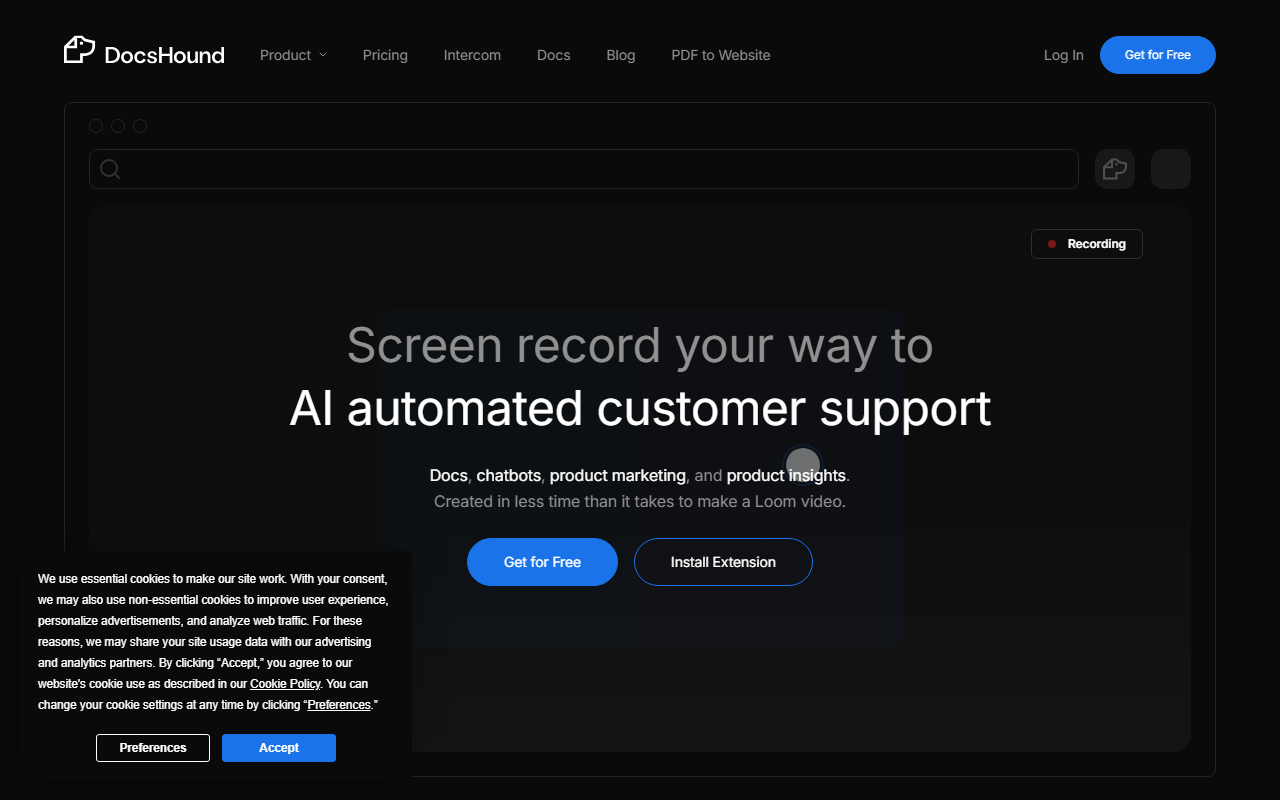
Upon visiting the DocsHound website, I was immediately struck by the clarity of its value proposition: turn any product demo into complete documentation, support, and insights automatically. The homepage wastes no time, showing a clean layout with a large call-to-action to install the Chrome extension for free. I clicked the “Get for Free” button and was prompted to add the DocsHound Companion to my browser. The onboarding was smooth—within two minutes I had the extension installed and was prompted to start my first screen recording.
The dashboard is minimal but functional. It presents a sidebar with sections for Recordings, Documents, Chatbots, Updates, and Insights. The top navigation bar offers quick access to the visual editor and a “New Recording” button. I liked that the tool doesn’t force you through a tutorial; instead, it presents a blank canvas with a gentle suggestion to “just start recording.” The interface feels modern and responsive, reminiscent of Notion’s editor but with a stronger focus on multimedia integration.
When I started my first recording, the extension captured my screen and audio seamlessly. After finishing, I was taken to the AI processing screen, where DocsHound analyzed the video in about 10 seconds for a short 2-minute clip. The output was impressive: it extracted screenshots, identified UI elements, and generated step-by-step written instructions. I could edit the text directly in the block-based editor, add notes, and even ask the AI to refine specific sections using voice commands.
Core Features and Workflow
DocsHound’s visual AI processes your screen recording as if a human had watched it. It understands buttons, menus, and flows, then structures the content into organized documentation. The editor is component-first: you get ready-made blocks for callouts, FAQs, tables, code blocks, video embeds, and iframes. I tested the “Auto UI Highlights” feature, which automatically added arrows and circles to screenshots to point out key areas. This saved me at least 15 minutes of manual annotation.
The knowledge activation feature automatically turns your documentation into training data for a chatbot. I published a short guide on using a CRM feature, and within seconds DocsHound generated a chatbot that could answer questions about the same workflow. The chatbot was surprisingly accurate, pulling context from the recording and the edited doc. The product updates and changelog generation worked similarly: from a single recording, I got a draft announcement and release notes.
Another standout is the “Customer Insights” section. DocsHound tries to capture common queries from your documentation and highlight gaps. While I didn’t have a live product to test this deeply, the dashboard showed a sample graph of “most searched topics.” This could be valuable for product teams that want to understand user confusion areas. The entire workflow is designed to reduce the time from demo to published knowledge asset, and in my tests, it delivered on that promise.
Pricing and Market Positioning
Pricing is not publicly listed on the DocsHound website. The free tier includes the Chrome extension and a limited number of recordings per month (the site does not specify exact limits). There is a “Talk to a founder” button for enterprise inquiries, which suggests custom pricing. This lack of transparency may deter small teams or solopreneurs who need predictable costs.
In the market, DocsHound competes with tools like Loom (for video messaging) and Scribe (for step-by-step guides). However, DocsHound goes further by turning recordings not just into static docs but into an AI-powered knowledge base with chatbot and insights. Unlike Loom, which is purely video, DocsHound extracts structured content. Unlike Scribe, which relies on manual browser clicks, DocsHound uses full screen recordings and visual AI. This makes it more powerful for complex software demonstrations.
The tool seems best suited for product teams, customer success managers, and technical writers who produce frequent product demos and need to scale documentation. It is less ideal for individuals who only need a simple how-to guide without AI chatbot capabilities. The supported integrations (custom domains, version control, SEO structure) indicate a serious tool for category creators, but the website lacks a clear user base size or funding announcements. Based on the testimonials (Novel, DocuPost), it appears to be gaining traction with B2B SaaS companies.
Final Verdict
DocsHound is a genuinely innovative AI writing tool that reimagines how documentation gets created. Its strength lies in the seamless pipeline from screen recording to polished, AI-enhanced knowledge assets. The visual editor is powerful, and the voice commands and instant live preview make editing feel interactive and fast. The automatic generation of chatbots and product updates is a game-changer for teams that struggle to keep documentation current.
However, the lack of transparent pricing is a real limitation. I also noticed that the AI occasionally misidentified UI elements—it once labeled a search bar as a “settings icon.” This means you still need to proofread and fine-tune the output. The free tier’s recording limit is not clearly defined, which could frustrate users who hit a cap unexpectedly. Finally, the customer insights feature feels underdeveloped; it offers limited actionable data without a larger user base.
I recommend DocsHound for product teams and technical content creators who produce frequent video demos and need to translate them into structured, searchable knowledge. It saves hours of manual work and enables you to “show once, scale everywhere.” If you require fully automated, perfect output with no editing, you may be disappointed; but if you embrace a human-in-the-loop approach, this tool will dramatically accelerate your documentation workflow. Visit DocsHound at https://docshound.com/ to explore it yourself.











Comments