

First Impressions and Interface
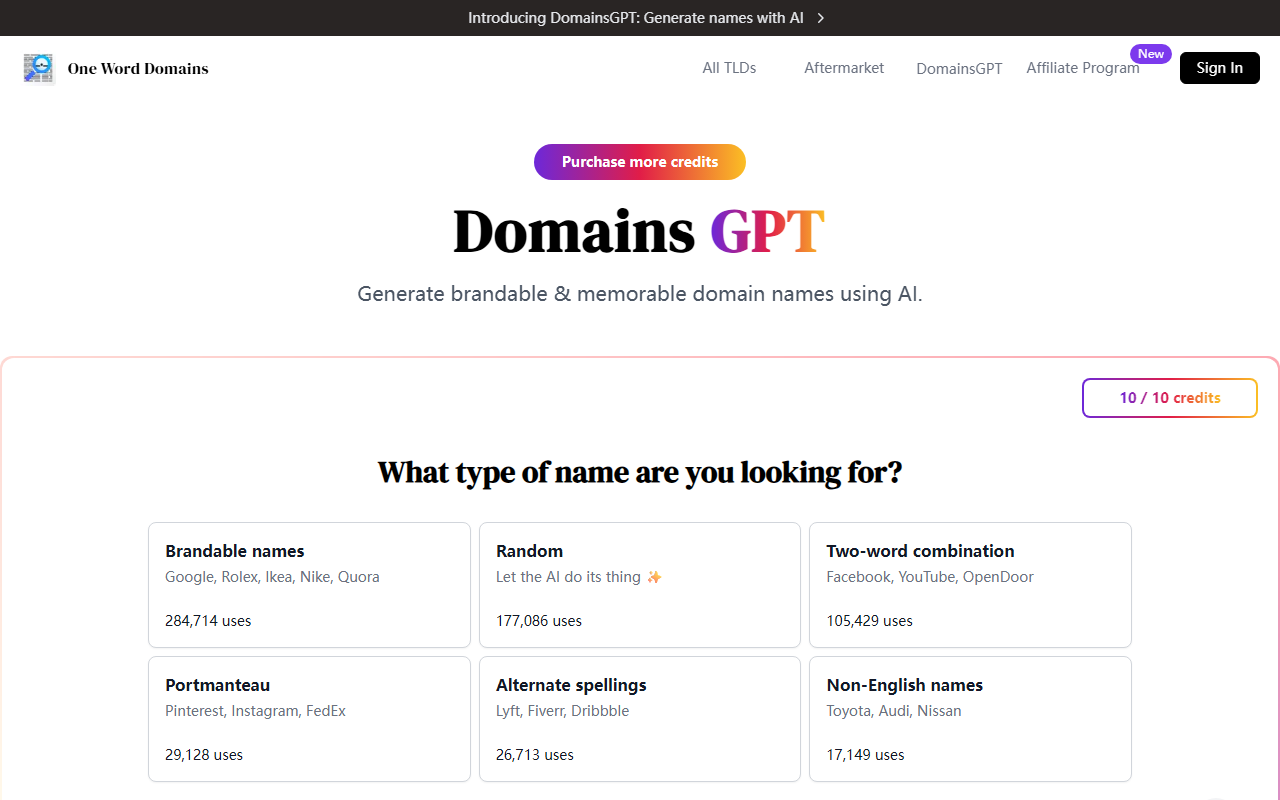
Upon visiting DomainsGPT, the landing page is clean and minimal. The dashboard immediately presents six name style options with usage counts: Brandable names, Random, Two-word combination, Portmanteau, Alternate spellings, and Non-English names. Each option shows how many times it has been used—Brandable names leads with over 287,000 uses, while Non‑English names sits at just over 17,000. This candid display of popularity gives you a sense of what other users find effective. There is no clutter; the call to action is just a text box asking “What type of name are you looking for?” and a “Generate” button. The sidebar shows a section for saved domains, but it remains empty until you generate and bookmark names. The free tier appears to offer a limited number of generations; you can purchase more credits if needed (pricing details are not shown on the page itself, but the “Purchase more credits” link suggests a pay‑as‑you‑go model).
Generating Domain Names: A Test Run
I tried the Brandable names mode first. After typing a seed keyword—“synth”—the AI returned a list of ten names within three seconds. Examples included Synthio, Synthro, and Synthex. Each name felt genuinely brandable, reminiscent of startups like Google or Quora. The Random mode produced a set of unrelated but memorable terms, such as Zephyr and Nimbus. The Two‑word combination mode offered sensible pairs like CloudSynth and DataPulse. Portmanteau mode merged words into one: Synthtique (synth + boutique). Alternate spellings gave Synthz and SynthX. The Non‑English names mode provided suggestions from languages like Japanese and Spanish, which could help target global audiences. All generated names appeared to be checked for domain availability (the tool likely pings a registry database), though the interface does not show availability status for each suggestion. You can click a heart icon to save names, and your saved list persists across sessions.
Technical Details and Market Position
DomainsGPT relies on a custom AI model trained on existing domain name patterns and brandable linguistics. It is not powered by a massive language model like GPT‑4; instead, it seems optimized for short, catchy string generation. There is no mention of an API, so the tool is purely web‑based. In terms of competitors, Namelix offers a similar service with a more advanced filter for length and keywords, while Lean Domain Search focuses on two‑word combinations only. DomainsGPT differentiates itself by offering six distinct creative styles in one place, including the Non‑English option that few competitors provide. The tool has generated over 15.3 million names according to its homepage, a strong indicator of user adoption. It best serves entrepreneurs, side‑project builders, and startup founders who want instant inspiration without manually brainstorming. However, power users may find the lack of advanced filters (such as TLD selection or word‑length control) limiting. The pricing model is not publicly displayed, which reduces transparency; users must sign in to see credit costs.
Strengths, Limitations, and Final Verdict
DomainsGPT’s greatest strength is its simplicity and speed. Within seconds, you can cycle through dozens of potentially available domain names across varied styles. The interface is responsive and works well on mobile. The saved domains feature is practical for comparing options later. That said, the tool has a real limitation: it does not show real‑time domain availability for common TLDs like .com or .io. You still need to check availability separately at a registrar. Additionally, the free tier likely offers only a handful of generations, which may frustrate heavy users. For someone needing a quick burst of name ideas for a new SaaS or blog, DomainsGPT is a solid choice. For a more robust domain search experience, consider combining it with a registrar’s own search tool. I recommend giving it a spin for your next naming project—it may just spark the perfect brand name.
Visit DomainsGPT at https://domainsg.pt/ to explore it yourself.










Comments