

First Impressions and Onboarding
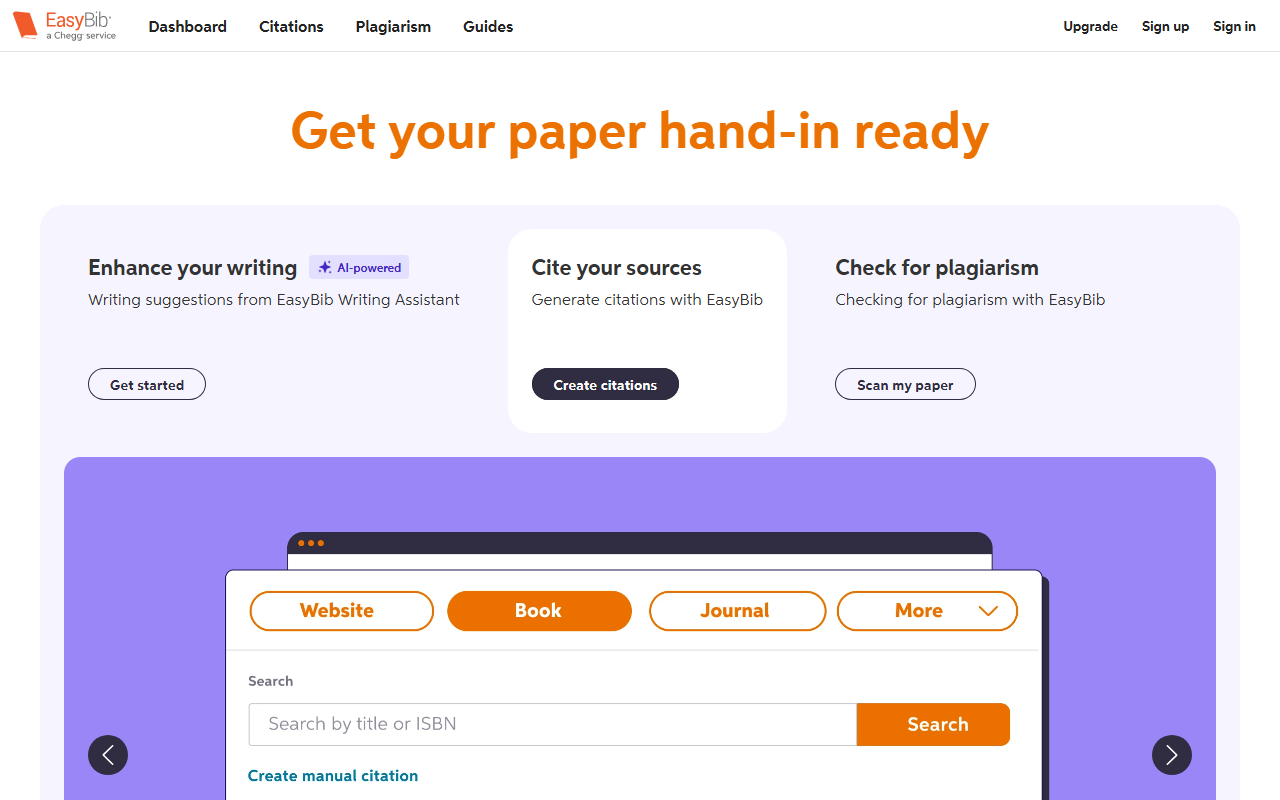
Upon visiting EasyBib’s website, I was greeted by a clean, academic-focused interface. The dashboard prominently displays four primary sections: Citations, Plagiarism, Guides, and an Upgrade button in the top-right corner. The tagline, “Get your paper hand-in ready,” immediately signals that this tool targets students working on essays and research papers. The onboarding flow is straightforward: you can jump straight into generating a citation, scanning for plagiarism, or exploring the writing assistant. I clicked “Get started” under the AI-powered Writing Assistant, expecting a full-fledged AI editor, but the experience felt more like a lightweight proofreader than a generative writing tool.
Core Features and Workflow
EasyBib’s headline feature is its citation generator. I tested it by searching for a book title: within seconds, it auto-filled the source details and offered export to Google Drive or Word. The free tier supports MLA, APA, Chicago, and Harvard styles, which is genuinely useful for students. The Plagiarism Checker scans your paper against billions of sources and provides a similarity percentage. I uploaded a short paragraph from a public article; the scan took about 30 seconds and highlighted the matched text. The Writing Assistant, which EasyBib markets as AI-powered, is actually a combination of grammar checks, clarity suggestions, and a paraphrasing tool. During my test, it flagged a passive-voice sentence and offered a rewording, but the suggestions were less nuanced than what I’ve seen from Grammarly or ProWritingAid. The paraphrasing tool rephrased sentences adequately, but without any style or tone customization. The free tier limits the number of grammar checks and plagiarism scans per day, pushing users toward the premium subscription.
Pricing is not explicitly listed on the website beyond a generic “Upgrade” call-to-action. From my research, EasyBib is owned by Chegg and its premium plan (around $9.95/month) unlocks unlimited plagiarism checks, advanced grammar suggestions, and citation export. For context, competitors like Grammarly offer more sophisticated AI writing feedback, while Zotero or Mendeley provide free, open-source citation management without writing help.
Strengths and Limitations
EasyBib’s chief strength is its integration of citation, plagiarism, and light writing assistance in one place. The citation generator is fast and reliable, supporting thousands of styles beyond the big four. The plagiarism checker, while basic, is sufficient for undergraduate-level papers. Additionally, the free guides on MLA, APA, and Chicago formatting are well-organized and include examples, saving students time.
However, the AI writing features are a clear limitation. Compared to dedicated tools, EasyBib’s Writing Assistant lacks depth: it does not offer tone detection, genre-specific advice, or advanced rewrite suggestions. The paraphrasing tool sometimes changes meaning slightly, requiring manual oversight. Another limitation is the aggressive upsell: free users face daily caps on scans and checks, and the interface frequently prompts upgrades. Furthermore, EasyBib does not integrate with popular writing platforms like Google Docs (except for citation export) or provide a browser extension, unlike Grammarly or QuillBot.
Who Should Use EasyBib?
EasyBib is best suited for high school and early college students who need a one-stop shop for formatting citations and catching basic grammar errors. If you are already using Chegg’s ecosystem, the integration is seamless. However, if you are a graduate student, professional writer, or anyone needing advanced AI writing assistance, you will quickly outgrow EasyBib. For deeper stylistic feedback, Grammarly Premium offers more; for citation management alone, Zotero is free and more powerful. Ultimately, EasyBib delivers on its core promise of citation generation, but its AI writing capabilities are preliminary at best. Try it for coursework that requires MLA formatting, but don’t expect it to replace a dedicated AI writing companion.
Visit EasyBib at https://easybib.com/ to explore it yourself.










Comments